
Star Walk 2 Plus: Sky Map View review
 Analysis by Appsdrops
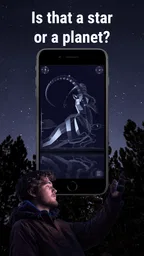
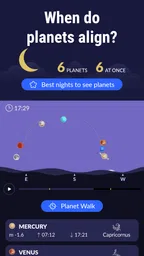
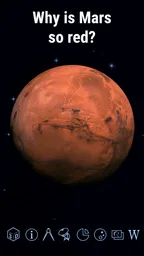
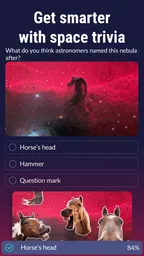
Finding a bright point in the night sky and wondering what it is can turn a quiet moment outside into a small adventure. Star Walk 2 Plus: Sky Map View is an education app built around that curiosity: its store summary puts the idea simply, inviting you to point your phone and identify stars rather than guess. I like that clear promise. It gives the app an immediate purpose for casual sky-watchers, families, and anyone who wants a more approachable way to explore astronomy.
A pocket guide to looking up
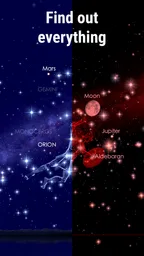
At its heart, Star Walk 2 Plus: Sky Map View is meant to connect the sky above you with information on your screen. That makes it easier to move from “What am I looking at?” to a more informed look at the night sky. The educational appeal is practical: instead of beginning with a dense astronomy textbook, you can start with something visible and follow your curiosity from there.
The app sits in the education category, and that feels like a natural fit. Astronomy can seem intimidating when it is presented as a collection of unfamiliar names and facts. A sky map offers a more inviting entry point because it gives the subject a visual context. For a beginner, that can make the difference between briefly noticing the stars and spending a little longer trying to understand what is overhead.
Its central idea is also easy to explain to someone else. You do not need to arrive with a detailed plan or specialist knowledge; you can bring the app along when you are outside and use the sky itself as a starting point. That simplicity is a strength for a learning tool. It gives curious users a reason to engage without making the experience sound like homework.
Designed for curiosity, not just reference
The most appealing part of a sky map app is the way it can make observation feel active. A traditional reference can tell you about astronomy, but a tool designed around looking at the sky encourages you to connect the subject with what you can see. That is a useful shift for people who learn best by exploring. It also makes the app easier to share: one person can point out a mystery, and everyone nearby can join in trying to identify it.
That does not mean a digital guide replaces the experience of being outdoors. For me, its value is in adding context to that experience. The screen can help direct attention, while the real sky remains the reason to step outside. Used in that spirit, Star Walk 2 Plus: Sky Map View feels less like a substitute for stargazing and more like a companion for it.
The name includes “Plus,” but the useful way to judge the app is by separating what is free from what costs extra. The app is free to download, and in-app purchases are listed from $0.99 to $9.99 per item. Those are the relevant cost facts to keep in mind before deciding whether it suits your needs. The listed purchase range does not, by itself, tell you which specific features are included in each option, so it is sensible to check the in-app purchase details before paying.
What the free entry point means
Free access gives interested users a way to try the app without paying an upfront price. That lowers the barrier for someone who is unsure whether a sky map will become part of their routine. It is especially useful if you are simply curious, want an educational aid for an occasional evening outdoors, or are looking for a starting point before committing to any optional purchase.
There is a difference, though, between being free to download and having every possible benefit included at no cost. Since optional purchases are available, I would treat the free version as an accessible way to begin and make a separate decision about paid options only after checking what they offer. This is a fair approach for a casual user: explore first, then consider spending only if an added option clearly matches the way you use the app.
The purchase range is modest enough to make the decision feel manageable, but “modest” is not the same as automatically worthwhile. A price is good value only when the thing you get matters to you. If you open the app once in a while, paying for an optional item may not make sense. If you return to it often and find a particular paid addition useful, the same purchase could feel more justified. The key is to connect the expense to your own habits rather than assume that every upgrade is necessary.
Value comes from using the sky as a classroom
The educational value here is less about replacing formal lessons and more about making astronomy approachable. It can give a beginner a reason to ask questions, notice patterns, and spend time looking up. That sort of curiosity is valuable in its own right. A parent or teacher might also find the concept handy as a prompt for conversation, since identifying something in the sky can lead naturally to broader questions about stars and space.
For an individual user, the best value is likely to come from repeated use. A tool that helps you explore something you already enjoy can become more rewarding over time than one you download and forget. If you are already interested in astronomy, the app’s point-and-identify premise is easy to understand and could fit naturally into a stargazing routine. If your interest is only occasional, the free starting point lets you see whether that routine develops before you spend anything.
There is also value in the app’s accessible framing. You do not have to approach the night sky as an expert to find it interesting. A beginner can enjoy the simple act of discovering what a bright point might be, while a more engaged observer can use that moment as a springboard for further learning. That broad appeal is a good match for an educational app, because it leaves room for different levels of curiosity rather than speaking only to specialists.
Tradeoffs to consider before paying
The first tradeoff is straightforward: the app is free to download, but optional purchases are available. If you prefer an experience with no paid extras, check the app’s purchase information before deciding whether it meets that preference. The listed range alone does not establish what each item adds, so I would avoid treating the most expensive option as the default or assuming that a purchase is required to enjoy the core idea.
The second consideration is how often you expect to use it. A sky map is most compelling when you have a genuine reason to look at the sky, whether that is a planned stargazing session or a spontaneous question outdoors. Someone who rarely watches the night sky may find that the app’s usefulness is occasional. That is not necessarily a flaw; it simply affects how much value you personally get from a free download or an optional purchase.
It is also worth remembering that educational apps work best when they encourage active interest rather than replace it. The app can give you a way into the subject, but the deeper payoff comes from taking time to observe and learn. If you expect an app alone to create a lasting astronomy hobby, it may not meet that expectation. If you want a convenient companion for curiosity you already have, its basic concept makes much more sense.
There is a practical difference between the appeal of the promise and the details of a paid option. The store summary’s point-your-phone idea is an inviting starting point, but anyone considering an in-app purchase should read the description of that specific item inside the app store or app. That keeps the decision grounded in what is actually being offered, rather than in assumptions based on the app’s name or general purpose.
Who is most likely to get value
I would recommend giving it a look if you are new to astronomy and want a more visual way to begin. The approachable premise makes it easier to connect a real observation with a learning moment. It could also suit families who enjoy sharing questions outdoors, or anyone who likes having a simple educational tool on hand when something in the sky catches their attention.
More experienced astronomy fans may appreciate the convenience of having a sky map-style resource available, though their sense of value will depend on whether the app’s approach fits the way they already observe. The free download makes it relatively easy to judge that for yourself. In-app purchases are best viewed as optional decisions, not an automatic part of getting started.
The app has a 4.5 average rating, with around 574,000 ratings and about 20,000 written reviews. It has also passed 10 million installs. Those figures show that it has attracted a substantial audience, though popularity alone cannot tell you whether its approach will suit your own interests. I would use that as a reason to consider it, not as a substitute for deciding what you want from a sky map.
It is listed as suitable for everyone, which reinforces its broad, educational positioning. The developer is Vito Technology. The app was released on April 28, 2015, and its current version is 2.22.0, with a minimum operating-system requirement of 7.1. These details may help you check basic compatibility, but the more important question is whether you enjoy learning about the sky through a phone-based guide.
My buy-or-skip verdict
My verdict is to try the free download if the idea of identifying what you see in the night sky appeals to you. Its clearest strength is that it turns a common question into an invitation to explore, and that is a useful starting point for an education app. You do not need to commit to a purchase just to decide whether this style of astronomy guide fits you.
I would hold off on paying for optional items until you have checked what each one includes and decided that it adds something you will genuinely use. The listed in-app purchase range runs from $0.99 to $9.99 per item, so there is a concrete cost to weigh, but the right choice depends on the specific purchase and your own interest. Free access is the sensible first step; paid value is personal rather than guaranteed.
Skip it if you have little interest in looking at the sky or would rather learn astronomy through a different kind of resource. But if you enjoy noticing bright points overhead and want help turning that curiosity into exploration, this is an appealing app to have at hand. My recommendation is simple: start free, see whether you keep reaching for it, and spend only when a clearly useful paid option matches the way you stargaze.
What we like
- Augmented reality overlays help identify objects across the sky.
- Night mode makes the map easier to use in dark conditions.
- Time controls show how the sky changes throughout the night.
- The interface is approachable for beginners.
- Offline sky maps are useful when internet access is unavailable.
What could be better
- Some content and features require in-app purchases.
- Augmented reality can drain battery during extended sessions.
- Bright screens can affect night vision without careful settings.
- The sky view may be less accurate near tall buildings.
- Clouds and light pollution can limit real-world viewing.





