

Bible App for Kids review
 Analysis by Appsdrops
Bible App for Kids works best as a calm starting point for talking about Bible stories with a child, not as a substitute for an adult’s guidance or a full study resource. I like the basic idea: it presents faith stories in an approachable, animated format that gives families something concrete to watch and discuss together. The experience is deliberately child-focused, which is both its clearest strength and the reason older children or adults may want something more detailed.
Stories that invite a conversation
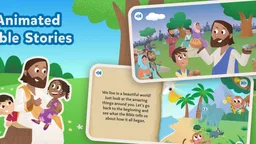
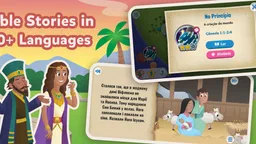
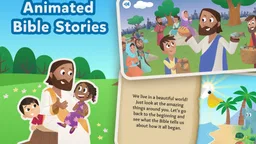
Made by Life.Church, this free education app is built around animated Bible stories about Jesus for children and families. Rather than asking a young reader to work through dense passages, it gives a family a shared visual starting point. That can be useful when a child is curious about a story but not ready to follow a traditional Bible reading on their own.
In practice, I would treat a story as the beginning of an activity, not the whole activity. After watching, ask the child what they remember, which character stood out, or what they think happened next. Those questions help turn screen time into a conversation instead of leaving the animation to do all the teaching. This approach also makes the app easier to use with children who have very different attention spans or levels of familiarity with Bible stories.
The format suits short stretches of family time: a quiet moment before bed, a break while waiting, or a few minutes together after dinner. A parent can choose one story, watch alongside the child, and pause whenever a question comes up. That is a more useful way to approach it than expecting a young child to absorb a lesson simply by letting episodes play in the background.
One practical trade-off is that animation makes stories approachable but also gives them a particular visual and storytelling style. Children may remember the characters and scenes as presented here, so I would be ready to explain that an animated retelling is an interpretation designed for young viewers. Families who want to compare story details or discuss different readings will need to bring in a Bible or another resource alongside the app.
Where the format helps—and where it can fall short
The strongest case for this app is accessibility. A child who is not yet comfortable reading independently can still engage with a story, while a parent has an easy prompt for conversation. The animated presentation can also help a family establish a familiar routine without turning every session into a formal lesson. For a first introduction, that low-pressure quality matters.
But a simple presentation has limits. It is not the right choice if you want extensive textual study, detailed historical context, or a broad reference tool for adults. Nor would I rely on it as a complete religious education plan: children benefit from a caregiver who can answer questions, connect the story to family beliefs, and notice when a child has misunderstood something.
That distinction is worth keeping in mind when comparing it with a standard Bible app. A general Bible app is usually the better fit for adults who want to read passages directly, search across scripture, or follow a more involved study routine. Bible App for Kids is more focused on helping children encounter stories through animation. Neither format replaces the other; the useful choice depends on whether your priority is independent reading or a child-friendly shared introduction.
It is also worth considering how your child responds to screens. If animated video tends to make it difficult for them to settle afterward, a printed storybook or reading aloud may work better. If they enjoy visual storytelling, the app can provide a welcome bridge into a discussion. I would keep sessions intentional and brief rather than using it as an automatic way to occupy a child for a long stretch.
A good fit for families beginning together
I would recommend it most readily to parents and caregivers who want a simple way to introduce Bible stories to younger children and are willing to watch with them. It can also help a family with mixed reading abilities share the same starting point: the child can follow the animation while an adult supplies context in everyday language. Since the content rating is Everyone, it is positioned for a broad audience, though that does not mean every family will prefer the same teaching style.
For a realistic routine, imagine a parent and child settling down after dinner. They watch one story together, then the parent asks the child to retell the part they found most surprising. If the child asks why a character made a certain choice, they can talk it through instead of moving straight to another episode. This makes the app a prompt for family interaction, which is more valuable than treating it as passive viewing.
A useful tip is to let the child’s questions guide what happens next. If they want to know more about a person or event, pause and look it up together in a child-appropriate Bible or book. That small step prevents the animation from becoming the only source of detail and helps children see that stories can lead to reading and discussion. It also gives adults room to distinguish what the app shows from what they want to teach at home.
The app may be less suitable for families looking for a neutral overview of world religions, for older readers seeking close study, or for caregivers who want children to engage primarily with printed text. Its focus is specifically Bible stories and Christian teaching, so it is best chosen with that purpose in mind. A family wanting a more open-ended discussion of religious traditions should use a broader resource instead.
What to expect before installing
The app is free, and it has an average rating of 4.4 from around 398,000 ratings, with roughly 20,000 written reviews. It has passed 100 million installs, which suggests it is a familiar option for many families, but popularity alone cannot tell you whether its style will suit your household. I would use a short shared session to judge whether your child finds the stories engaging and whether you like the way they are presented.
It was released on November 27, 2013, and the current version is 3.5.1, with Android 7.1 as the minimum operating system. Those details are useful when deciding whether an older device can run it. The app’s age and continued presence also mean it is not a brand-new experiment, though I would still check the app store on the device you plan to use for current compatibility information.
One question parents often have is whether the app can stand alone. My answer is no—not if the goal is thoughtful learning. It can make a story easier to approach, but an adult adds the interpretation, answers follow-up questions, and decides how the story fits the family’s beliefs. If you want a tool that does that teaching without your involvement, this is probably not the right expectation.
Another practical question is whether it suits independent use. The child-friendly format may make it approachable, but I would begin by using it together, especially with younger children. Shared viewing lets you guide the conversation and understand what your child takes from the story. As a child grows more familiar with the material, you can decide whether they are ready to explore it on their own.
My verdict for parents and caregivers
Bible App for Kids earns its place as a focused introduction, especially when an adult treats each animated story as an invitation to talk. Its clearest strength is making Bible stories approachable for children who may not yet be ready for direct reading. Its main limitation is the same narrow focus: it does not replace a full Bible, a study tool, or a caregiver’s own explanation.
I would try it if you want a free, low-pressure way to share Christian stories with a child and can spend a few minutes watching and talking together. I would choose a printed book or a general Bible app instead if your priority is reading the text closely, exploring background, or giving an older child more room for independent study. For families who want an accessible first step and are comfortable guiding the conversation, it is a practical option—most useful not as a screen-time filler, but as a small shared moment that can lead to better questions.
What we like
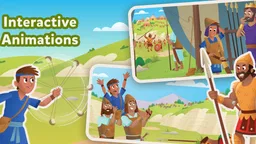
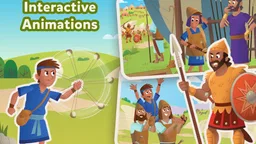
- Interactive stories make Bible lessons engaging for young children.
- Narration supports children who are not yet confident readers.
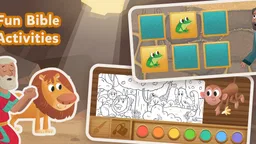
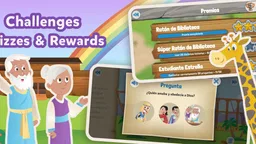
- Quizzes and activities reinforce key story details.
- Bright illustrations help children follow the narrative.
- The app is available at no cost.
What could be better
- The app covers selected stories rather than the entire Bible.
- Some activities may require help from an adult.
- Interactive elements can distract from the story.
- The child-focused retellings simplify complex biblical themes.
- Availability and features may vary by device or region.





