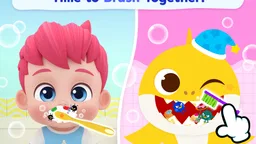
Pinkfong Baby Shark: Kid Games review
 Analysis by Appsdrops
Pinkfong Baby Shark: Kid Games is easiest to appreciate as a familiar, colorful stopgap for young children—not as a complete learning plan or a toy that will keep every child interested indefinitely. I’d consider it for a household where a toddler already enjoys Baby Shark and a parent wants animated videos and simple activities close at hand. The appeal is immediate; whether it deserves regular space on a device depends on how well its bright, repetitive world fits your child’s habits.
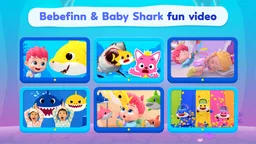
Made by The Pinkfong Company, this free educational app is rated for Everyone and combines Baby Shark and Bebefinn-themed videos with games for kids. Its popularity is substantial, with over 50 million installs, but reach alone says little about whether it suits a particular family. The average rating is 3.4 from around 45,000 ratings, a mixed signal worth treating as a reminder to judge the experience against your own needs rather than assuming a familiar character guarantees a hit.
What the first week is likely to feel like
The first attraction is straightforward: children who recognize Baby Shark can understand the app’s appeal without an adult explaining a complicated premise. Animated characters and short activities are a natural fit for brief stretches of attention. In my view, that makes it more useful for a small, defined moment—waiting for food, winding down after a trip to the shop, or filling a few minutes while a parent handles a chore—than for an open-ended session meant to occupy the whole afternoon.
That distinction matters. A screen can be a helpful bridge through an ordinary transition, but it can also make it harder to move on if a child expects one more video or game. I’d decide the stopping point before opening the app and make it part of the routine: one short turn while dinner is being prepared, for example, followed by putting the device away. That simple boundary is more practical than relying on a child to lose interest at exactly the right moment.
The educational label should also be read sensibly. Songs, animation, and games can invite children to notice sounds, characters, and repeated ideas, but I would not treat screen time here as a substitute for conversation, books, play with objects, or a parent explaining something in the moment. A useful way to make the experience more active is to sit nearby and ask the child to point out a character, sing along, or describe what they saw. That turns watching into a shared activity without pretending the app is a structured lesson.
For a first try, I’d watch how the child moves between the video and game portions rather than judging by the first burst of excitement. Does the child settle into one activity, or rapidly ask for another? Can they stop when prompted, or does the app become a source of conflict? Those observations tell a parent more than a brief, happy reaction. If the characters are already a favorite, the initial response may be strong; the more useful question is whether the app fits calmly into family life after the novelty wears off.
When it fits better than a general kids’ app
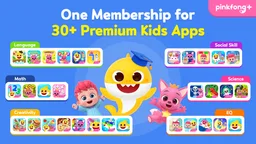
Compared with a broad collection of children’s videos or a general early-learning app, Pinkfong Baby Shark has a narrower identity. That is a strength when a child actively wants these characters: a familiar theme can make it easier to choose something quickly, especially when an adult does not want to browse a large library together. It is a weaker choice for a child who is not interested in Baby Shark or Bebefinn, or for a parent seeking a varied selection of topics and styles in one place.
The trade-off is focus versus breadth. A general kids’ app may expose a child to more kinds of material, while this one keeps the experience anchored to its own characters. I would choose it for a short, character-led diversion, not as the default answer to every request for educational screen time. If your child is drawn to animals, puzzles, drawing, or stories outside this particular world, a more varied alternative may hold attention longer and reduce the feeling of seeing the same theme again.
How its value changes after the novelty
Across a month, the app’s worth is likely to depend less on how exciting it seems on day one and more on whether it earns a predictable, limited role. A child might enjoy returning to familiar characters, and that familiarity can be convenient when a parent needs a quick, low-effort choice. But recurring use should not be confused with lasting variety. If your child starts requesting the same material repeatedly, that may be comforting routine—or a sign that the app is no longer offering enough novelty for them.
I’d make a small rotation instead of leaving it available as the automatic option. Keep it for a particular situation, such as a brief wait or a quiet moment after an outing, and use non-screen activities at other times. This gives the app a clear purpose and makes it easier to notice whether it is still helping. If it becomes a daily negotiation or the child is less willing to switch to ordinary play, its convenience may no longer outweigh the friction.
Another practical approach is to treat the app as a shared prompt rather than a babysitter. After a video or game, ask the child to sing a line, act out a movement, or talk about a character. This does not require extra equipment or a formal lesson, and it helps carry the experience beyond the screen. The limitation is that it asks an adult to be present; families looking for something that independently teaches a child for long stretches should have more modest expectations.
The app is free to download, but it includes in-app purchases ranging from $4.99 to $107.88 per item. That broad range is a meaningful household consideration, especially if a child can navigate the app without supervision. Before handing over the device, I’d review the purchase settings and make sure an adult controls any spending. A child’s enthusiasm for familiar characters can make paid options tempting, so it is better to set expectations before a request appears than to negotiate in the middle of a session.
Keeping the routine manageable
Maintenance is not just about keeping an app installed; it is about managing how it is used. The version listed is 53.18, and the app was released on August 31, 2016. Those details place it among established products rather than a new experiment, but I would still periodically check that it behaves well on the family’s device and that its place in the child’s routine remains useful. The minimum operating-system requirement is 7.1, so families with older devices should check compatibility before planning around it.
One low-effort habit that helps is deciding in advance who chooses the activity and how long the screen session lasts. For instance, a parent could offer the app only during a specific wait, then put the device away when the family reaches its next step. This prevents the app from becoming an all-purpose reward or a default response to boredom. It also gives parents a clearer way to notice whether the child is enjoying the content or simply resisting the end of screen time.
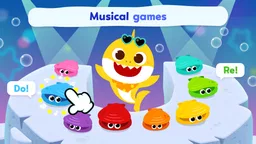
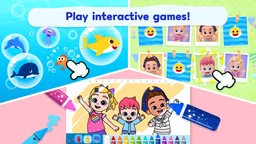
I would also keep an eye on the balance between watching and playing. The product brings videos and games together, but those formats do not automatically have the same effect on a child. Some children may prefer to watch; others may gravitate toward interactive activities. Rather than assuming one mode is more educational, notice which one leaves the child calmer and more ready to move on. If either format regularly leads to demands for more, shorten the session or reserve it for occasions when an adult can help with the transition.
Where repetition can become tiring
The same recognizable theme that makes the app easy to approach can also limit its staying power. A child who loves Baby Shark may happily revisit familiar characters, but a parent may find that the repeated focus grows tiring sooner than the child does. That is not a defect unique to this app; it is the cost of choosing a strongly branded experience over a broader collection. Still, it matters when deciding whether to keep it as a permanent fixture or use it occasionally.
There is also a difference between keeping a child entertained and helping them learn in a way a parent can observe. Animated videos and games may provide enjoyable exposure, but a family seeking a clear progression in reading, counting, language, or another specific skill may be better served by an app built around that goal. I would not choose this one on the assumption that its educational framing alone means it will meet a particular learning need.
Finally, the app’s appeal depends on the child’s tastes and the adult’s willingness to manage screen time. A child who is sensitive to highly familiar songs or bright animated characters may prefer calmer books or open-ended play. A parent who wants a single app with a wide range of themes may find this one too focused. And if a child is already having trouble stopping, adding another favorite character-based screen option may create more negotiation than relief.
Who should keep it, and who should move on
I’d recommend giving Pinkfong Baby Shark: Kid Games a try if your young child already enjoys its characters and you want a convenient option for short, supervised breaks. Its free entry point makes it easy to see whether the style suits your household, while the purchase range means an adult should handle device settings and expectations. The Everyone age rating is broad; parents should still decide whether the content and screen routine suit their own child.
I would skip it if you need a rich, varied learning curriculum, a calm alternative to animated media, or an app that can occupy a child for a long time without adult involvement. It is also not the best choice if Baby Shark and Bebefinn are simply not your child’s thing. A library of books, creative play, or a more varied educational app may be a better match in those cases.
My long-term verdict is that this app earns a place as an occasional, familiar option—not automatically as a daily staple. Its strongest value is convenience for a child who already likes the characters; its main costs are narrow thematic variety, the need for boundaries, and the possibility of purchase prompts becoming a concern. If a brief session reliably fits your routine and your child can move on without a struggle, keeping it installed makes sense. If the novelty fades or screen time becomes harder to manage, there is no reason to keep giving it space just because the characters are popular.
What we like
- Bright visuals and familiar characters can hold young children's attention.
- Simple touch controls are suitable for preschoolers.
- Short activities make it easy to play in brief sessions.
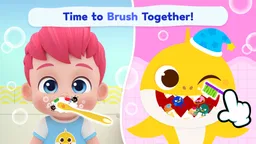
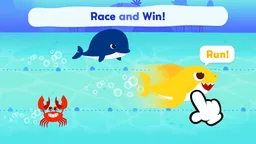
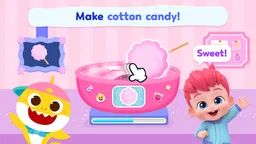
- A variety of mini-games offers different ways to engage.
- Parents can use the app for supervised screen time.
What could be better
- Some activities may require an internet connection.
- Advertisements or purchase prompts may interrupt play.
- Many games can feel repetitive after frequent sessions.
- The app may collect data depending on device settings.
- Some content may be locked behind in-app purchases.





