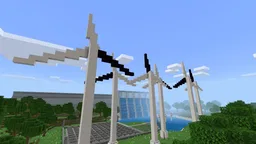
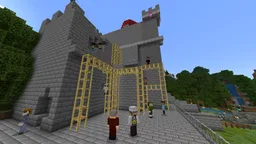
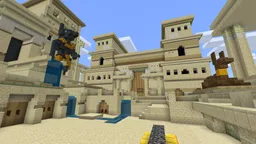
Minecraft Education review
 Analysis by Appsdrops
I see Minecraft Education as a learning environment built around doing rather than just reading. Instead of presenting a lesson as a page of facts followed by questions, it gives learners a familiar block-building world in which they can explore an idea, make something, and explain their choices. That can be a real advantage for students who think best with their hands or through visual examples. It can also be a poor fit for someone who wants a quiet, linear course with clear answers and minimal distractions.
In my experience, the key question is not whether the game is entertaining; it is whether its open-ended style helps a particular learner reach a learning goal. The app is free and made by Mojang, but a teacher or family still needs to decide how it will fit into a lesson, what support learners need, and whether the device and setting are suitable. I would treat it as a practical teaching space, not as a replacement for every textbook, explanation, or structured exercise.
Reading, navigation, and learning at your own pace
The most approachable part of the experience is the visual world. Blocks, objects, and spaces make abstract ideas easier to point to and discuss: a learner can build a model, change it, and see the result. That is different from a conventional education app where navigation often means moving between menus, videos, and quizzes. Here, the environment itself is part of the activity, so learners can show understanding through what they make as well as what they say or write.
That openness is useful, but it asks more of the learner. A familiar game world can feel inviting, while the number of things to look at and do may make it harder to identify the actual task. I would give learners a specific first step, such as “build a model that shows how these parts connect,” rather than simply telling them to explore. A short goal helps turn the world from a distraction into a workspace.
For a teacher, a useful workflow is to state the learning question before opening the activity, then pause partway through and ask learners to describe what they have built so far. That check-in makes it easier to spot when someone is creating freely but has lost the lesson objective. It also gives learners a chance to communicate understanding before they have to produce a polished result.
The app is listed in the education category and has a 4.1 average from around 154,000 ratings, with more than 50 million installs. Those figures suggest that it has reached a broad audience, but they do not tell me whether its open-world approach will suit an individual class. I would judge it by the actual task: a visual construction activity is a stronger match than a lesson that depends on fast, uninterrupted reading.
When visual building helps—and when it gets in the way
For learners who find a diagram easier to understand than a paragraph, building can make a concept tangible. A student can point to a section, revise it, and explain why the change matters. This can be especially useful in a group discussion, where the shared creation gives everyone something concrete to refer to. The strongest learning moment may be the explanation of the build, not the finished build itself.
There is a trade-off: a visual world does not automatically make instructions easy to read. Learners who need more time with written directions may benefit from having the task explained aloud or split into manageable steps by a teacher. I would also avoid assuming that every student will interpret the same visual cue in the same way. Asking them to restate the goal is a simple way to check comprehension before they begin.
Because Minecraft Education is designed around game-based learning, it feels quite different from a standard quiz app. A quiz can be better when the goal is quick recall, a clear sequence, or independent practice with little setup. This app makes more sense when learners need room to test an idea, create a representation, or work through a problem together.
Motor, sensory, and classroom considerations
Working in a three-dimensional environment can demand more physical interaction than reading or tapping through a simple lesson. Learners may need to coordinate movement, looking around, and selecting or placing objects. That combination can create friction for someone who finds precise or sustained device control difficult. I would test the exact activity with the learner and device before making it a central part of a lesson, rather than assuming that familiarity with the game solves every interaction challenge.
The open environment can also be busy in a way that some learners enjoy and others find tiring. A teacher can help by narrowing the immediate task, limiting unnecessary exploration through clear instructions, and giving learners a planned stopping point. Those are teaching choices, not guarantees about the app’s sensory experience; the important thing is to observe how a particular student responds and adapt the lesson accordingly.
One practical tip is to separate building time from explanation time. During the first phase, learners can focus on making their model; afterward, they can describe it in speech, writing, or a group conversation, depending on the activity. This reduces the pressure to navigate the environment and formulate a polished explanation at the same moment. It also gives a teacher a better chance to assess the underlying idea rather than the speed of someone’s interaction with the game.
Collaboration can be a strength when learners benefit from talking through a problem, but it can also create uneven participation. One student may take over the building while another watches. I would assign clear roles—for example, one learner proposes changes while another explains the reasoning—and rotate them during the activity. This is a simple way to make group work more deliberate without treating the game itself as a substitute for thoughtful classroom structure.
Making the activity work in different settings
A realistic use case is a teacher introducing a topic, asking small groups to create a visual model, and then inviting each group to explain one decision they made. The app can give the class a shared object to discuss instead of relying only on a teacher’s illustration. A learner working at home could also use a defined task as a creative way to revisit a topic, provided they have an appropriate device and the activity has a clear purpose.
The education framing matters here. This is not simply the standard Minecraft experience with a lesson label attached; its intended role is learning through making, collaboration, and problem-solving. Still, I would not expect the app alone to organize a lesson, decide what counts as a correct explanation, or ensure that every participant contributes. The teacher or caregiver remains important, particularly when learners need help translating a playful activity into a focused learning outcome.
It is rated Everyone 10+, a detail families and educators should consider when deciding whether it suits their learners. Age suitability is only one part of the decision: a child can be old enough for the content and still need help staying on task, understanding directions, or managing the demands of the activity. I would introduce it with a short, supervised task and see how the learner handles both the controls and the learning goal.
For everyday classroom use, I would prepare the lesson in three parts: a concise question, time to build, and a closing explanation. That structure makes it easier to stop the activity from expanding into aimless play. It also gives students who finish quickly a meaningful next step, such as explaining a design choice or comparing two possible solutions, rather than simply adding more decoration.
Where the approach still has limits
The biggest barrier is that a creative environment can be demanding even when the subject is suitable. Learners need to understand what they are meant to do, manage the interaction, and keep the lesson in mind amid opportunities to explore. If any of those steps becomes frustrating, the activity may measure comfort with the format more than understanding of the topic. In that situation, a teacher-led demonstration, printed diagram, or simpler practice app may be a better starting point.
It is also not the right choice for every learning objective. If a student needs repeated, highly structured practice or immediate confirmation of a single answer, a conventional exercise may be clearer and less distracting. If a lesson depends on extended reading, a focused reading resource is likely to be more direct. I see Minecraft Education as one tool among several, strongest when making and discussing are central to the goal.
Device access and the surrounding setting matter too. A learner needs a device that can run the app, enough time to engage with the activity, and guidance appropriate to the task. The current version is 1.26.33.0 and the minimum operating system is 8.0, so checking compatibility before planning a shared classroom activity is sensible. A school should also consider whether its usual devices and support arrangements make the experience workable for everyone in the group.
There is a practical planning cost: a teacher needs to decide what learners should create and how that creation will demonstrate understanding. Without that preparation, students can spend their time making something elaborate that does not answer the lesson question. I would keep the first task modest, define what a successful explanation should include, and leave optional creative choices for learners who are ready for them.
The app has 11,000 reviews, but broad popularity cannot settle the questions that matter most to an individual user: whether the interaction feels manageable, whether the visual style is comfortable, and whether the activity supports the intended learning. I would try it with one well-scoped task before building a whole unit around it. That small trial can reveal whether learners need more guidance, a different device setup, or a less open-ended alternative.
A thoughtful option, not a universal one
My verdict is that Minecraft Education can be a worthwhile choice when learners benefit from constructing, experimenting, and explaining ideas in a shared visual space. It gives teachers a way to make a lesson participatory and can help students who struggle to connect with a page of text alone. Its strongest use is purposeful creation: the build should help answer a question, and learners should have a chance to explain the thinking behind it.
I would recommend it to educators and families willing to set a clear goal and provide guidance, especially when collaboration or visual problem-solving is part of the lesson. I would not choose it as the only route for a learner who needs a tightly sequenced course, has difficulty with the interaction demands, or finds the open environment distracting. In those cases, a more structured resource may be kinder and more effective, with Minecraft Education used only if a specific activity suits the learner.
Mojang’s app is free, which makes it easier to consider as a learning option, and its scale is reflected in its 50-million-plus installs. But the best reason to use it is not its reach; it is the chance to turn an idea into something learners can inspect and discuss. My advice is to start small, make the learning question explicit, and treat accessibility as something to evaluate in the real context of each learner—not as a promise made by the game.
If the activity lets a student contribute in a way that feels manageable and makes their reasoning easier to see, the format can earn its place in a lesson. If it adds more effort than insight, choose a simpler route. That balanced approach is what makes Minecraft Education most useful: not as a solution for every classroom, but as a flexible creative tool used with care.
What we like
- Lessons connect gameplay with classroom subjects.
- Multiplayer supports collaborative classroom projects.
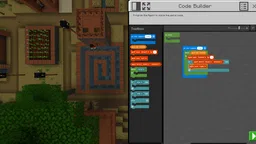
- Coding tools introduce programming through in-game activities.
- Accessible on multiple device types.
- Teacher tools help manage student activities.
What could be better
- A school or organization account may be needed for full access.
- Some features depend on a stable internet connection.
- The educational interface can feel complex for younger users.
- It is not a full replacement for the standard Minecraft game.
- Device performance may vary with larger worlds.





