Duolingo: Language Lessons review
 Analysis by Appsdrops
When I first open Duolingo, I’m not faced with a long grammar chapter or a blank page asking me to plan a study routine. I can start with a short lesson and get a feel for the app almost immediately. That easy first step is its best quality: it turns the vague intention to learn a language into something I can actually do while waiting for a bus or making coffee. The trade-off is that a quick lesson can feel like progress without giving me enough practice to speak comfortably in real life.
This is an education app from Duolingo, offered for free, with optional in-app purchases ranging from $0.99 to $239.99 per item. Its content rating is Everyone. The app has earned a 4.7 average from around 51 million ratings and has over 500 million installs, so it is clearly a familiar starting point for many learners. Those figures tell me it is widely used; they do not mean its bite-sized approach suits every goal.
What the first lessons are really like
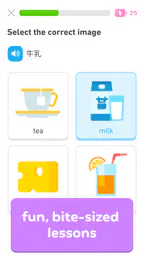
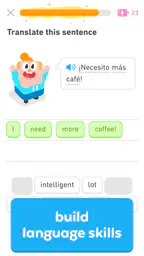
The app’s approach is built around small, repeatable activities rather than long teaching sessions. I answer prompts, make choices, and work through short exercises that keep me moving. This makes it approachable if I have never studied a language before, and it also works as a low-pressure way to revisit one I learned years ago. I don’t need to arrive with a textbook, a tutor, or a detailed plan.
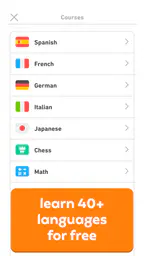
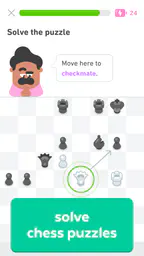
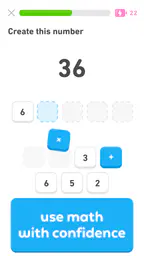
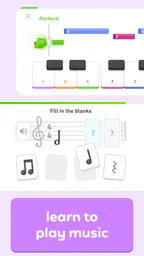
Duolingo’s scope now reaches beyond language lessons: its store summary also points to chess, math, and music. That breadth may appeal if I like having several kinds of learning in one app, but I would choose a specific course with a clear aim rather than treating the whole app as one unified curriculum. The central language-learning experience is most useful when I give it a little regular attention and notice what I can now understand or produce.
A good first-session goal is modest: finish an introductory lesson, pay attention to the corrections, and identify one phrase or pattern you can recall afterward. I would not judge the app by whether I can hold a conversation after a few minutes. Its strength is making practice easy to begin and return to, not compressing fluency into a handful of taps.
Make the first setup useful, not perfect
When choosing a language, I’d start with the one I have a real reason to use. That might be understanding relatives, preparing for travel, or following a show without relying entirely on subtitles. A personal reason gives each small exercise a purpose, and it helps me decide what to focus on later. If I’m only browsing, I can still sample the experience, but I shouldn’t confuse curiosity with a settled learning plan.
It also helps to pick a routine that fits an existing pause in the day. For example, I might do a lesson after lunch rather than promise myself an hour of evening study that rarely happens. Short sessions lower the barrier to returning. If I have more time, I can stay longer, but I don’t need to make the first visit an endurance test.
I would keep a small note outside the app for expressions I want to use, especially ones tied to my own plans. Writing down a greeting for a trip or a sentence I might say to a colleague turns recognition into a practical reminder. This is a useful companion habit because tapping the right answer in an exercise is not quite the same as recalling it without choices in front of me.
Turn one correct answer into a real win
My first meaningful success would be understanding a phrase and being able to retrieve it again without immediately looking at the screen. After a lesson, I’d close the app for a moment and try to say or write one new expression from memory. If I can do that, I have a concrete result to carry into the day. If I can’t, I know exactly what to revisit rather than vaguely deciding that I need to “study more.”
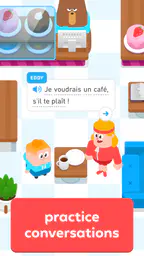
For a realistic everyday example, imagine I’m heading to a café before a trip. I can use a short session to practise a greeting or a simple request, then jot down the wording I want to remember. Later, I can rehearse it aloud while walking. The app can provide a convenient starting point, while the real-world rehearsal exposes whether I can produce the phrase without the multiple-choice context. That distinction matters: recognition often arrives before confident speaking.
One practical tip is to resist racing through every prompt just to finish. When an answer is marked wrong, I pause long enough to identify what changed: word order, a small grammatical marker, or a vocabulary choice. I don’t need to turn each correction into a full lesson of my own, but noticing the pattern makes the next exercise more valuable. Fast completion is satisfying; attentive repetition is more likely to stick.
Where beginners can get confused
The most common misunderstanding is expecting short, game-like exercises to behave like a complete classroom course. They can help me build familiarity and a habit, but they are not a substitute for every kind of practice. If my aim is to negotiate a work meeting, understand rapid conversation, or write a polished essay, I should add material designed for that task. A course book, conversation partner, teacher, or focused listening practice may be a better main tool.
Another source of confusion is knowing an answer in the app but struggling to say it spontaneously. Tapping a translation from a set of options gives me clues that I won’t have in a real conversation. I treat that as a normal gap, not proof that the lesson was useless. To narrow it, I repeat useful phrases aloud, make my own example sentences, and try to recall vocabulary before checking it.
Some learners may also find the bite-sized rhythm too repetitive or too light. Repetition is helpful when it brings back a phrase I had nearly forgotten; it is less satisfying when I want a detailed explanation of why a construction works. If I need explicit grammar instruction, I’d pair the app with a reference that explains rules and exceptions. I wouldn’t rely on quick exercises alone to answer every language question.
It is worth being clear about the free model, too. The app is free to download and use, while in-app purchases are available. I would begin with the free experience and decide whether any paid option solves a specific problem for me, rather than assuming I need to buy something to get started. The listed purchase range is broad, so I’d check the current offer and its terms in the app store before spending.
How it compares with other ways to learn
Compared with a traditional course book, Duolingo is easier to pick up for a few minutes and more interactive, while a book can be better for sustained explanations and a clear view of a grammar topic. Compared with a tutor or conversation group, the app is more convenient for solo practice, but it cannot reproduce the unpredictability of a person misunderstanding me or responding naturally. I see it as a particularly accessible practice partner, not a replacement for every other learning method.
Audio lessons, videos, graded reading, and language exchanges each solve different problems. Listening to real speakers helps with pace and accent variation; reading gives context across longer passages; conversation forces me to retrieve words under pressure. Duolingo fits well beside those activities because it is easy to return to, but if my only goal is speaking freely, I would make live conversation a central part of my plan rather than an optional extra.
The same distinction applies to the app’s additional learning areas. Someone curious about math, music, or chess may appreciate having them alongside language study, but a learner with a narrow, high-stakes goal should compare each section with a specialist resource for that subject. One app can be convenient without being the deepest option in every field.
A sensible next step after the first session
After trying the opening lessons, I’d ask myself three simple questions: Did I understand the corrections? Can I recall anything without looking? And can I imagine returning to this routine tomorrow? If the answer to the last question is yes, I’d continue with short, regular practice and gradually bring the language into daily life through a note, a spoken phrase, or a simple piece of reading.
If I’m learning for travel, I’d collect phrases tied to situations I expect to face and practise saying them aloud. If I’m studying for school, I’d use the app for extra repetition while following the teacher’s syllabus for detailed explanations. If I want conversational confidence, I’d combine it with listening and speaking practice from the outset. These small adjustments make the app serve a real goal instead of becoming a streak or checklist I maintain without knowing why.
My recommendation is to try it if you want an approachable way to begin or refresh a language and can treat short lessons as one part of learning. I would skip it as my only resource if I need rigorous instruction, extensive speaking feedback, or specialist preparation. Duolingo was released on May 29, 2013, and its long presence has made it an easy name to encounter, but what matters to me is simpler: can it help me practise today? For a first-time learner, one remembered phrase is a reassuring place to start.
What we like
- Short lessons make it easy to practice in spare moments.
- A placement test can help match lessons to your current level.
- Speech exercises add speaking practice to vocabulary and grammar work.
- Offline access is available for some lessons with a paid plan.
- A wide range of courses lets learners explore many languages.
What could be better
- Some courses offer less depth than others.
- The free version includes ads between lessons.
- Hearts can limit how many mistakes you make before waiting.
- Speech recognition may struggle with accents or background noise.
- Translation exercises can encourage memorizing answers over conversation.





