


Star Gazer - Astronomy Sky Map review
 Analysis by Appsdrops
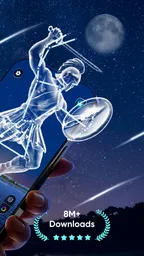
I’m drawn to astronomy apps that make the night sky feel approachable rather than turning a casual look upward into a research project. Star Gazer sets out to be a night sky guide and constellation finder, helping users identify stars, planets, and meteor showers. That gives it an appealing purpose: open the app with a question about what’s above you, then use it as a starting point for looking more closely. As an education app, it is best judged not just by the first burst of curiosity, but by whether it can keep that curiosity alive after the novelty wears off.
From a quick look to a first-week habit
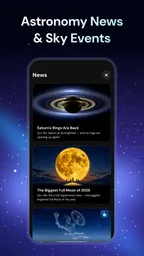
The first-week appeal is easy to understand. A bright point in the sky can be a planet, a star, or something less familiar, and a sky guide gives that moment a useful next step. Instead of relying on guesswork, I can turn to Star Gazer as a companion for exploring constellations and learning what might be visible overhead. Its focus on stars, planets, and meteor showers makes the idea clear without asking me to approach astronomy as an expert.
That low barrier matters. Plenty of people enjoy looking at the sky but don’t know where to begin, and a constellation finder can make the subject feel less distant. The educational value here is tied to observation: curiosity prompts a closer look, and identifying celestial objects gives that look context. I like that the app’s purpose is practical as well as educational; it is meant to help users connect a night sky with recognizable objects and events.
The first few sessions are likely to be the most naturally exciting. A new user may open the guide whenever something catches their eye, or use it to make an ordinary evening feel a little more intentional. That kind of discovery is satisfying, but it can also be short-lived. Once the most obvious questions have been answered, the app needs to fit into a repeatable routine rather than depend on the thrill of novelty alone.
One strength is that the subject itself changes with what a person notices and learns. The sky encourages patience, and even a familiar constellation can feel different when I know what I’m looking at. A guide can support that gradual process by giving a beginner a reason to return. For families, students, or anyone with a casual interest in astronomy, the central appeal is not simply finding an object; it is building confidence to look up and recognize more than before.
What makes the idea approachable
Star Gazer has a focused identity: it is a guide to the night sky, not a general-purpose learning platform. That clarity helps set expectations. I can come to it for help identifying stars, planets, and meteor showers, then decide whether I want to continue exploring the topic. The app’s description points toward both discovery and learning, a useful combination for people who prefer to understand what they are seeing rather than collect names without context.
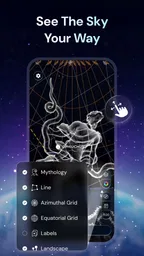
Its place in the education category also suits that role. Astronomy can seem technical when it is presented through specialist terminology, but observation gives newcomers a friendly entry point. A sky map or constellation finder is most valuable when it turns a vague question into a more informed one. I would treat the app as a companion to real-world attention: look at the sky, consult the guide, and then take a moment to connect the information with what is actually visible.
Month-to-month value
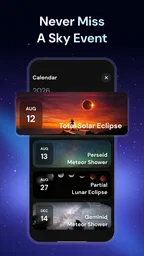
The stronger test comes after the first week. Does the app still have a place once the basic excitement of identifying a few objects has passed? I think its lasting value depends less on constant novelty and more on whether the user develops a small astronomy habit. Checking the sky now and then, learning a constellation gradually, or noticing a meteor shower can make the app feel relevant across multiple months without turning it into a daily obligation.
That is a healthy kind of recurring value. Astronomy does not need to become a demanding routine to be rewarding. I would rather use a guide when I have a reason to look up than feel pressured to open it every day. The app’s subject lends itself to occasional, meaningful sessions: an unexpectedly clear evening, a question from a child, or a renewed interest in what can be seen from home. Those moments are more likely to keep an educational tool useful than a streak-based expectation would be.
There is also room for a user’s knowledge to grow at a comfortable pace. At first, the goal might be simply to distinguish a planet from a star. Later, the same person may become more interested in constellations or meteor showers. Because the app covers several kinds of sky objects and events, it has a natural basis for repeated exploration. That breadth helps, although it does not automatically guarantee that every user will find fresh reasons to return. The user’s own curiosity remains an important part of the experience.
In practical terms, I would see Star Gazer as a reference to revisit, not an app that must dominate a home screen. That distinction matters when deciding whether it deserves lasting space on a phone. A tool can be valuable even when it is opened occasionally, especially if it helps turn a spontaneous question into a learning moment. For casual stargazers, that may be a better measure of success than frequent use for its own sake.
Keeping the experience easy to return to
A long-term learning habit is easier to maintain when it stays light. I would pair the app with simple routines: glance at the sky during an evening walk, take a moment to identify an object that stands out, or revisit a constellation when it catches my attention. The point is not to make astronomy another task on a checklist. It is to keep the activity enjoyable enough that returning feels natural.
This approach also helps avoid the all-or-nothing pattern common with educational apps. A person does not need to study for long sessions to gain something from a guide. A brief consultation can answer one question, while a longer look can encourage a deeper interest. The app’s role is to support that flexibility. Whether it becomes a regular companion or an occasional reference will depend on the user’s schedule, local opportunities to observe, and personal interest in the night sky.
Maintenance burden and everyday fit
For an app like this, maintenance is partly technical and partly personal. On the technical side, I would want to keep the app current and make sure the device meets its requirements. The current version is 3.0.2, and the stated minimum operating system is 7.1. That gives prospective users a useful compatibility point to consider before downloading. The app is free to install, with in-app purchases ranging from $0.99 to $49.99 per item, so it is sensible to pay attention to any optional purchase choices during use.
The bigger maintenance question is whether I have to work hard to keep the app useful. A sky guide should fit around an existing interest instead of demanding a complicated commitment. I would use it when I’m already curious, then let it sit until another good reason to explore appears. That pattern keeps the burden low and makes the app feel like a tool rather than a chore. Its value depends on helping people engage with the sky, not on how often they can be persuaded to open their phones.
There is a balance to strike, too. A phone can help identify what is overhead, but the best part of stargazing is still looking away from the screen. I’d use the guide to orient myself and answer questions, then give my attention back to the sky. That small habit makes the app more useful while preventing it from taking over the activity it is meant to support.
Where fatigue can set in
The most likely source of fatigue is repetition. If a user opens a constellation finder only to confirm the same familiar objects, the early sense of discovery may fade. A focused astronomy guide cannot make every session feel like a major revelation, and it should not be expected to. The key is to keep expectations realistic: it can support learning and identification, while the pleasure of returning also comes from changing questions and closer observation.
Another challenge is that interest in astronomy varies from person to person. Someone captivated by the night sky may naturally come back, while a user who downloaded the app on a whim may lose interest once the initial curiosity is satisfied. That is not necessarily a flaw in the app; it is a reminder that a specialized educational tool has its strongest appeal when the subject already matters, or when a first useful experience encourages someone to care more.
There can also be a temptation to treat the app as a substitute for paying attention outdoors. I would resist that. A guide is most satisfying when it helps make an observation clearer, not when it becomes the whole experience. Taking a quick look at a screen and then looking up again is a better rhythm than spending the entire evening browsing. Keeping that distinction in mind can reduce screen fatigue and preserve the simple pleasure of stargazing.
Who is most likely to keep it installed?
I can see this app fitting people who are curious about astronomy but do not want to begin with a heavy course or specialist reference. It may also suit families who want to turn questions about the night sky into informal learning, and casual observers who would like more confidence identifying what they see. Its Everyone content rating makes it broadly accessible, while its free download lowers the barrier to trying the core idea.
The app has attracted a substantial audience, with over 5 million installs, an average rating of 4.6 from around 53,000 ratings, and roughly 3,500 written reviews. Those figures suggest that many users have found the concept appealing. I would treat them as background rather than a guarantee of personal fit: the best reason to keep an astronomy guide is that it answers questions I actually have and encourages me to spend more time noticing the sky.
Developed by LeoStudio Global Ltd., the app was released on January 30, 2024. Those details help place it as a relatively recent option in a familiar category, but the lasting test is still simple: does it make a user more interested in looking up? If the answer is yes, occasional use can be enough to justify keeping it around.
The long-term verdict
My overall impression is that Star Gazer has a worthwhile role as an approachable night sky guide, especially for beginners and casual stargazers. Its focus on identifying stars, planets, constellations, and meteor showers gives it a clear educational purpose. The strongest case for installing it is not that it will keep someone busy every day, but that it can make real-world observation more informed and rewarding.
Whether it earns permanent space on a phone comes down to habit. If I make a point of looking up now and then, the app has a practical reason to stay installed. If astronomy was only a passing curiosity, its appeal may soften after the first discoveries. I see that as a fair trade-off for a focused tool: it is most useful to people who want to keep learning, even in small steps, and less essential to those who rarely return to the subject.
For me, the best way to use it is as a prompt, not a destination. Open the guide when a question comes up, learn something about the object overhead, and then spend a little time observing without the screen. That simple cycle gives the app a chance to create recurring value without demanding constant attention. If that sounds like the kind of low-pressure astronomy habit you want, Star Gazer is a sensible app to try.
What we like
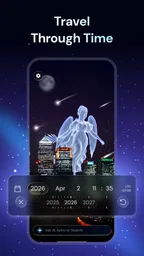
- Shows star positions based on your location and viewing time.
- Augmented reality helps identify objects in the visible sky.
- Useful for exploring constellations and planets at a glance.
- Can make casual stargazing more engaging for beginners.
- Offers a convenient alternative to printed sky charts.
What could be better
- Accurate results depend on location and device orientation settings.
- Light pollution can make many mapped objects hard to see.
- Small screen controls may be awkward during nighttime use.
- Some astronomy features may require an internet connection.
- Bright display can interfere with dark-adapted night vision.





