Simply Piano: Learn Piano Fast review
 Analysis by Appsdrops
I would treat Simply Piano as a guided practice companion, not a shortcut to becoming a pianist. Its main strength is turning the vague question “What should I practise today?” into a sequence of small tasks, then letting you try them on a real keyboard. That structure can make it easier to build a habit, especially if you are starting from scratch or returning after a long break. In my view, the app is most useful when you want a clear route through the basics and can practise in short, regular sessions.
A guided routine that works best with a real keyboard
Simply Piano is an education app from Simply Ltd, built around learning by playing rather than only watching demonstrations or reading explanations. You follow lessons and play the notes or exercises on a piano or keyboard while the app listens for your performance. That feedback loop gives practice a practical focus: you are not just told what a note is, you have to find and play it.
For a first session, I would set the instrument somewhere quiet, put the phone or tablet where I can see the lesson without turning away from the keys, and start with a short beginner exercise. The app is designed to guide you through material in a sequence, so it is sensible to work through the current lesson instead of jumping around in search of a favourite song right away. Early repetition helps connect what you see on screen with the movement of your hands.
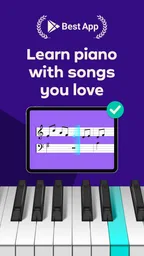
The app’s song-based approach is a useful motivator, but songs are not a substitute for the unglamorous work of reading notes, keeping a steady pulse, and coordinating both hands. I find the balance matters: use songs as a reason to return, while giving the exercises enough attention to make the skills behind them stick. If you rush through a lesson just to reach a tune, you may recognise the pattern on screen without being comfortable playing it independently.
A realistic routine could fit into a quiet part of the evening: complete a lesson, repeat the passage that felt awkward, then stop before tired hands turn practice into frustration. Short, focused sessions are often easier to repeat than an ambitious plan that demands a long block of free time. The app can supply direction, but the habit still comes from choosing a regular moment and sitting down at the keyboard.
Make the setup serve the practice
Before blaming yourself for missed notes, check the physical setup. Keep the device stable and close enough to read, but not in a position that blocks your view of the keys. Make sure the instrument can be heard clearly by the device and that background sound is not competing with your playing. If a passage is repeatedly marked incorrectly, first test whether the app is picking up the instrument reliably; changing your hand position or practising harder will not fix a poor listening setup.
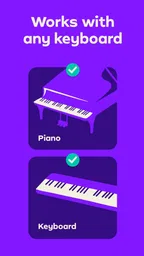
A keyboard is the sensible choice if you do not own an acoustic piano, but it should still feel comfortable to play. A compact instrument can be convenient for a small home, though limited key range may affect how freely you can approach some material. If you already have a piano, use it: there is little benefit in delaying practice while looking for a supposedly perfect setup. What matters most is that you can see the lesson, hear the notes, and reach the keys without awkward posture.
Settings and habits worth checking
I would spend a minute with the app’s available setup and lesson controls before building a routine. Check that the instrument choice and any available audio or lesson settings suit your actual practice space. These small adjustments are more useful than repeatedly restarting a lesson when the feedback feels inconsistent. The exact best setup depends on your device, instrument, and room, so test it with a simple passage rather than assuming the first configuration is ideal.
Use the in-app sequence as a default, then make your own repeatable loop around difficult spots. When a measure feels unreliable, pause and play it slowly outside the pressure of moving forward; then return to the lesson and see whether it is more secure. If the app offers a way to revisit or repeat lesson material, use that deliberately rather than relying on memory to bring the passage back later. The principle is simple: isolate the trouble, practise it, and then test it in context.
One helpful distinction is between a wrong note and a timing problem. If the app does not accept a passage, do not immediately assume your fingers are in the wrong place. Listen to the rhythm, check whether you are holding notes for the intended length, and try the phrase again at a comfortable pace. This kind of diagnosis makes practice less like guessing and more like learning how to correct yourself—an important skill once you play without the app.
It is also worth deciding what “done for today” means before you begin. I would rather finish one lesson with a passage I can repeat confidently than rush through several sections and retain little. A simple note to yourself—such as which hand or transition needs another try—can make the next session easier to start. That small bit of continuity is especially useful if you practise irregularly or share the instrument with someone else.
Use songs as milestones, not the whole curriculum
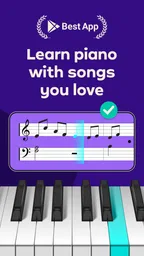
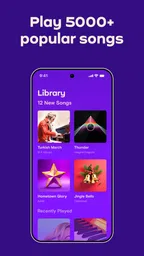
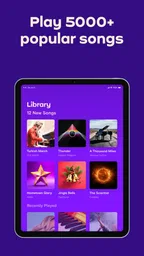
Familiar music can make early practice feel less abstract, and Simply Piano’s song-led appeal is a genuine reason many beginners may stick with it. Still, a recognisable melody can hide gaps in technique. You might manage a tune by following prompts while remaining unsure how to read the same notes in a different context. I would treat each song as a checkpoint: enjoy the result, then ask what it taught you about rhythm, note reading, or moving between hands.
A useful pattern is to alternate between a lesson and a song rather than spending every session on only one kind of material. The lesson can build a specific skill; the song can show how that skill feels in music. If the song becomes difficult, go back to the exercise that addresses the same kind of movement instead of simply repeating the full piece from the beginning. That saves time and helps you understand why a passage is hard.
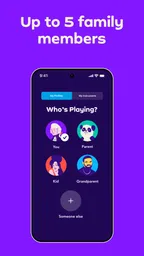
For a parent helping a child begin, this same approach can keep practice manageable: let the child choose a tune as a reward, but keep the core session short and focused. The Everyone age rating makes the app suitable for a broad audience, though a younger learner may still benefit from an adult helping with device placement, reading the directions, and maintaining a calm routine. The app can guide the musical task; it cannot replace encouragement or attentive supervision.
Where the guided format reaches its limits
The listening feedback is convenient, but it is not the same as having a teacher hear your phrasing, observe your posture, or explain why a fingering choice feels uncomfortable. A guided app can tell you whether your attempt matches the expected notes closely enough to proceed, yet musical expression and relaxed technique require attention beyond simply getting a passage accepted. If you develop pain, persistent tension, or confusion about hand position, stop and seek suitable instruction rather than pushing through to satisfy the lesson.
Another limitation is that a screen-led workflow can make you dependent on prompts. To avoid that, occasionally play a familiar exercise without looking at the next instruction, then return to the app to check your understanding. This is a practical test of whether you are learning the music or only reacting to cues. It is particularly useful once a passage feels easy, because that is the moment when independent recall can begin to grow.
If your main goal is classical repertoire, advanced theory, improvisation, or detailed feedback from a person, a private teacher or a more specialised learning resource may suit you better. Likewise, experienced pianists who already know how to structure practice may find a guided beginner path restrictive. Simply Piano is strongest when it reduces the uncertainty of starting; it is less compelling when you need tailored coaching or a curriculum built around advanced goals.
Compared with free video lessons, its advantage is the more active, guided practice loop: you play along and receive a response instead of merely watching someone demonstrate. Compared with a human teacher, it is less adaptable and cannot respond with the same depth to your individual technique. Those are different tools, not direct replacements. A beginner who wants structure may use the app to establish a foundation, then add a teacher when specific questions or musical ambitions call for one.
Cost, access, and who should try it
The app is free to download, with in-app purchases listed from $0.99 to $314.99 per item. I would check the purchase options in the app store before committing to a longer learning plan, and decide whether the available lessons fit the amount of time you can realistically practise. The free entry point makes it easy to explore the learning style, but the presence of paid items means it is worth understanding what is included before treating it as a complete long-term course.
Its scale suggests that many learners have found the format appealing: it has a 4.6 average from around 998,000 ratings, with about 50 million installs. Those figures are useful context, not a guarantee that the teaching style will suit every learner. The current version is 7.33.10, and it runs on Android 6.0 or later. I would still make sure the device you plan to use is comfortable to position beside your instrument.
Simply Piano is a good fit if you want a friendly route into playing, need lesson-by-lesson direction, and are willing to practise on a real keyboard. It is also useful for someone who has stopped playing and wants a nudge back into regular practice without having to design every session from scratch. If you already read music confidently or want nuanced correction, I would look at lessons with a teacher or a more advanced resource instead.
My verdict after weighing the trade-offs
I like the app most as a dependable practice organiser. Its guided lessons and play-along format can help a beginner move from “I want to learn piano” to actually sitting down and trying notes. The practical win is not instant mastery; it is having a next step ready, plus a reason to repeat the difficult parts rather than abandoning them.
The key to getting value from it is to use the structure without becoming ruled by it. Set up the device carefully, practise in short sessions, revisit trouble spots, and occasionally test yourself without prompts. Keep songs in the routine for motivation, but do not mistake finishing them for complete musicianship. With that mindset, Simply Piano can be a helpful starting companion. If you want personal instruction, advanced study, or detailed feedback on technique, treat it as a supplement—or choose a different route altogether.
What we like
- Lessons suit complete beginners with no prior piano experience.
- The app listens to your playing and gives immediate feedback.
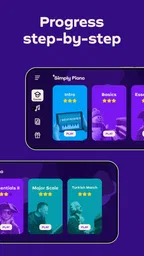
- A gradual lesson path makes it easy to build skills step by step.
- Practice covers reading notes and playing with both hands.
- You can use an acoustic piano or a digital keyboard.
What could be better
- A paid subscription is needed to access much of the lesson library.
- Accurate feedback depends on a quiet room and clear instrument audio.
- Some exercises may feel repetitive as you practice core skills.
- A compatible instrument is required for meaningful hands-on practice.
- Progress can feel limited if you want advanced theory or improvisation.





