
SimplePractice Client Portal review
 Analysis by Appsdrops
I look at SimplePractice Client Portal as a companion for people who already receive care through a provider using SimplePractice, not as a general health app. Its appeal is practical: it gives clients a mobile route into the care relationship, so they can handle relevant tasks without relying on a desktop browser or searching through old messages. In my view, that focused role is also the key to deciding whether it belongs on your phone. If your clinician uses the service, it may make routine interactions easier; if not, there is little reason to install it.
What the portal is meant to do
This is a medical app from SimplePractice, built around the client side of a care-management service. The name SimplePractice Client Portal makes its audience clear: clients, rather than clinicians looking for practice-management tools. I would approach it as a place to keep care-related interactions together, not as a diagnostic tool, a substitute for treatment, or a broad personal medical-record system.
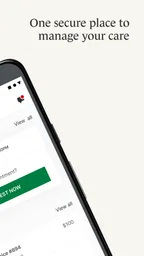
That distinction matters when setting expectations. The app’s purpose is to help you manage care through one secure place, but your actual experience depends on having a provider relationship that uses SimplePractice. The portal is therefore most useful as a shared channel between you and your practitioner. It is not an independent directory for finding care, and it should not be mistaken for a way to contact every clinic or specialist.
In ordinary use, the benefit is less about doing something dramatic and more about reducing small bits of friction around care. Instead of treating every appointment-related exchange as a separate task, you can use the provider’s client portal as the relevant point of contact. That can be especially welcome when you are balancing work, family commitments, or recurring appointments and want care administration to feel less scattered.
How it fits into a normal day
Imagine that you have a therapy appointment later in the week and want to check in on the practical details while away from your computer. A client-focused app is a natural place to start, provided your therapist has connected you to the service. You can keep the care task tied to the provider relationship rather than hunting through unrelated apps or an old email thread. I find that kind of continuity more valuable than a long list of features that a client may rarely need.
A second useful scenario is returning to care after a busy stretch. When the portal becomes your familiar starting point, it may be easier to resume the routine of handling care-related tasks than to remember which communication channel a particular provider prefers. Still, I would not assume it replaces urgent contact methods. For an immediate health emergency or a time-sensitive concern, use the appropriate local emergency service or the contact route your practitioner has given you.
Speed expectations and everyday responsiveness
I would judge this app’s speed by whether it gets you to the task you opened it for, not by expecting it to behave like a lightweight social feed. A client portal has a more focused job: connect you with your care workflow. That makes quick access and clear progress more important than flashy transitions. I would expect the perceived pace to be shaped by your phone, connection, and the service’s response, so a slow moment should not automatically be blamed on the app itself.
For a practical test, open it when you have enough time to finish a care-related task rather than waiting until the last minute before an appointment. If a screen takes longer than expected, avoid repeatedly tapping controls; that can make it harder to tell whether an action is still processing. Give the app a moment, check whether the task appears complete, and then try again only if needed. That small habit is particularly useful in any portal where an accidental duplicate action would be inconvenient.
There is a trade-off in keeping a dedicated app for a service you may use only occasionally. A browser can be perfectly adequate for a person who visits a portal once in a while, while an installed app may feel more convenient when care is a regular part of the week. I would choose based on frequency: if you repeatedly return to the same provider relationship, having a dedicated entry point makes more sense; if you rarely need it, the browser may be simpler.
Heavy-use moments and workflow choices
The app is likely to feel most useful during clusters of small tasks, rather than during one long session. For example, a person managing recurring care may check in around an appointment, revisit the portal later, and then return when another care-related need arises. Keeping those visits in one place can reduce the mental overhead of remembering where the provider’s process lives. The less obvious advantage is organizational: the app can serve as a consistent doorway even when the task itself is brief.
That does not mean I would keep it open in the background all day or treat it as a comprehensive health dashboard. A client portal is not the same thing as a general wellness tracker, and using it for unrelated notes, medication reminders, or emergency planning could create a false sense that everything is connected. I would keep those needs in tools designed for them and use this app for interactions that belong to the SimplePractice relationship.
One practical tip is to establish a simple routine: open the portal when you are ready to handle care administration, complete what you came to do, then leave. This keeps the app’s role clear and avoids turning occasional checks into constant monitoring. It also helps you notice whether a task has actually been completed, instead of assuming that merely opening the app or viewing a screen has taken care of it.
Another trade-off concerns shared devices. Even when an app is intended for secure care management, a phone that other people can access needs sensible everyday protection. I would use the device’s normal screen lock and avoid leaving a care-related session visible when handing the phone to someone else. This is straightforward digital hygiene, not a claim about the app’s specific security settings.
Reliability, interruptions, and getting back on track
For a care portal, reliability means more than launching without a problem. It means being able to return to a task after a network interruption, an incoming call, or simply switching to another app. I would not build a workflow around the assumption that every action is saved instantly. If you are interrupted, return to the relevant screen and check its state before repeating anything. That is a sensible recovery habit for any app handling important personal administration.
If the app seems stuck, my first steps would be ordinary ones: check that the phone has a working connection, close and reopen the app, and see whether the task can be resumed. If the same issue continues, contact the provider through the method they normally use or ask them how clients should proceed. That keeps a technical hiccup from becoming a missed-care problem, and it recognizes that the provider relationship—not the app alone—is the route to resolving account or workflow questions.
SimplePractice has an average rating of 3.9 from around 1,400 ratings, with 488 written reviews, and it has passed over a million installs. Those figures suggest a substantial audience, but they are not a guarantee that the app will behave identically on every phone or for every provider’s setup. I would read ratings as a broad signal, then give more weight to whether your own practitioner uses the portal consistently and whether it suits the way you manage care.
The app is free and rated for everyone, which lowers the barrier to trying it, though the useful question is still whether your provider has made it part of your care process. It was released on October 26, 2023, and the current version is 1.8.5. SimplePractice is the developer, so the app is closely tied to that service rather than being a neutral client for multiple unrelated healthcare platforms.
Device constraints and who should choose another route
The minimum operating-system requirement is version 7.0, so it is worth checking your device before troubleshooting an installation problem. Even when a phone meets that requirement, performance and available storage can vary from one device to another. I would keep the operating system reasonably current where possible and make sure the phone is not so overloaded that routine apps struggle to open. Those general steps matter more than expecting a care portal to compensate for an aging or heavily constrained device.
If you mostly manage care from a computer, prefer to keep health administration out of your phone, or only need to contact a practitioner occasionally, using the browser or the provider’s preferred communication method may be a better fit. Likewise, if your clinician does not use SimplePractice, this app is unlikely to solve your care-management needs. Its focused design is a strength for the right person, but that same focus makes it a poor choice as a universal medical organizer.
People who benefit most are clients whose providers have already integrated SimplePractice into their workflow, especially those who want a regular mobile starting point for care-related tasks. People seeking medical advice on demand, emergency support, broad record aggregation, or a way to discover providers should look elsewhere. I would also avoid assuming that installing the app automatically creates a working connection; the provider relationship and any steps they ask you to complete are central to making it useful.
Performance verdict
My overall view is that SimplePractice Client Portal is best judged as a practical access point, not as an all-purpose health app. Its likely value comes from making an existing provider relationship easier to manage from a phone. The app’s focused purpose gives it a clear place in a client’s routine, while its dependence on provider use means it cannot offer much to someone outside that ecosystem.
On speed and stability, I would keep expectations measured: the app’s role is straightforward, but real responsiveness depends on the device, connection, and care workflow. Use it when you have a clear task, confirm that the task has finished, and know how to reach your provider if the portal is unavailable. Those habits make the experience more dependable without pretending that any mobile app can replace direct care communication.
With a 3.9 average and a free download, it is reasonable for an existing SimplePractice client to try it and see whether the mobile route fits their routine. I would recommend it to someone whose practitioner actively uses the portal and who values having care administration within reach. I would skip it if you need a general health hub or if your provider uses another system. For the right client, it can make the small logistics of care feel more contained; for everyone else, a different channel will be more useful.
What we like
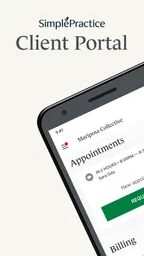
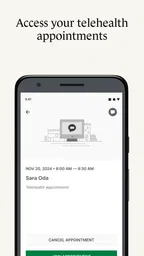
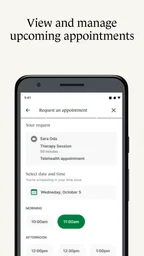
- Clients can review upcoming appointments in one convenient place.
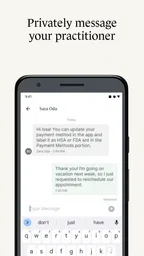
- Secure messaging makes it easier to contact a provider between sessions.
- Appointment reminders can help clients keep track of scheduled visits.
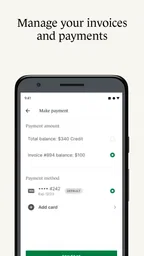
- Clients can view and manage billing details through the portal.
- The interface is designed for straightforward access to care information.
What could be better
- Portal features can vary depending on the provider's SimplePractice setup.
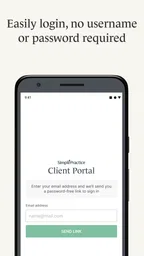
- Clients need an invitation from a participating provider to get started.
- Some account tasks may be easier to complete on the provider's website.
- Access depends on a reliable internet connection.
- The portal may not support every payment method a provider accepts.





