

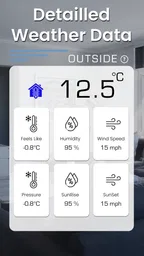
Room Temperature Thermometer review
 Analysis by Appsdrops
I would treat Room Temperature Thermometer as a quick reference for a room, not as a replacement for a proper thermometer. That distinction matters most in a shared home: when one person says the bedroom feels stuffy and another thinks it is fine, an app can give everyone a common point of reference. My view is that this app is most useful for casual checks and household conversations, provided you keep in mind that a phone-based reading is not automatically the same as a dedicated measuring instrument.
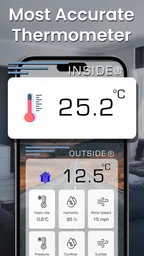
Room Temperature Thermometer is a free weather app from APPVERSE, with a 4.5 average from around 73,000 ratings and more than 5 million installs. It is rated for everyone, and the current version is 38.47.0. The straightforward appeal is that it focuses on indoor room temperature rather than asking you to interpret a full forecast when all you want is a quick sense of the room. In-app purchases range from $0.49 to $25.99 per item, so I would check the purchase details in the app store before deciding whether any paid option is worthwhile.
Using one room reading in a shared home
In a household, the practical value is less about staring at a number and more about having a simple way to compare impressions. Imagine checking the living room before guests arrive, then checking a bedroom later when someone complains that it feels unusually warm. A shared device can make those checks convenient, but the reading should be understood as a snapshot from that phone and that spot—not a guarantee that every corner of the room feels identical.
That difference is easy to overlook. A phone left near a sunny window, a radiator, or a warm appliance may not represent the room’s general conditions. For a more useful comparison, I would keep the phone away from direct heat and sunlight, let it settle in the room, and repeat the check from roughly the same place. This makes the app more helpful for noticing a change over time than for settling an argument based on one quick glance.
The app’s indoor focus also suits small routines: checking the nursery before bedtime, seeing whether a home office has become uncomfortable during a long work session, or comparing a spare room with the rest of the home before someone uses it. These are comfort checks, not medical or safety assessments. If a decision depends on precise temperature—for example, monitoring conditions for a sensitive item or responding to a health concern—I would use a dedicated thermometer designed for that purpose.
What to expect from setup and shared devices
Because this is a phone app, the first question is whether the device can provide a useful indoor reading in the way you expect. Phones are not all equipped or configured alike, and a temperature shown by an app should not be assumed to come from a dedicated room sensor. I would verify a reading against a reliable household thermometer before relying on it for anything important. If the two disagree, trust the purpose-built instrument for accuracy-sensitive decisions.
For a shared household phone or tablet, that check is especially worthwhile. A device may have been used outdoors, kept in a pocket, or left charging; those conditions can influence how representative a quick reading is. A practical routine is to bring the device into the room, keep it away from heat sources, and allow a little time before checking. The point is not to create a laboratory procedure, but to avoid treating an immediately displayed number as a definitive room measurement.
There is also a useful boundary to keep in mind: sharing a device is not the same as sharing a personal account or maintaining a household log. I would not choose this app on the assumption that it provides separate household profiles, synchronized records, or controls for different family members. If you need a history that everyone can consult, a dedicated connected thermometer with an explicitly shared record may be a better fit. If your need is simply to take an occasional reading on whichever phone is nearby, the simpler approach may be enough.
Phone compatibility is another basic setup consideration. The app requires Android 7.0 or later, so an older device may not be suitable. On a compatible phone, I would try the basic use first and judge whether the reading is stable enough for my purpose before exploring any optional purchases. That keeps the decision grounded in actual household use rather than paying for extras before knowing whether the core idea works for you.
Coordinating without turning a quick check into a chore
For a couple, roommates, or a family sharing chores, a temperature check can be a small coordination tool. One person can check the room before adjusting a fan or opening a window; another can repeat the check after the change. The useful insight is to compare readings under similar conditions. Checking immediately beside an open window and then across the room later does not make a fair before-and-after comparison.
I would also avoid making the app the sole basis for deciding how everyone should feel. Comfort depends on more than temperature: airflow, sunlight, clothing, activity, and personal preference all play a part. A room reading can clarify part of the situation, but it cannot tell you whether a particular person is comfortable. In shared spaces, I find it more constructive to use the number as a prompt—“let’s check the room”—rather than as proof that someone’s experience is wrong.
For a household that wants reliable coordination across several rooms, a single phone has a clear limitation: it can only be checked where someone takes it, and the result is tied to that moment and location. A separate thermometer in each important room, or a system built around persistent sensors, is more suitable when you want continuous monitoring or comparable readings without moving a device around. Room Temperature Thermometer makes more sense when mobility and an occasional check matter more than automation.
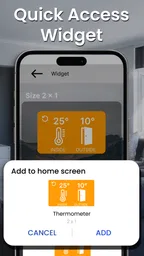
That distinction also helps answer whether the app replaces a thermostat. I would not treat it as a thermostat or expect it to control heating and cooling just because the app’s description uses thermostat-related language. Its role is to give a room-temperature check; managing a home’s heating equipment is a different job. If automatic control is what you want, use a thermostat or compatible home system designed for that task.
Age, trust, and deciding what not to rely on
The everyone age rating makes the app broadly appropriate for general household use, including a shared family device. Still, age suitability and measurement reliability are separate questions. I would show a child how to use the reading as a rough comfort reference, while making clear that it is not a tool for diagnosing illness, deciding whether a baby is safe, or verifying conditions that require precision. An adult should handle those higher-stakes decisions with an appropriate instrument.
Trust is also easier to maintain when the app’s role is kept modest. A displayed number can look authoritative, especially on a screen, but the useful question is whether it agrees with a known thermometer in the room and behaves consistently when you repeat the check. If it does, it may be handy for everyday comparisons. If it gives readings that jump around or conflict with a reliable instrument, I would stop using it as a measuring reference rather than trying to rationalize the difference.
The app has 1.7 thousand reviews, which gives prospective users plenty of public feedback to read alongside its overall rating. I would focus on comments that describe the same kind of use I have in mind—indoor checks on a similar device—rather than assuming every reviewer’s experience will transfer to my phone. The 4.5 average is encouraging, but a high score does not remove the need to test whether the app suits your particular device and expectations.
Its free entry point makes that trial relatively easy, though optional purchases deserve a little care. I would first see whether the basic experience answers the actual question I have: can I get a useful, repeatable sense of this room? If not, paying for an extra would not solve a mismatch between a phone app and the need for a proper measuring tool. If the app already meets a casual need, then I would weigh any paid item against what it adds rather than assuming an upgrade is necessary.
When another option is the smarter choice
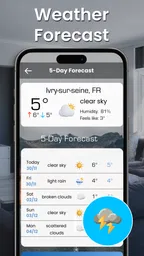
Compared with checking a weather app, this one is more focused on indoor conditions. A weather forecast is the better choice when I want to know what is happening outside or plan around the day ahead; it does not necessarily answer how a particular room feels right now. Compared with a basic standalone thermometer, however, a phone app has the convenience advantage only when the phone can produce a reading that is useful to you. A dedicated instrument is the safer choice when accuracy, repeatability, or continuous observation matters.
I would skip this app if I needed a dependable record across several rooms, remote monitoring, automatic alerts, or a reading I could use for a safety-critical decision. Those jobs call for equipment and features explicitly designed for them. I would also skip it if I already own a trusted indoor thermometer and have no reason to check temperature on my phone; adding another reading source can create confusion rather than convenience.
For casual household use, the strongest approach is to keep expectations practical: test the app against a reliable thermometer, check the room from a sensible location, and use it to compare conditions rather than to certify them. That workflow gives the app a fair chance without asking it to do more than a phone-based reference should.
My household verdict
My recommendation is a cautious yes for people who want an easy, occasional indoor check and understand the limits of using a phone as a measuring aid. It can support small decisions—whether to air out a room, whether a workspace has become uncomfortable, or whether two rooms seem noticeably different—without requiring a dedicated device at hand. For a shared home, the most useful habit is to check consistently and discuss comfort alongside the reading.
Room Temperature Thermometer is not the app I would choose for household monitoring that must be precise, continuous, or shared as a formal record. But as a free, accessible starting point for simple room checks, it has a clear place. I would try it on a compatible device, compare its results with a proper thermometer, and keep it only if that comparison shows it is useful for the everyday questions my household actually asks.
What we like
- Simple readings are easy to understand at a glance.
- A lightweight design makes the app quick to open.
- Useful for checking indoor comfort in different rooms.
- Temperature readings can help track daily changes.
- A convenient option when no standalone thermometer is nearby.
What could be better
- Accuracy depends on the phone sensors or available weather data.
- Phones without suitable sensors may show estimated readings.
- The app cannot replace a calibrated medical thermometer.
- Nearby heat sources can affect readings from a phone sensor.
- Some features may require an internet connection.





