
PBS KIDS Video review
 Analysis by Appsdrops
For a family looking for something calmer and more purposeful than handing a child an open-ended video feed, PBS KIDS Video has a clear appeal: familiar children’s programming sits in an app built around watching rather than endless browsing. I see its strongest role as a handy, parent-approved option for a short stretch of downtime—not as a replacement for play, reading, or every other screen choice.
It is a free education app from PBS KIDS, rated for Everyone. The app has a 4.3 average from around 69,000 ratings and has passed 10 million installs. Those figures suggest it has become a well-used choice for families, though they do not tell you whether its particular mix of shows will suit your child. That depends more on viewing habits and the titles they enjoy.
Why it can click in the first week
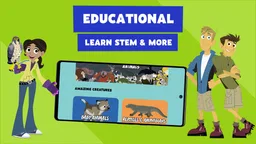
The first useful thing about the app is that it gives children access to educational programs, films, and songs in one place. That makes it easier to offer a defined activity than to search broadly through general video services, where recommendations and unrelated choices can pull a child away from what a parent intended.
In an ordinary week, I can imagine using it while a parent makes dinner or during a quiet break after school. The key is to decide what the screen time is for before handing over the device: a song or short viewing session can fill a gap, while a longer film may suit a planned quiet period. That small bit of intention helps keep the app from becoming the default answer whenever a child is bored.
The combination of shows and songs also gives it a little more range than a simple shelf of episodes. A child who is restless may respond better to music; one who wants a familiar story may prefer a program. I would use those different formats deliberately rather than treating every option as interchangeable background video.
One practical tip is to make the first few sessions a shared activity. Sit with your child, see which kinds of content hold their attention, and help them settle on a choice. That can reveal whether the app is genuinely useful for your household before it becomes part of a daily routine. It also gives you a chance to set expectations about when watching starts and ends.
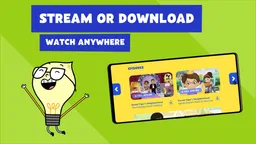
The app’s download option is especially relevant for travel or places where a reliable connection may be difficult. I would prepare before leaving, rather than assume a video will be available at the moment it is needed: choose and download what you expect to use while you still have a connection. That turns the app into a more dependable travel companion, though it still requires an adult to plan ahead.
What makes it useful beyond the novelty
Novelty tends to fade when an app offers only one kind of activity. Here, the choice between programs, movies, and songs gives families several ways to use the same service. That can help it stay relevant across different moods and routines: music might suit a brief transition, while an episode is easier to plan as a defined viewing block.
The app is currently at version 7.2.0, and its release dates back to June 24, 2014. I wouldn’t treat longevity alone as proof that every child will enjoy it, but it does place the app in a different category from a brand-new, untested entertainment tool. PBS KIDS is also clearly identified as the developer, which makes the source easy to recognize when deciding what to install for a child.
Compared with general-purpose video apps, this one is a more focused choice for children’s programming. That focus is useful when the parent’s priority is to avoid letting a young viewer roam through a broad catalogue. On the other hand, families who want a much wider range of creators, subjects, or entertainment may find a general service offers more variety, provided they are comfortable managing its selection and recommendations.
It also differs from interactive learning games. Watching and listening are the main activities here, so it may suit a child who wants a show or song but will not satisfy a parent looking for practice with letters, puzzles, or hands-on problem solving. I would pair it with those activities rather than expect a video app to do their job.
Keeping the routine manageable
Maintenance is not just about updating software; it is also about keeping the app’s role in family life clear. I’d decide in advance whether it is for a planned break, travel, or a specific quiet-time window. That simple boundary reduces the chance that a useful convenience quietly turns into the automatic response to every lull.
Downloads need a little attention, too. If you are relying on offline viewing, prepare content ahead of time and check that the material you want is ready before the trip or waiting-room visit. The benefit is flexibility when connectivity is poor; the trade-off is that offline viewing is not a last-second solution unless you have already done the preparation.
For a shared device, I would also make the handoff deliberate. An adult can choose the viewing session, then let the child watch without turning the phone or tablet into an unrestricted browsing device. This workflow makes the app easier to manage, especially for younger children, because the parent remains involved in the choice rather than relying on the child to navigate every option independently.
Because the app is free, it is easy to try without making a purchase decision. Still, free does not mean it should automatically earn permanent space on a device. I would keep it installed if the family uses it regularly for a specific purpose; if it is opened once and then forgotten, removing it is a reasonable way to reduce clutter.
Where interest can wear thin
The main limitation is that video remains passive. A child can enjoy a program or song without getting the kind of active practice that comes from building, drawing, reading together, or playing a learning game. If you are trying to make a screen session educational in a hands-on sense, this is not the strongest tool on its own.
Another source of fatigue is repetition. Children often return to the same favorites, which can be comforting but may leave a parent feeling that the app has stopped offering anything fresh. Rather than pushing a child to browse endlessly for something new, I would treat repeat viewing as a cue to switch activities if the session has run its course.
It may also be a poor fit for families whose children are already focused on a particular show or content collection that is not part of this app’s offering. A well-known brand or an education label cannot guarantee that a child will connect with the available choices. If the titles do not hold their attention, the app’s broader purpose will not make it a useful daily pick.
Parents who want tightly scheduled screen use should consider their own routine, too. The app can provide content, but a household still needs to decide how long watching lasts and what happens afterward. A pre-agreed stopping point and a next activity—snack, bath, book, or outdoor play—make the viewing session easier to end than an open-ended “watch for a while.”
Who should keep it installed
I’d recommend trying it if you want a child-focused place for educational entertainment, especially when a short, predictable viewing break would help. It is a sensible fit for families who already value PBS KIDS programming, caregivers who want an alternative to general video browsing, and parents who sometimes need prepared content for travel.
I would skip it, or at least avoid relying on it, if your main goal is interactive learning, a broad catalogue beyond children’s programming, or a screen activity that keeps a child physically engaged. It is also less useful when a child does not enjoy its selection or when the adults in the household would rather avoid video as a routine comfort. In those cases, a book, a simple game, or a more interactive educational app may be a better match.
My lasting verdict is that PBS KIDS Video earns a place when it has a defined job: a planned quiet moment, a familiar show, a song break, or content prepared for a journey. Its strongest value is not that it should occupy a child every day, but that it gives parents a focused option when watching is the right choice. Keep it if that use recurs; otherwise, there is no need to force it into the family routine.
What we like
- Episodes are grouped by show for easy browsing.
- The app offers a child-friendly viewing experience.
- Parents can find videos from familiar PBS KIDS characters.
- A selection of videos can be watched offline.
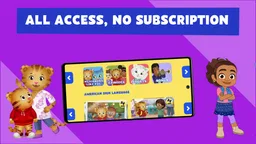
- The app is available at no cost.
What could be better
- Offline downloads may take up storage space.
- Video availability can vary by location.
- Some episodes may require an internet connection.
- The catalog may not include every episode of a show.
- Streaming quality depends on your connection.





