
Pandora - Music & Podcasts review
 Analysis by Appsdrops
When I want music without spending time assembling a playlist, I’m more interested in how quickly an app gets me into a good listening groove than in how many buttons it can put on screen. Pandora is built around that kind of listening: it gives you a way to reach artists, albums, playlists, and podcasts, while its central appeal is discovering music from a starting point rather than planning every track in advance. I find that makes it especially comfortable for everyday background listening.
Music discovery is the experience to judge
Made by Pandora, this free music and audio app suits people who like to begin with an artist or a mood and let listening unfold from there. Rather than treating a carefully arranged queue as the only right way to listen, it encourages a more relaxed relationship with music. That distinction matters: if you enjoy being surprised by what comes next, Pandora has a clear purpose; if you want exact control over every song, its discovery-first approach may feel less satisfying.
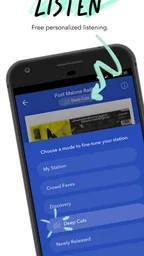
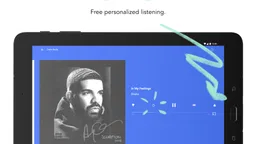
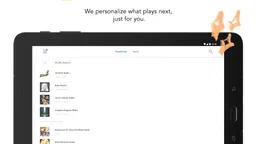
I’d describe its strongest idea as lowering the effort between “I feel like hearing something” and actually listening. You can start with a familiar musical reference, then give the app room to take you beyond it. That works well when I don’t have a specific album in mind, or when I want music to accompany a task without repeatedly stopping to choose the next track.
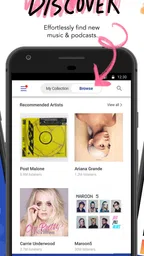
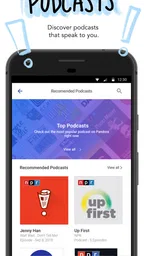
The app also brings podcasts into the same listening environment, so it can serve more than one kind of audio habit. I like that in principle: the same place can be useful when I want music during one part of the day and spoken audio during another. Still, its most distinctive value is the music-discovery experience, not the simple fact that it contains multiple audio formats.
Starting with an artist, not a finished playlist
In practice, the useful mindset is to treat a familiar artist or album as a starting point rather than a strict instruction to hear only that artist. That can make Pandora a good fit for someone who knows the sound they want but doesn’t want to decide on every track. It also offers a way to revisit a taste or mood without having to prepare a new sequence each time.
A practical tip is to choose a starting point that genuinely reflects the sound you want. If you’re after mellow listening, an artist known for that atmosphere is a better anchor than a broad pick that mixes several styles you only sometimes enjoy. The initial choice shapes the session, so a little care at the beginning can reduce the feeling that the music has drifted away from your intention.
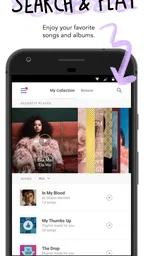
This is a different kind of convenience from searching for one specific track and pressing play. A track-focused service is often better when you already know exactly what you want; Pandora makes more sense when you have a direction, but would rather not map out the route. For me, that makes it a useful companion to a more deliberate listening habit rather than a replacement for every way of choosing music.
A realistic everyday listening session
Imagine getting ready in the morning when there isn’t time to build a playlist. I’d pick a familiar artist that suits the mood, start listening, and let the session run while I make breakfast and get ready. The point is not that every selection will be perfect; it’s that I can spend less attention managing the queue and more attention on what I’m doing.
The same approach fits routine work or household tasks. A starting point gives the session some character, while the app takes over the repetitive job of choosing what follows. If a particular track or direction isn’t right for the moment, changing the starting point is more useful than expecting one setup to fit every situation. I’d think of it as setting the tone for a listening stretch, not creating a permanent soundtrack for all occasions.
That distinction also helps set expectations. Pandora is most appealing when music can continue in the background and variety is welcome. It is less compelling when I’m planning a workout around a precise order, trying to replay a particular sequence, or sharing a queue where every participant expects direct control. In those cases, a more playlist-centered service may be a better match.
Where discovery helps—and where it can frustrate
Discovery is both the reason to try Pandora and the main tradeoff to consider. The freedom to let an artist lead into other listening can keep familiar music from feeling stale. But that same openness means the experience is not identical to selecting a fixed album and hearing it exactly as arranged. If you’re particular about what comes next, the app’s broad, exploratory character may feel like friction instead of convenience.
One useful way to avoid that mismatch is to decide what kind of listening you’re doing before you start. For an open-ended background session, choose a starting point and let it breathe. For close listening, where track order and exact selection matter, go directly to the album or playlist you intend to hear. This simple distinction helps me judge the app fairly rather than expecting discovery to behave like a hand-built queue.
Another tradeoff is that a recommendation-led session may need a little steering. A starting point that is too broad can lead to a less focused mood, while one that is too narrow may not provide the variety you wanted. I’d try a few different musical anchors and notice which ones produce a comfortable balance. That’s a more useful adjustment than assuming the first choice should automatically suit every setting.
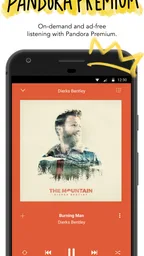
There is also the question of cost. The app is free to install, with in-app purchases listed from $0.99 to $12.99 per item. That makes it easy to try the basic experience before deciding whether any paid option is worthwhile. I would check the purchase details in the app before paying and consider whether the listening controls or benefits offered suit my own habits, rather than assuming a subscription or purchase is necessary for everyone.
How Pandora compares with familiar alternatives
Compared with services centered on manually assembled playlists, Pandora’s appeal is less about having complete command of a sequence and more about reducing the work of choosing one. Playlist-first apps are usually the safer choice if you already have a collection of saved mixes and want to play a precise selection. Pandora is more inviting when you have a musical starting point but no desire to curate the rest of the session yourself.
It also differs from using a podcast app solely for spoken shows. Having podcasts alongside music can make Pandora convenient if you prefer one audio destination, but a dedicated podcast service may be a better fit if your routine revolves around organizing, following, and managing shows. The choice comes down to whether you want a flexible place for different listening or a specialist tool for one format.
I wouldn’t choose it just because it offers a large library of audio categories or because an app is popular. Its real strength is the particular listening habit it supports: begin with something familiar, then allow room for discovery. If that sounds like how you already listen, the design makes sense. If you regularly search for exact tracks and arrange them in a specific order, a service built around direct selection will likely feel more natural.
Who is most likely to enjoy it?
I think Pandora is best for listeners who want music to accompany everyday life without turning each session into a small planning project. It can suit someone who has a handful of favorite artists, likes hearing related music, and is comfortable with a session that isn’t fully scripted. It can also work for a household or individual that appreciates having podcasts available in the same app, provided music discovery remains the main reason to open it.
It is less suitable for people who are strongly attached to a carefully ordered personal library, need exact control over every selection, or mainly want a dedicated podcast organizer. Those listeners may be happier with a service whose central workflow matches those needs. I’d also suggest that anyone considering paid options first spend time with the free app and identify what actually feels limiting; that is a better basis for a purchase than paying before knowing whether the discovery style clicks.
Pandora has an average rating of 3.9 from around 3.3 million ratings, and it has been installed over 100 million times. Those figures suggest a widely used service, but they don’t tell me whether its particular approach will suit an individual listener. It is rated Teen, so that age guidance is worth keeping in mind when choosing audio apps for younger users.
My recommendation
After considering how I’d use it day to day, I’d recommend Pandora to someone who wants a low-effort route from a familiar artist to a longer, less predictable music session. Its value isn’t that it removes every listening decision; it’s that it can make the first decision enough to get going. Pick a good musical anchor, use it for the right kind of moment, and discovery becomes a genuine convenience rather than a lack of control.
If your ideal session means choosing each track, preserving a precise order, or focusing almost entirely on podcast organization, I’d look elsewhere first. But if you often want music to carry you through a commute, a morning routine, or a stretch of chores without constant attention, Pandora is worth trying. For me, its best quality is simple: it makes listening feel easy when I know the kind of music I want, but don’t need to decide exactly what comes next.
What we like
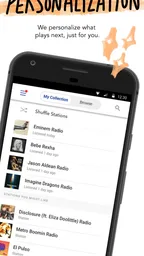
- Personalized stations adapt to your listening habits.
- Thumbs-up and thumbs-down help tune recommendations.
- Offline listening is available with eligible plans.
- Voice controls make playback easier while driving.
- Podcasts and music are available in one app.
What could be better
- Offline listening requires a paid subscription.
- Free listening includes audio and visual ads.
- Some tracks cannot be played on demand for free users.
- Availability and features vary by country.
- The free tier has limits on skips and replays.




