


edjing Mix - Music DJ app review
 Analysis by Appsdrops
I find edjing Mix most appealing when I want to shape a playlist into a live-feeling mix rather than simply press play. It is a music and audio app from MWM - AI Music and Creative Apps, aimed at people who want to experiment with DJ-style transitions and record mixes while away from a full setup. The idea is inviting, but the experience depends on a little patience: a phone screen is compact, music sources can behave differently, and a smooth mix takes practice.
Getting past the first snags
The first hurdle is often not mixing itself but knowing what to try first. A DJ app can present unfamiliar controls, and it is easy to tap around without understanding how one adjustment affects the next. I recommend starting with two tracks you already know well. Familiar songs make it easier to hear whether a transition is working, so you can focus on the controls instead of guessing what the music is about to do.
Give yourself a short test session before planning to play for anyone else. Load a pair of tracks, listen to how their energy and timing differ, and make one change at a time. If several controls are adjusted at once, it becomes difficult to tell which change helped or made the blend feel less natural. This deliberate approach is less flashy than immediately trying to perform, but it makes the learning curve easier to manage.
The most useful early habit is to treat a mix as a sequence of small decisions. Choose a sensible point to move between tracks, listen through the transition, then adjust your next attempt. This matters particularly on a touchscreen: you are working with visual controls and your ears at once, and small, intentional changes are easier to repeat than frantic corrections.
It is also worth separating the question “Can I play these songs?” from “Can I make them blend well?” A track may be available to listen to on your device yet still be awkward to work with in a DJ workflow. Check your available music before settling on a set, and test the actual pair of songs you intend to use. That avoids discovering during a practice session that your planned combination does not behave as expected.
Check the basics before blaming the mix
When something seems missing or unresponsive, I would first check the simple things: whether the intended tracks are available to the app, whether audio is playing through the expected output, and whether the device is behaving normally. Close distractions, reopen the app if controls stop responding, and try a different known track. These are ordinary checks, but they can distinguish a problem with one song or the phone from a problem with the mixing process.
Headphones are useful for practice because they let you listen closely without filling the room with sound. If you are using an external audio route, confirm that the phone is connected to the right device and that its volume is at a reasonable level. A silent or unexpectedly quiet result can come from the output path rather than the track or the mix. I would test the built-in speaker or another familiar listening route before changing several settings at once.
Keep the first session simple. Choose a small set of tracks, avoid switching between apps in the middle of a transition, and save or record a short test before attempting a long session. This gives you a clear baseline. If a problem occurs later, you can compare it with a setup that worked rather than trying to reconstruct several changes from memory.
The app is free to install, while in-app purchases range from $0.99 to $114.99 per item. I would begin with the free experience and decide what, if anything, I actually need after trying the workflow. That is a more sensible way to judge a creative tool than paying before you know whether touchscreen mixing suits you. Its Everyone age rating also makes it broadly accessible, though that does not change the fact that it is a hands-on music tool rather than a passive player.
Recovering a session without making it worse
If a transition goes wrong, resist the temptation to change every control immediately. Return your attention to the two tracks: pause to understand where each one is, then make a single correction and listen again. The goal is not to hide every imperfect moment with more effects or movement. A steady, simple transition often sounds more convincing than a complicated one that is difficult to control.
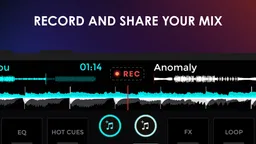
For a recording, make a brief test before committing to a full-length mix. Listen back for obvious issues such as an abrupt handoff, a track that becomes hard to hear, or a level that changes more than you intended. If the test is unsatisfactory, adjust one part of the process and record another short sample. This workflow saves time and makes it easier to identify the cause of a problem.
A practical, less obvious tip is to plan transitions around the character of the songs, not just their order in a playlist. Two tracks with very different energy may call for a more gradual handoff or a deliberate change in mood, while similar songs may fit together with less intervention. Listening ahead and choosing a transition point before you start moving controls can reduce last-second corrections.
Another useful trade-off is to practice with fewer tracks than you think you need. A short, coherent set gives you room to learn the app’s feel and notice where your timing needs work. Once that feels comfortable, add variety. Trying to manage a long sequence from the beginning can turn a creative exercise into a search for the next song, leaving less attention for the transition happening now.
When the cause may be outside the app
Not every disappointing result means the app has failed. Music files, device audio, headphones, and the listening environment can all affect what you hear. A transition that sounds muddy on one speaker may be clearer through headphones, while a track that starts at an unexpected point may need a different cue or a fresh test. Check the same passage in a straightforward player when you need to tell whether the source itself sounds unusual.
Performance can also be affected by the phone’s general state. If the interface feels sluggish, close unused apps and try again after restarting the device. If the problem appears only with a particular track, test another one before changing your whole setup. These steps do not promise to fix every issue; they simply narrow down whether the trouble follows the song, the audio route, or the app session.
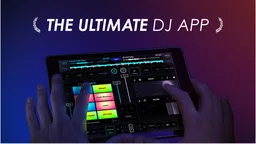
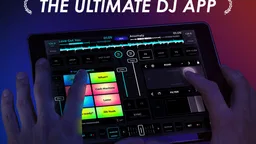
There is a broader limitation to keep in mind: a phone is convenient, but it does not offer the physical spacing and tactile confidence of dedicated DJ hardware. On a small screen, close attention is needed when adjusting controls, and a busy performance can be harder to manage while watching the room. I see edjing Mix as a good way to learn, rehearse, or create a casual recorded mix, not as an automatic replacement for a more elaborate performance rig.
Who will enjoy this approach
I can imagine using it before friends arrive: I would pick a few songs that suit the mood, rehearse a couple of handoffs, then record a short mix to see whether the energy holds together. It also makes sense for someone who wants to explore DJing during a commute or spare moment, provided they have a comfortable way to listen and enough quiet to focus. That kind of casual practice is where portability matters most.
Compared with a standard music player, this app is for active listening and arranging, not just finding a track and letting it run. Compared with a desktop DJ setup, it is easier to carry and less demanding to try, but a touchscreen can feel less precise than dedicated controls. If your priority is an uncomplicated playlist, a regular player is the better fit. If your aim is detailed production or a highly controlled live performance, a computer-based or hardware setup may suit you better.
The app has been available since November 14, 2012, and its current version is 7.41.00. It has a 4.6 average from around 1.7 million ratings, with about 54,000 written reviews and over 100 million installs. Those figures suggest wide use, but they do not guarantee that every device, track, or preferred workflow will feel right. I would still judge it by trying the exact kind of mix I want to make.
A practical verdict for everyday mixing
My recommendation is to approach edjing Mix as a portable practice space: start with familiar songs, test the audio route, make short recordings, and change one thing at a time when a transition needs work. That method makes the app less intimidating and helps you tell a genuine limitation from a setup hiccup. It also gives you a useful result quickly, instead of spending the whole session exploring controls without finishing a mix.
I would skip it if I only wanted background music, disliked interacting with small touchscreen controls, or needed the confidence and precision of dedicated performance equipment. For everyone else, especially curious listeners who want to try arranging songs into a personal mix, it is a worthwhile free starting point. Its best quality is that it makes experimenting feel accessible; its main catch is that the quality of the result still depends on preparation, listening, and practice.
What we like
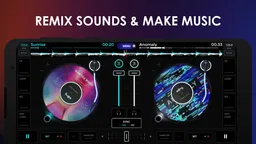
- Two-deck mixing makes it easy to blend tracks live.
- Automatic beat matching helps keep mixes in sync.
- The interface offers quick access to core DJ controls.
- You can record mixes for listening or sharing later.
- It supports music from several streaming and local sources.
What could be better
- Some music sources require a paid subscription.
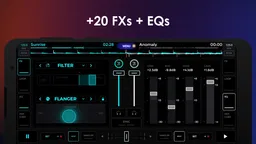
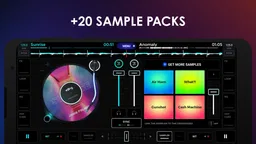
- Certain effects and features are locked behind in-app purchases.
- Streaming availability can vary by region and service.
- Touch controls may feel cramped on smaller phone screens.
- Performance can suffer on older or less powerful devices.





