




Samsung Music review
 Analysis by Appsdrops
Samsung Music is most useful when I treat it as a straightforward way to listen to music already organized on a Samsung Galaxy, rather than as a window onto an online music catalog. That distinction matters most when connectivity changes: a weak signal can interrupt streaming in many music apps, but it does not automatically tell you what this player can access. I would first check that the tracks I want are available to play on my device, then use the app as a familiar listening interface.
As a Music & Audio app from Samsung Electronics Co., Ltd., it is free and aimed especially at Galaxy users. Its broad reach—over a billion installs—makes it a familiar choice, though popularity alone does not make it right for everyone. I find its appeal clearest for people who want a dedicated player for their personal music collection without making a subscription service the center of the experience.
Where the network changes the listening experience
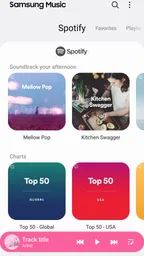
The key question before relying on Samsung Music is not simply whether the phone has a signal; it is where the music itself comes from. A player and a music-streaming service solve different problems. When I am listening to tracks already accessible on the phone, network quality is less central to the moment. When I expect to browse or play music from an online service, I would choose that service directly rather than assume Samsung Music supplies a streaming catalog.
This makes the app a sensible companion for a commute, a workout, or a quiet evening if I have already arranged the music I want to hear. It is less compelling when my usual habit is to search for unfamiliar artists on the go. Streaming-first alternatives are generally better at discovery and at connecting listening to a large online catalog; Samsung Music is more naturally suited to managing a personal listening routine.
A practical habit is to test the exact listening setup before leaving home. Open the app, find the album or playlist you plan to use, and start playback while you still have time to troubleshoot. That simple check helps distinguish a network problem from a missing or inaccessible track. It also prevents the common mistake of assuming that a familiar music app will behave like a streaming subscription when reception drops.
Using it across everyday mobile situations
On a Galaxy phone, Samsung Music has an obvious advantage: it belongs to the same device family it is designed to serve. I would consider it first if I mainly listen to music on my Samsung phone and want a player that fits that setting. Its current version is 16.2.45.1, and the app supports Android from version 9 onward, so the operating-system requirement is worth checking before installing it on an older device.
In an everyday scenario, imagine getting ready for work with a playlist you know well, then heading into a subway station where reception becomes unreliable. A locally accessible collection can make the listening plan less dependent on signal than a session built around searching and streaming. I would still verify the tracks beforehand rather than promise uninterrupted playback under every condition: connectivity and the location of the music both shape what happens.
For travel, I would use the same deliberate approach. Before a flight or a long drive through areas with patchy coverage, confirm that the music you expect to play is actually available in the app and that playback starts. This is more reliable than waiting until the connection has disappeared to discover that a favorite album is not where you thought it was. Samsung Music is useful here as a player for an established collection, not as a substitute for planning how that collection will be available.
People who switch between phones should also think about where their listening library lives. A player can feel seamless on one Galaxy device yet be less convenient if the collection and preferred listening tools are spread across several platforms. If you routinely move between Android and iOS, or rely on shared playlists across devices, a cross-platform streaming service may offer a more consistent experience. I would choose based on the way I organize music, not simply on which app is already installed.
When playback goes wrong, check the source first
If a track will not play, I would avoid blaming the network immediately. First check whether other tracks open, whether the expected album appears, and whether the phone has access to the music file. If only one item fails, that points toward a track-specific issue rather than a general connection problem. If the whole listening session is affected, checking signal and restarting the app are sensible first steps before changing settings or reinstalling anything.
This kind of basic diagnosis is especially helpful because music apps can blur two separate jobs: locating music and playing it. A poor connection can interfere with online browsing, while a missing or unavailable file creates a different problem. Knowing which part has failed keeps troubleshooting focused. I would also test with a familiar track rather than repeatedly searching for new music, since a known item makes it easier to tell whether playback itself is working.
Recovery is less convenient when I have not prepared a fallback. For a long trip, I would keep a second listening option in mind, such as another player or a streaming app with its own travel features, if those match my needs. Samsung Music is not the choice I would rely on for discovering music during a complete loss of connectivity. Its stronger role is returning to music I already intended to hear.
The app’s audience rating is 3.8 from around 823,000 ratings, with about 22,000 written reviews. I read that as evidence of a widely used app that will suit many Galaxy listeners but will not satisfy every expectation. In particular, people who arrive expecting the discovery tools and online catalog of a dedicated streaming platform may judge it by the wrong standard—or find that it is not the right tool for them.
Keeping mobile data use intentional
When I want to be careful with mobile data, I separate listening from browsing. Playing music that is already available on the device is a different situation from searching online or using a streaming service, where network activity is part of the experience. I would not assume that the app itself controls the data behavior of other music services. Instead, I would identify which app is supplying the music and review the relevant settings there.
A useful routine is to decide on music before leaving a Wi-Fi connection, then confirm that the planned tracks are accessible. This is not just about saving data: it also reduces last-minute searching in places where coverage is poor. If I am listening to a familiar collection, I can keep the session simple. If I want recommendations or new releases, I would accept that an online service is likely the more suitable place to browse.
There is a trade-off in choosing a local-library-oriented player. A collection that I have already organized can be predictable and personal, but it does not automatically give me the breadth or effortless discovery associated with streaming catalogs. Conversely, a streaming app may make exploration easy while tying more of the experience to an internet connection and that service’s own account or library. I would choose Samsung Music when control over a known collection matters more than constant discovery.
Who will appreciate it, and who should look elsewhere?
I would recommend Samsung Music to a Galaxy owner who wants a dedicated place to play a personal music collection and does not need every listening session to begin with online search. It is also a reasonable option for someone who prefers a familiar, focused player for everyday routines. Its Teen content rating is useful context for families, although it does not replace a parent’s judgment about what a particular listener should use.
I would look elsewhere if my main requirements were a large streaming catalog, personalized discovery, or a listening setup that follows me effortlessly across different operating systems. Those are the strengths to seek in a streaming-first alternative, rather than reasons to expect this app to behave differently from its core role. Likewise, if I rarely keep music organized on my phone and prefer to browse for every album as I listen, a service built around online access will likely feel more natural.
The free price makes it easy to try, especially for someone already using a Samsung Galaxy. Still, “free” is not the same as “best fit”: the deciding factor is whether the app matches how your music is stored and how you want to find it. I would install it for a straightforward player experience, then keep a streaming app alongside it if discovery and online listening are also part of my routine.
My connectivity verdict
Samsung Music makes the most sense when I plan around the music I already have access to. A stable connection can make online parts of a broader listening routine more convenient, but the app’s practical value is not that it turns every network condition into the same experience. It is that it offers Galaxy users a focused music player for a familiar collection, with less reliance on browsing when the music is ready in advance.
My recommendation is conditional but clear: try it if you use a Galaxy phone and want a free player for personal listening, especially for commutes and routines where you know what you want to hear. Before depending on it in a signal-poor place, test your chosen tracks and make sure they are available. If your priority is exploring an expansive online catalog or moving between platforms, choose a streaming service as your main music app instead. That distinction is what makes Samsung Music useful without expecting it to solve a different listening problem.
What we like
- Plays common audio formats including MP3 and FLAC.
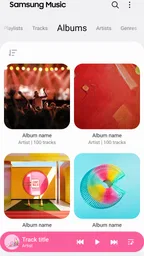
- Organizes tracks by album artist and folder.
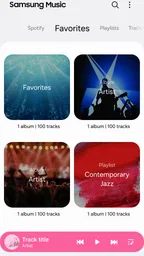
- Offers customizable playlists for different listening moods.
- Includes a sleep timer to stop playback automatically.
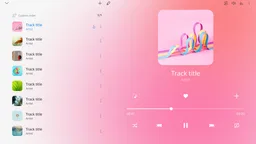
- Supports playback controls from the notification panel.
What could be better
- Some features work best with Samsung devices.
- It does not include a built-in music streaming catalog.
- The interface may feel cluttered with a large library.
- Equalizer options can vary by device and Android version.
- Music discovery tools are limited compared with streaming apps.





