



Shazam: Find Music & Concerts review
 Analysis by Appsdrops
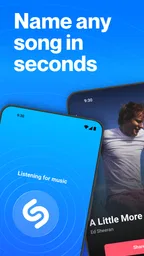
There is a familiar little mystery in hearing a song you like and having no idea what it is. Shazam is built to solve that moment: it helps identify music and points you toward songs, lyrics, videos, and concerts. I find its appeal easy to understand. Rather than trying to remember a tune and search for it later, you can turn to a music discovery app while the sound is still playing and make that passing curiosity more useful.
Music discovery when the moment is right
Shazam is a free music and audio app from Apple Inc., with a straightforward purpose: help you find songs and connect with more information about them. Its store summary also highlights the ability to play or connect to stream music. That combination makes it feel less like a static catalogue and more like a bridge between hearing something in the world and deciding what to do next.
The app’s scale suggests that this simple idea has broad appeal: it has over 500 million installs, alongside a 4.8 average rating from around 12 million ratings. I would not treat popularity as a guarantee that every listening situation will be seamless, but it does show how familiar the song-identification concept has become. For someone who regularly hears unfamiliar music in shops, cafés, or videos, Shazam is an appealing tool to keep close.
When the connection is part of the experience
Music identification starts with a sound in the immediate environment, but the wider experience reaches beyond that moment. Finding lyrics, videos, concert information, or a way to play and stream a track involves moving from recognition to discovery. That is where connectivity naturally matters: the app’s value is not only in naming a song, but also in helping you explore what you have found.
In practice, I’d think of Shazam as most useful when I can follow up on a discovery right away. If a song catches my attention during a commute or while I’m out with friends, identifying it is only the first step. Being able to look for its lyrics or video, or explore concert details, turns a brief “what is this?” into a more complete music-discovery moment. The app’s emphasis on playing or connecting to stream music fits that same flow.
That connected character also shapes expectations. The app is designed around finding and exploring music, not around being a self-contained music library. I like that distinction because it keeps the purpose clear: Shazam helps me get from a sound to a song and related listening options. The experience is strongest when I have a reliable connection and enough time to follow the trail beyond the initial identification.
How it fits into everyday mobile life
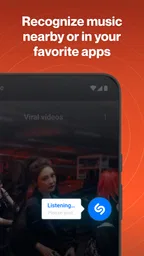
Shazam makes the most sense in the quick, unpredictable situations that define phone use. A track may come on while I’m walking, browsing a shop, waiting for a friend, or watching a clip. In those moments, the phone is already the natural place to act on curiosity. The app’s focused purpose suits that brief interaction: identify the music, then decide whether I want to explore further.
It can also be useful when I’m listening with other people. Instead of interrupting the conversation to guess the artist or search a vague lyric, I can use the app to turn the question into a concrete discovery. That’s a small convenience, but it’s exactly the sort of small convenience that makes a dedicated music app worth having. The result can lead to lyrics, a video, concert information, or a streaming option, depending on what I want to do next.
Mobile conditions are not always ideal, though. I might be in a crowded public place, moving between locations, or using a connection that feels inconsistent. Those circumstances can affect how comfortably I can continue exploring after hearing a song. I would keep the task simple in a noisy or hurried moment: focus on identifying the music first, then return to the surrounding details when I have a better chance to browse.
The Teen content rating is another practical point for households. It gives families a useful indication when deciding whether the app fits a younger user, while the core purpose remains easy to explain: Shazam helps discover music and related content. As with any app that connects music discovery with online destinations, it makes sense for parents and users to consider how they want a phone to be used and what content they are comfortable exploring.
When a search does not go smoothly
Even a simple music-identification app depends on the conditions around the listening moment. A song may be hard to hear clearly, the surrounding environment may be busy, or the connection may interrupt the transition from finding a track to exploring it. I wouldn’t assume that every attempt will be instant, especially when I’m trying to use a phone in a noisy or rushed setting.
When something doesn’t work as expected, I’d approach it calmly rather than repeating the same attempt in a hurry. Moving closer to the sound, waiting for a clearer part of the song, or trying again when the environment is less distracting are sensible first steps. If the identification succeeds but the next part of the experience feels slow, checking the connection and giving the app a moment to load is a practical response.
It helps to separate two different needs: recognizing what is playing and exploring more about it. The first is the immediate reason I open Shazam; the second can wait until conditions are better. That makes the app easier to use in real life, because a weak signal or a noisy room does not have to turn a fleeting musical curiosity into a frustrating all-or-nothing task.
I also like that the basic idea does not require a complicated learning curve. The question is usually obvious: what song is this? Once I’ve found it, I can decide whether lyrics, videos, concert details, or streaming are worth exploring. Keeping those steps distinct gives me a straightforward way to recover from a disruption: return to the original goal, then continue when the phone and connection are cooperating.
A thoughtful approach to data and connectivity
Because Shazam connects music discovery with streaming and other related content, I’d use it with the same awareness I bring to any connected app. If I’m trying to keep mobile data use in mind, I can focus on identifying a song and save longer browsing or media playback for a time and connection that suit me. That is a practical habit rather than a claim about how the app handles data behind the scenes.
There is no need to turn every discovery into a long session. Sometimes I only want the song title so I can remember it or share it with someone later. Other times, I’ll want to check lyrics, watch a video, look into concerts, or continue listening through a streaming option. Choosing how far to follow each discovery helps make the experience feel intentional, especially when I’m away from a familiar connection.
For people who are careful about mobile usage, it’s sensible to be selective about what they open after identifying a track. Browsing and playback can be more involved than simply satisfying the initial question, so I’d reserve those extra steps for when they’re useful. The app’s range of discovery paths is a strength, but it doesn’t mean I have to use every one each time a song catches my ear.
Connectivity is therefore not just a technical detail; it shapes the rhythm of using Shazam. A stable connection makes it easier to move from recognition into related music content, while a less convenient moment invites a lighter approach. I find that a good way to think about the app: use it to capture the musical clue, then explore at the pace and place that work for me.
Who is likely to enjoy Shazam?
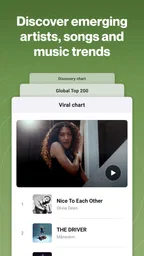
Shazam is a natural fit for curious listeners who often encounter music without knowing its name. It is also useful for people who want a quick route from hearing a track to finding lyrics, videos, concert information, or a streaming option. If music discovery is part of your everyday routine, the app’s focused purpose is easy to appreciate.
It may be less compelling for someone who already knows every song they hear or rarely wants to explore beyond a title. But even occasional listeners can find value in having a simple answer ready for those moments when a melody sticks in the mind. The free price removes a purchase decision, while the Teen rating helps users and families make an informed choice about suitability.
Apple Inc. develops the app, and its broad adoption makes Shazam one of the most recognizable names in music identification. It has around 163,000 written reviews as well as its large ratings base, offering plenty of evidence that people have made it part of their music-discovery habits. What matters most to me, though, is the practical premise: hear something interesting, identify it, and decide whether to follow the trail.
My connectivity verdict
Shazam earns its place as a music discovery app because it gives a clear answer to a common question and connects that answer to useful next steps. Its strengths are easy to grasp: finding songs, lyrics, videos, and concerts, with options to play or connect to streaming. The experience feels most complete when I have a dependable connection and want to explore beyond the initial identification.
At the same time, the app works best when I treat connectivity as part of the moment rather than expecting every follow-up to happen instantly in every setting. A noisy room, a rushed commute, or an inconvenient connection can make it smarter to focus on the song first and browse later. That flexible approach keeps the experience practical and makes the app useful even when I don’t have time to explore everything at once.
Overall, I’d recommend Shazam to anyone who likes discovering music in the wild and wants an easy way to turn a passing sound into something they can investigate. It is free, focused, and built around a familiar need. For me, the biggest strength is how quickly a musical mystery can become a new listening lead. If you want a simple companion for identifying songs and exploring what comes next, Shazam is well worth considering.
What we like
- Identifies songs quickly from short audio clips
- Works with headphones and audio playing on the same device
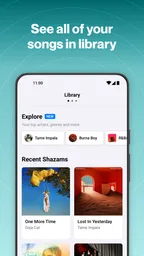
- Saves discoveries in a searchable history
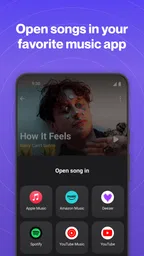
- Connects song discoveries to popular music streaming services
- Can identify tracks even when the phone is offline
What could be better
- Some features require an internet connection
- Song matches can be less reliable in noisy places
- Concert details may be unavailable for some artists or regions
- Streaming service integration may require separate accounts
- Background listening can use extra battery





