

Audiomack: Music Downloader review
 Analysis by Appsdrops
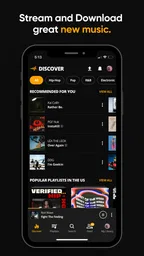
I would choose a music app based on one practical question: do I want to discover and save tracks for listening away from a connection, or do I mainly want a familiar, carefully organized library of mainstream releases? Audiomack: Music Downloader makes the first use case its clearest strength. It is a free music and audio app from Audiomack Music Apps, with a focus on finding tracks, downloading them for offline listening, and arranging music into playlists.
That emphasis gives it a different feel from a service I might open simply to play a particular album I already know. Audiomack is more appealing when I want to browse, stumble across something new, and keep selected music handy. I would treat it as a useful discovery-and-download option, rather than assume it should replace every other way I listen.
What to consider before choosing it
The app has a 4.8 average from around 9.3 million ratings, and it has passed 100 million installs. Those figures suggest a large audience, but they do not tell me whether its listening style suits me. The more useful test is how often I want offline access and whether I enjoy exploring music beyond a collection I have already built.
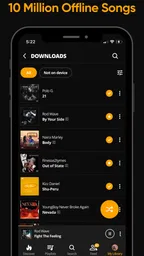
Offline listening is valuable in ordinary situations, not just on flights. I might save a few tracks before leaving home, then play them on a commute through patchy reception or while trying to avoid using mobile data. The important habit is to download deliberately while connected and check that the tracks I care about are available offline before relying on them. A playlist is convenient for organizing that listening, but I would not assume that adding a song to a playlist automatically means it has been downloaded.
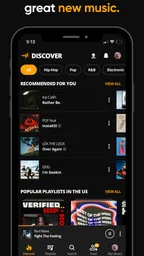
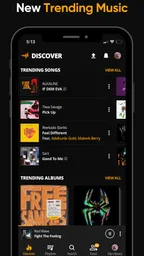
There is also a difference between wanting a broad listening library and wanting a particular kind of discovery. Audiomack is aimed at music browsing as well as playback, so it can suit someone who likes to explore and build collections gradually. If my routine is mostly asking a voice assistant for a familiar hit or playing albums in a fixed order, a more traditional streaming service may feel more direct.
Why its discovery-and-download approach stands out
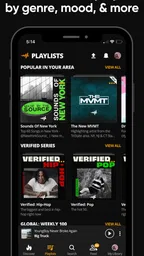
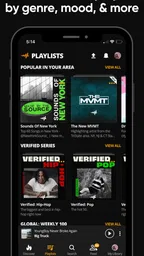
The strongest reason to try Audiomack is the way its main activities work together. Finding a track, saving music for offline use, and collecting songs into playlists all support a listener who wants to take a changing selection with them. That is more useful than a bare download folder when I want separate collections for different moods, activities, or trips.
A practical workflow is to make a playlist for a specific situation before it arrives: commuting, a workout, or a stretch of travel. I can browse first, decide which finds I actually want to keep, and download those selections while I have a reliable connection. This avoids the common annoyance of arriving somewhere offline with a playlist that looks ready but depends on streaming.
Another useful approach is to keep discovery and dependable listening separate. I would use one playlist as a place for tracks I am curious about, then move the ones I want to hear again into a more settled collection. That keeps an exploratory queue from becoming an overgrown archive. It is a small bit of organization, but it makes an app centered on finding and collecting music more manageable over time.
The app is free to start, which makes it easy to test that routine without making an immediate purchase decision. In-app purchases range from $0.59 to $79.99 per item, so I would check what a particular purchase offers in the app before spending. The basic appeal is clear enough to assess through ordinary use: whether the music I want to find is there, whether the download workflow suits me, and whether I return to the playlists I make.
It is a music and audio app, rather than a general-purpose media player. That focus is helpful if I want one place for discovery and listening, but less so if I expect extensive control over files I already own or a tool for managing a personal music collection across devices. I would compare those needs separately rather than assume that every music app handles them equally well.
Where another kind of music app may fit better
For a listener whose priority is a familiar catalog of major albums, polished album pages, and predictable access to specific releases, a conventional subscription-streaming service may be the more comfortable daily driver. I am not claiming one service has a particular catalog advantage; the sensible choice is to search for the artists and albums I actually listen to. The difference is in the decision process: Audiomack is compelling when discovery and offline saving matter, while a catalog-first alternative may be easier when I already know exactly what I want.
Someone with a large library of purchased or personally collected audio may prefer a local music player. That kind of app is usually a better starting point when the files themselves are the center of the experience and browsing a service is secondary. Audiomack’s strengths are less relevant if I do not want to explore its music environment or use its playlist-and-download workflow.
There is a trade-off to offline listening in any app built around downloads: I need to plan ahead. Streaming is simpler when I have a steady connection and want instant access without thinking about what is saved. Downloads are more reassuring when reception is unreliable, but they require a quick preparation step. I would not treat either approach as universally better; the right one depends on where and how I listen.
There can also be a difference between saving lots of tracks and keeping a usable collection. Unlimited playlists make it possible to organize freely, but they do not organize themselves. I would use clear names and a few purposeful lists rather than create a new playlist for every passing idea. If I dislike maintaining collections, a recommendation-led service that handles more of the selection for me may be a better fit.
Getting started without making a mess of your library
On first use, I would avoid trying to download everything that catches my attention. I would browse, save a small group of tracks I genuinely expect to replay, and build one playlist around a real routine. That gives me a fair test of the app’s most relevant strengths without turning my library into a pile of half-remembered discoveries.
For a daily commute, for example, I would create a short, varied selection and download it before leaving. If the journey changes or I find something better, I can adjust the list at home rather than depend on reception during the trip. The same approach works for exercise or travel: make the playlist fit the occasion, then confirm the chosen music is ready offline before setting out.
I would also keep an eye on how much I rely on downloads versus streaming. Saving only the music I expect to use offline is a sensible middle ground; it limits unnecessary clutter while preserving the main convenience. If I tend to switch devices or expect my listening setup to remain identical everywhere, I would test that behavior early rather than build my whole routine around assumptions about how a collection is handled.
The app is rated Teen, a point parents and younger users may want to consider when deciding whether it is appropriate. As with any music discovery environment, I would encourage younger listeners to use sensible judgment about what they choose to play and save. The age label is a useful starting signal, not a substitute for a family’s own expectations about music and app use.
The real cost is more than the price
There is no upfront price to try Audiomack, but the most meaningful cost for me is attention. Discovery can be enjoyable, yet browsing has a way of expanding a short listening break. If I want music to stay in the background while I get on with something else, a familiar playlist or a simpler player may suit me better than an app that encourages looking around.
Purchases are another reason to pause before tapping. The listed in-app purchase range is $0.59 to $79.99 per item, a broad spread that makes it especially important to understand the specific item and its value before confirming. I would not buy anything just because I enjoy the free listening experience; I would first decide whether the purchase solves a need I actually have.
Switching from another service also takes a little effort. Playlists represent choices I have already made, so changing apps means recreating at least some of those habits rather than merely installing something new. I would start with one important playlist and a short trial period. If discovery, offline access, and everyday playback work well for me, I could gradually bring more of my routine over; if not, the experiment stays low effort.
Audiomack has been available since January 8, 2015, and its large audience is a sign that the app has found lasting appeal. Still, longevity and popularity cannot guarantee a personal match. I would judge it by the practical basics: whether I find music I want, whether saving it is straightforward enough for my habits, and whether the playlists remain useful after the novelty of browsing wears off.
Who I would recommend it to
I would recommend Audiomack to listeners who enjoy exploring music, want a convenient way to keep selected tracks available offline, and like organizing what they find into playlists. It makes particular sense for someone who regularly travels through unreliable coverage, wants to prepare music before leaving home, or prefers choosing their own collections rather than relying entirely on a fixed listening routine.
I would be less likely to recommend it as someone’s only music app if they mainly want a dependable home for a known collection of albums, prefer the simplest possible playback, or do not want to manage downloads and playlists. A catalog-first streaming service or a local player may serve those priorities better. That is not a flaw so much as a difference in what each kind of app asks me to do.
For me, the best way to decide is to try a modest, real-world test: find a handful of tracks, make a playlist for one regular activity, and save it before heading out. If that turns an unreliable-connection commute into easy listening and browsing leads to music I want to keep, the app has earned a place in my routine. If I mostly want instant access to familiar albums with no organizing, I would choose a different category of music app instead.
What we like
- Free offline listening is available for many tracks.
- Mixtapes and emerging artists are easy to discover.
- Playlists help organize music by mood or genre.
- The lightweight app works well on modest devices.
- Users can upload music and share it with listeners.
What could be better
- Some tracks are unavailable for offline playback.
- The free version includes advertising.
- Music selection varies by region.
- Some features require a premium subscription.
- Downloaded tracks remain accessible only within the app.





