


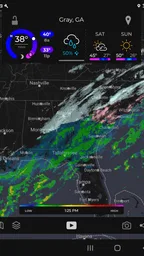
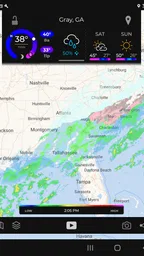
MyRadar Weather Radar review
 Analysis by Appsdrops
I would reach for MyRadar Weather Radar when the practical question is not simply “What is today’s forecast?” but “Is rain heading toward me, and should I change what I’m doing?” Its radar-first approach makes it especially useful for checking weather as it unfolds. I like that focus: it can answer an immediate planning question more directly than a forecast screen built mainly around temperatures and several-day outlooks. It is not a substitute for every kind of weather information, though, and its value depends on how comfortable you are interpreting a moving radar map.
Built for checking what is happening nearby
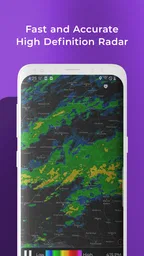
This is a weather app from ACME AtronOmatic LLC, with an emphasis on local radar and rain alerts. The central habit it encourages is simple: open the map, find your area, and look for precipitation nearby or moving toward it. That makes it a natural companion to a routine built around short-term decisions—whether to walk the dog now, take a different route, or bring outdoor plans forward.
The distinction from a typical forecast app matters. Many weather services lead with a daily summary, temperatures, and a row of upcoming days. Those are useful for planning ahead, but they can leave you wanting a clearer picture of what is happening right around you. MyRadar’s map-based view puts that immediate question first. I would use it alongside a broader forecast if I needed a fuller picture of the week, rather than expecting one radar screen to cover every planning need.
Its appeal is reflected in its reach: the app has over 10 million installs and an average rating of 4.8 from around 342,000 ratings. Those figures suggest many people find it worthwhile, though they do not guarantee that its presentation will suit everyone. Radar is inherently more visual than a plain forecast, and some users will prefer a short written summary over reading a map.
Why the map can be more useful than a general forecast
A forecast tells you what conditions are expected; radar helps you judge where precipitation appears to be and how it relates to your location. That difference is particularly useful when conditions are changing during the day. If I have an outdoor errand, I can check the map before leaving and then look again if the sky changes. The goal is not to treat every patch of color as a precise promise, but to make a better-informed call than I could make by glancing out the window once.
A practical tip is to check the map in context rather than focusing only on the dot marking your location. Nearby rain may matter if it is moving toward your route, while precipitation farther away may be irrelevant to a short trip. For a commute or walk, I would look at the surrounding area and the direction of the weather pattern, then make a second check closer to departure if timing matters. This is a more useful workflow than opening a radar image once and assuming it settles the question.
The app’s focus on hyperlocal rain alerts is another reason it stands out. Alerts can help when you are busy and would otherwise forget to check the map, especially if rain could disrupt an outdoor plan. I would still treat an alert as a prompt to reassess rather than an instruction to cancel. Local conditions can change, and an alert is most useful when paired with a quick look at the radar and a little judgment about what you are doing.
How I would use it in an ordinary day
Imagine I am deciding whether to take a lunch walk or wait until later. A generic daily forecast may say rain is possible, but that leaves the timing vague. With a radar-centered app, I can inspect what is near my area, see whether the pattern looks relevant to the next part of the day, and decide whether to go now or bring a jacket. If I am already outside and the weather turns, I can check again before choosing whether to continue or head back.
For a family outing, I would use the same approach in stages: check before leaving, keep an eye on the map as the plan unfolds, and avoid treating a clear patch at the moment of departure as a guarantee that the rest of the outing will stay dry. That is a small but important distinction. Radar is most valuable as a way to make repeated, time-sensitive decisions, not as a one-time certificate of good weather.
It can also fit into travel preparation without becoming the only source I rely on. Before driving, I would check the local picture around the start of the trip and at the destination, then use a dedicated navigation app for road directions and a broader forecast for conditions later in the day. MyRadar’s strength is the weather view, not replacing every tool a trip requires.
Where radar has limits
The same visual approach that makes the app useful can make it less immediate for people who want a plain answer. A map requires interpretation: you need to relate the display to your location, your plans, and the timing that matters. If you would rather see a concise “rain likely this afternoon” summary without examining a map, a forecast-led app may feel easier for everyday checks.
There is also a natural limit to any radar-based decision. A map gives a view of precipitation patterns, but it should not be read as a guarantee that a specific street will be dry or wet at a particular minute. For a casual walk, a rough sense of nearby rain may be enough. For a time-critical outdoor event, I would check more than once and keep a backup plan. That caution is not a reason to avoid the app; it is the right way to use a changing-weather tool.
Another trade-off is that a radar-first experience can be narrower than an all-purpose weather dashboard. If your main concern is comparing several days, checking a range of forecast details, or getting a quick overview without exploring a map, you may prefer an alternative that puts those items front and center. I would not choose MyRadar solely because I want a polished long-range planning routine. I would choose it when seeing nearby rain is the part I care about most.
There are optional in-app purchases, with items ranging from $2.99 to $59.99. The app itself is free to download, so you can begin with the basic experience and decide whether any paid options matter to your habits. I would avoid paying for extras just because they are available; first work out whether the radar and alerts already solve the problem you have. That keeps the decision tied to actual use rather than assumptions about what a weather app ought to include.
Who is likely to get the most from it?
I would recommend it to people who make frequent short-term plans outdoors: walkers, cyclists, parents coordinating activities, gardeners, and anyone whose day changes when rain arrives. It is also a sensible choice for people who like looking at weather visually and want a quick way to check the area around them. The app is rated for Everyone, so its age classification is broad; the more important question is whether its map-led style matches the way you like to get information.
If you are choosing between this and a conventional forecast app, think about the question you ask most often. If it is “What will the weather be like over the next few days?”, a forecast-first option may be the more comfortable starting point. If it is “What is moving through nearby right now?”, MyRadar has a clearer reason to be on your phone. You can also keep both approaches in your routine: use a standard forecast for planning the week and a radar app when timing becomes important.
It may be a poor fit if you rarely need local, short-term weather checks, dislike map-based information, or expect an app to make the decision for you. It is also not the tool I would rely on alone for a high-stakes plan where changing conditions could create serious risk. In those situations, use authoritative local guidance and plan conservatively instead of treating any consumer radar display as definitive.
A practical way to get value without overthinking it
Start by checking the radar at the moment a weather question actually affects your plans. Compare what you see around your location with what you intend to do, and check again if the timing is important. If you enable rain alerts, use them as a reminder to look rather than as a reason to react automatically. That simple routine makes the app more useful while avoiding the false confidence that can come from checking once and assuming the picture will stay unchanged.
MyRadar Weather Radar was released on January 24, 2012, and its long presence is matched by a substantial audience: it has around 128,000 written reviews. I would not use longevity or popularity as a substitute for trying the interface, but they do make it clear that this is an established option rather than a novelty. For me, the strongest case remains its focused role: put local radar and rain alerts within easy reach when the weather could affect the next decision I make.
My verdict is favorable, with a clear qualification. MyRadar is most convincing as a quick, repeatable radar check—not as a complete replacement for every forecast tool. I would install it if nearby rain regularly changes my plans, start with the free experience, and judge it by whether its map helps me make those decisions faster. If I mainly wanted a simple multi-day outlook, I would choose a forecast-led alternative instead. For the right user, though, its focused view makes it a genuinely practical addition to a weather routine.
What we like
- Radar imagery updates frequently for tracking approaching weather.
- The map makes storm movement easy to follow at a glance.
- Location-based forecasts help you check conditions nearby.
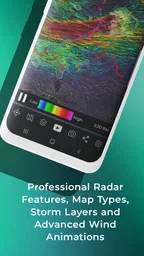
- Optional layers add useful context to the radar view.
- The core radar features are straightforward to explore.
What could be better
- Radar detail may be limited in remote areas.
- Heavy map layers can make the app feel slower.
- Some advanced tools require a paid upgrade.
- Radar estimates cannot replace official severe weather alerts.
- Frequent notifications may become distracting.





