
MyHealthONE review
 Analysis by Appsdrops
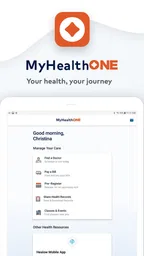
I judge a health portal by what it helps me do at the moment I need it—not by how many menus it offers. MyHealthONE is a free medical app from HCA Healthcare Inc, designed to give patients a digital route into their health information and care. Its strongest appeal is practical: it can make routine health-management tasks easier to approach from a phone, particularly for someone already using HCA’s patient services. It is less compelling as a general-purpose health app for people whose care is spread across unrelated providers.
What using a patient portal feels like
A patient portal is different from a symptom checker or a wellness tracker. I see MyHealthONE as a place to manage the administrative side of being a patient, rather than an app that should interpret symptoms or replace a conversation with a clinician. That distinction matters: it sets a sensible expectation for what the app is for and what it cannot do.
The app is listed in the medical category, has an average rating of 3.9 from around 8,600 ratings, and has been installed over 500,000 times. Those figures suggest a substantial audience, but they do not tell me whether every user’s local care experience will be the same. The usefulness of a portal depends in part on how well it connects to the services a person actually uses.
My practical advice is to treat it as a companion to care, not as the care itself. For urgent symptoms, a portal is not a substitute for contacting an appropriate medical service. For a routine task or a question about an appointment, a digital account can be more convenient than searching through old messages or calling without the relevant details at hand.
Speed expectations: quick access, not instant answers
With a health portal, “fast” has two meanings. One is whether the app responds when I open it; the other is how quickly a requested answer or action becomes available. Those are not necessarily the same. A screen may load promptly while a care-related update still depends on the process behind the portal. I would not assume that sending or checking something in an app guarantees an immediate clinical response.
That makes it useful to open MyHealthONE with a specific purpose. If I want to check a care-related detail or handle a routine task, I would go in knowing what I need, complete it, and make sure I have any relevant confirmation before closing the app. This is a small habit, but it helps avoid the frustrating feeling of tapping around and later wondering whether an action actually went through.
The app’s current version is 2.0.3. A version number alone does not tell me how quickly it will run on a particular phone, so I would judge responsiveness in everyday use rather than assume a universal speed. Network conditions, the phone itself, and the service being accessed can all shape the experience. If a screen seems slow, I would first check the connection and retry once rather than repeatedly submitting the same request.
Busy moments: keep the task simple
The most demanding moment for a portal is often not technical heavy use, but a busy day when I need to retrieve something while juggling other responsibilities. For example, before leaving home for a routine appointment, I might use the app to orient myself around the care task, then keep my attention on travel and the appointment rather than trying to use the portal as a live conversation with a clinician.
A useful workflow is to check the app before the moment becomes stressful. If I know I will need a detail during a visit or phone call, I would look for it ahead of time and keep the relevant information easy to find. That is more reliable than trying to remember a password or navigate an account while standing in a waiting area. I would also avoid assuming that a portal is the right place for a time-sensitive question; the appropriate contact route is better when waiting for an app response could affect a decision.
Another trade-off is that a portal’s convenience can create an expectation that all parts of care will be equally easy to manage. In practice, digital access is most helpful when the task is clear and routine. If I am coordinating care among several organizations, I would still keep my own notes and use each provider’s established channels, rather than expecting this one app to act as a complete record for every clinician I see.
Reliability means knowing when to use another route
I find a health app most trustworthy when I use it for the kind of task it is meant to support and have a backup plan for anything important. MyHealthONE is a patient portal, so I would use it as a convenient access point—not as the sole place where I store information I may urgently need. For an important appointment or care conversation, keeping the relevant details in a personal note can prevent a minor login or connection issue from derailing the moment.
If an action appears incomplete, I would pause before repeating it. Check whether the app shows a confirmation or updated state, then try again only if it is clear that the first attempt did not register. This avoids duplicate submissions, a sensible precaution in any account-based service where the user may not know whether a delay is caused by the phone or by the system receiving the request.
The app is made for everyone by age rating, but that does not mean every person will find a medical account equally straightforward. Someone who is uncomfortable managing credentials on a phone, or who depends on another person for digital tasks, may prefer help from a trusted caregiver or the provider’s usual support channels. The best portal is not helpful if the person who needs it cannot get into the account confidently.
Device limits and the alternatives I would consider
Because this is a medical account rather than a lightweight reference guide, I would prioritize a phone that is supported by its app store and has enough available storage for ordinary app use. I would also keep the operating system and app reasonably current. Those are practical maintenance habits, not a guarantee of performance, and they matter especially when a person relies on the phone for several important services.
MyHealthONE is a better fit than a paper-only routine when I want a portable route to patient-portal tasks. Compared with a general health-record app, its value is more specific: it is tied to HCA Healthcare’s patient experience rather than serving as a neutral hub for every provider. If my care is mostly outside that system, a different provider’s portal—or a personal record-keeping method that brings information together—may be more useful.
Likewise, a phone’s built-in health tools are usually aimed at personal tracking, while a patient portal is about interaction with care services. They solve different problems. I would not choose one expecting it to replace the other: a tracker may help me monitor habits, while a portal can support the administrative connection to a provider. For someone who mainly wants general medical education or symptom guidance, a reputable reference resource may be a better starting point than a patient account.
Who is likely to get the most from it
I would recommend trying MyHealthONE if I already receive care through HCA and want a phone-based way to manage the patient side of that relationship. It is particularly sensible for someone who prefers checking an account on their own schedule instead of relying entirely on paper or memory. The app is free, which lowers the barrier to trying it, though convenience still depends on whether its portal functions match the person’s needs.
I would be more cautious about recommending it to someone seeking one universal app for several unrelated providers, a medical advice service, or a guarantee of immediate answers. Those expectations are a mismatch for a provider-focused portal. Before relying on it for a particular task, I would check whether that task is available in the account and continue using the established contact route for urgent or time-sensitive concerns.
For a realistic everyday example, imagine I have a routine visit coming up and want to avoid scrambling through old paperwork on the way out. I would open the portal ahead of time, check the information I need, and note anything that still requires a direct question to the care team. That turns the app into a preparation tool instead of an all-purpose medical assistant. The difference is important: it can help me arrive organized, but I should not expect it to make a clinical decision for me.
My performance verdict
MyHealthONE has a clear role: it is a patient portal for people whose care connects with HCA Healthcare, not a broad replacement for every health app or provider relationship. Its practical performance is best judged by whether it makes a specific routine task easier on the device I use. I would approach it with realistic expectations about response times, check for confirmation after important actions, and keep another route available when something is urgent.
The rating is around 3.9, a mixed but respectable signal from a sizeable group of users rather than proof that every experience will be smooth. The developer, HCA Healthcare Inc, gives the app a clear healthcare context, and its release date was March 25, 2020. Those details help identify the product, but the deciding question for me is simpler: does my care use this portal, and does it reduce friction in the tasks I actually have?
My bottom line: I would try MyHealthONE if HCA is part of my care and I want a convenient digital companion for patient tasks. I would not rely on it as an emergency channel, a universal record for unrelated providers, or a source of medical judgment. Used for the right job—and with a sensible backup for important moments—it can be a useful addition to a patient’s routine.
What we like
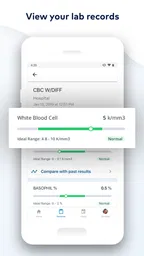
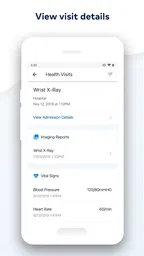
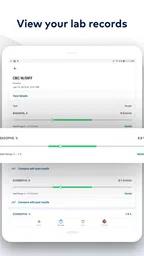
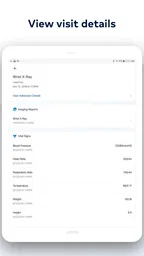
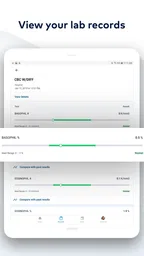
- View test results and visit summaries in one place.
- Request prescription refills through the app.
- Manage appointments with participating facilities.
- Access health records for linked family members.
- Secure sign-in helps protect personal health information.
What could be better
- Features vary by healthcare provider and facility.
- Some records may take time to appear after a visit.
- Prescription refill requests are not available for every medication.
- Family access may require additional setup or authorization.
- An internet connection is needed to access most features.





