
Local Weather News - Radar review
 Analysis by Appsdrops
I would use Local Weather News - Radar as a quick starting point when I want to check the sky and catch up on nearby headlines without opening separate weather and news apps. It brings live radar, forecasts for the day and coming hours, and local and international news into one place. That combination is useful on busy mornings, though it also means the experience is broader than a dedicated forecasting tool. I would treat it as a convenient daily overview, not as a replacement for every specialist weather or news source.
What to expect from a combined weather and news app
The central idea is simple: check what the weather may do, then see what is happening beyond your window. In practice, those two jobs suit different moments. A forecast helps me decide whether to carry a coat or shift an errand; news is something I may browse when I have a few spare minutes. Having both together can make the app a useful first stop, especially if I do not want to maintain separate apps just for a quick glance.
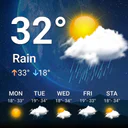
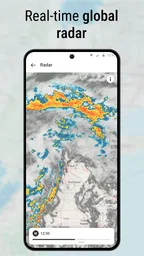
The radar is the part I would open when a forecast needs a visual answer. A general prediction can say that rain is possible, while a radar view gives me a better way to judge whether precipitation appears to be approaching my area. I would still avoid treating a radar image as a promise about the exact conditions at my front door. For a decision with real consequences, such as a long trip or an outdoor event, I would check a dedicated weather service as well.
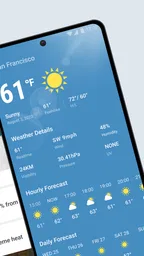
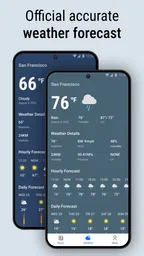
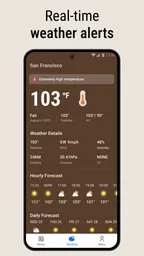
The day and hourly outlooks serve different purposes. The daily view is useful for planning the broad shape of a day, while an hourly forecast can help me choose between going out now or waiting. That distinction matters more than it sounds: a rainy day does not necessarily mean rain all day, and a quick hourly check can prevent an unnecessary change of plans. It is a practical habit rather than a complicated feature to learn.
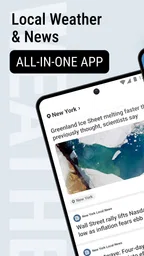
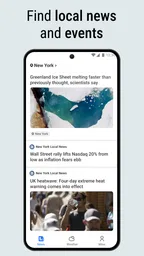
On the news side, the app brings local and international coverage into the same general experience. That makes it handy for a quick scan, but readers who want a particular newspaper’s reporting, a tightly curated topic feed, or extensive analysis may prefer to use that outlet directly. I see the news component as a convenient route into headlines, not as a reason to abandon a source I already trust for deeper coverage.
It is a free news and magazines app from EASE Group, and its general audience rating is Everyone. The app has a 4.3 average from around 17,000 ratings, with more than 5 million installs. Those figures suggest it has found a substantial audience, but they do not tell me whether its mix of radar, forecasts, and headlines fits an individual routine. The useful test is whether the first weather check and news scan feel clear on your own device.
Getting started without overthinking setup
When I first open a weather app, my main goal is to reach a forecast for the place I care about. I would begin by looking for the app’s location prompt or location controls and choosing the option that makes sense for my comfort level. If I would rather not share device location, I would look for a way to select or enter a location manually, if available. I would not grant access automatically just because the app asks; the right choice depends on whether automatic local updates are worth that convenience to me.
Location is the first point where a new user can get an apparently wrong result. If the forecast or local headlines do not match where you are, check which place the app is using before judging the information. A location selected earlier, a device setting, or a move between places can make a weather screen look stale or irrelevant. Confirming the displayed place is a simple troubleshooting step and is more useful than repeatedly refreshing without knowing what location is being shown.
After that, I would keep the first session focused. Look at the current weather view, open the daily forecast, and then switch to the hourly outlook. This small sequence answers the most common practical question—what should I expect today, and when might conditions change? Only after that would I browse the news section. Trying to explore every screen at once makes a straightforward app feel busier than it needs to be.
The app is listed as free, so there is no purchase decision required just to try its basic proposition. It runs on Android devices with a minimum OS version of 8.0, and the current version is 1.8.9. I would check that my device meets the requirement before troubleshooting an installation problem. The app was released on August 12, 2022, but what matters more to a new user is whether the current version opens reliably and presents the local information clearly.
Your first useful check: plan one real outing
A good first success is not merely opening the radar; it is using the forecast to make a small decision. Imagine you are about to walk to a shop or take a child to an outdoor activity. First confirm the location, then scan the day’s forecast, and finally inspect the hours around the time you expect to leave. If rain seems possible, open the radar and look for whether the view supports your concern. You can then decide whether to bring an umbrella or adjust the timing, rather than relying on a vague impression from a single daily icon.
This workflow also shows where the app is most helpful: turning several bits of information into a quick plan. I would not spend time watching the radar continuously when a one-time check is enough. If conditions are unsettled, I might check again shortly before leaving, but I would not assume that a visual display guarantees exactly when rain will begin. For important travel or hazardous weather, a specialist forecast and official local alerts are a better basis for decisions.
There is a useful trade-off in having news beside weather. If I open the app to check whether I need a jacket, headlines are immediately available and may draw me into reading longer than intended. That is not a flaw for everyone, but it can be friction if I want a single-purpose tool. I would make the weather check first, then move to headlines only when I actually have time. That order keeps the practical task from being swallowed by browsing.
Making sense of radar, forecasts, and headlines
Radar and forecasts are related, but they answer different questions. A forecast is an expectation over a period; radar is a visual snapshot that can help me understand current precipitation patterns. Neither should be read as a guarantee. When the two do not seem to line up, I would consider whether the forecast concerns a later hour, whether the location is correct, and whether a visual display is being interpreted too literally. That is a better response than assuming one screen must be broken.
Hourly information is especially useful when the day has a narrow window for an activity. If I can choose between walking in the morning or late afternoon, I would compare those hours rather than treating the daily forecast as a single all-day verdict. This is one of the easiest ways to get more value from the app without needing advanced weather knowledge. It also helps avoid the common mistake of cancelling plans because a daily summary mentions rain somewhere during the day.
News requires a different kind of judgment. Local headlines can make the app feel relevant to where you live, while international coverage broadens the scan. But a headline feed is not the same as following a developing story closely. If a topic matters to me, I would open the underlying coverage and compare reporting rather than drawing a firm conclusion from a short preview. The app is best for discovery and orientation; deeper reading belongs with sources that provide the detail I need.
One practical habit is to separate information from action. I use the weather section to decide what to wear or when to leave, and the news section to decide what I want to read next. Treating both as quick checks avoids expecting the app to function as a full planning system or a specialist newsroom. That distinction makes its all-in-one approach feel more useful and keeps its limitations in perspective.
Where it fits—and when I would choose another app
Compared with a standard weather-only app, this one has the advantage of pairing forecast checks with local and international news. Compared with a news reader, it offers a practical reason to open it even when I only want to know what the sky may do. That combination is appealing to people who prefer one everyday destination for a quick glance. The downside is the familiar compromise of a combined app: someone who wants the deepest possible radar tools or a highly customized reading experience may find a focused alternative more suitable.
I would recommend trying it if you often check the weather before commuting, walking, running errands, or deciding whether an outdoor plan is sensible, and you also like having headlines nearby. It is a particularly easy fit for someone who wants a fast daily overview rather than a detailed meteorological workspace. The first meaningful result should come quickly: confirm your location and compare the daily and hourly outlook before leaving for something ordinary.
I would skip it as my primary choice if I need specialist storm analysis, extensive forecasting controls, or a news experience built around a particular publication or subject. In those cases, a dedicated weather service or direct news source is likely to serve me better. I would also be cautious about relying on any general-purpose app as the sole authority for urgent safety decisions. Convenience is valuable, but it should not replace official alerts or more specialized information when the stakes are high.
A sensible next step after the first check
Once I know the app is showing the right place and I understand how its day and hourly forecasts differ, I would use it for a few ordinary decisions rather than trying to judge it from one screen. Check the hours around a planned outing, compare the radar when rain is a concern, and see whether the local news is useful enough to return to. This gives a fair picture of whether its combined format saves time or simply adds another feed to browse.
My overall view is that Local Weather News - Radar is most convincing as a practical first stop, not an all-purpose authority. Its blend of radar, short-range planning, and news makes sense for people who want a compact daily check. I like the clear use case, but I would keep specialist sources in reach for complex forecasts and serious news topics. If that balance suits your routine, the free app is easy to try; if you want maximum depth in either weather or journalism, a dedicated alternative is the better match.
What we like
- See current conditions and forecasts for your location.
- Radar maps help track approaching rain and storms.
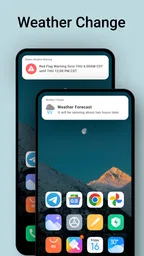
- Weather alerts can provide advance notice of severe conditions.
- Hourly forecasts help with planning throughout the day.
- Multiple locations make it easier to follow weather elsewhere.
What could be better
- Forecast accuracy can vary by location and conditions.
- Frequent alerts may become distracting.
- Radar updates may not reflect conditions in real time.
- Some features may require an internet connection.
- Location access is needed for automatic local forecasts.




