


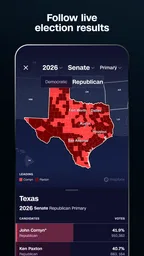
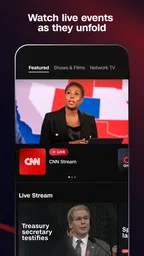


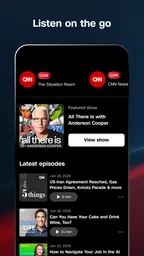

CNN: Live & Breaking News review
 Analysis by Appsdrops
I reach for CNN: Live & Breaking News when I want a quick sense of what is happening, rather than a long session of browsing headlines. It is a news and magazine app from CNN, built around developing stories, live updates, and coverage that can change throughout the day. Its main strength is straightforward: it gives CNN’s reporting a convenient place on my phone. The trade-off is that a fast-moving news feed can feel busy, and the app is not a substitute for comparing several outlets when a story is contentious or still unfolding.
Getting oriented when the feed feels busy
On opening a news app during a major event, I want to find the latest useful update without having to work out where everything is. CNN’s focus on breaking coverage makes it a natural place to check when a headline is changing, but a stream of developing stories can also make it easy to skim without understanding what has actually changed. I find it helps to pause on the story itself and distinguish a new detail from a refreshed headline.
That distinction matters in practical situations. If I check during a commute and then again at lunch, I do not assume that a story’s position near the top means the underlying facts have changed. I look for the update’s substance and read enough context to see whether it adds a confirmed development, a reaction, or background. This small habit makes a breaking-news feed more useful and reduces the temptation to treat every notification or headline revision as a major turn.
The app is best approached as a focused source for CNN coverage, not as a neutral dashboard of every outlet’s interpretation. That is useful if I already value CNN’s reporting and want its latest stories in one place. If I am trying to understand a politically disputed issue, I use it as one starting point and compare the account with other reliable reporting before reaching a conclusion.
There is also a difference between wanting a quick headline check and wanting a full reading session. For the first, a concise scan may be enough. For the second, I give myself time to open the story and follow its context instead of relying on a short summary. My most useful rule is to treat a breaking headline as an invitation to check the details, not as the complete story.
Small checks before blaming the app
If a story seems stale, I first check whether the app is showing the page I meant to open and whether my connection is working normally. A weak or interrupted connection can make any news feed appear slow to update; closing and reopening the app after connectivity returns is a sensible first step. I also compare the story’s timestamp or wording with what I last read, rather than assuming that a familiar headline means nothing has changed.
For a general display or loading problem, I take the simple route: make sure the device has a working connection, close the app, reopen it, and check whether the same issue appears again. If it continues, I check that the installed app is current and that the device meets the minimum operating-system requirement. CNN’s current version is 26.23.0, and the minimum OS is 10. These checks will not explain every fault, but they help separate a temporary hiccup from a persistent compatibility issue.
I would avoid repeatedly reinstalling the app as a first reaction to a single slow page. It is more useful to note whether the problem affects one story, the whole feed, or only a particular session. That observation gives me a clearer next step: retry a single page, restart the app, or investigate the device and connection. It also prevents a momentary network delay from turning into unnecessary setup work.
Recovering a useful reading routine
When I lose my place in a developing story, I do not try to reconstruct it from a sequence of headlines alone. I reopen the relevant coverage and read from the latest update into the surrounding context. If I have only a minute, I identify what changed and what remains unsettled; if I have more time, I read the fuller account. That two-pass approach works well for news because the newest update is not always the best explanation of the whole event.
A practical everyday example is checking a major story before a meeting. I scan the latest coverage first, then take a moment to confirm whether the key point is a verified event, a statement from an involved person, or analysis about what may happen next. I can then talk about the development without accidentally presenting speculation as fact. CNN’s emphasis on live and breaking coverage suits this routine, provided I do not confuse speed with completeness.
When I want to return to a story later, I use a deliberate habit rather than trusting my memory of where it appeared: note the subject or search for its central terms when I return. The useful lesson is to keep the topic in mind, not the exact headline, since headlines can change as a story develops. This is a simple way to recover context even when the feed has moved on to newer events.
Notifications can be helpful for people who want to hear about important developments promptly, but constant interruptions are not ideal for everyone. I prefer to be selective about how much breaking news I let into my day and to open the app when I am ready to read. If alerts feel distracting, checking device notification controls is a reasonable way to adjust the experience without abandoning the app. The right balance depends on whether immediacy or uninterrupted attention matters more to you.
When the problem may be outside CNN
Not every missing or delayed update points to a fault in the app. News changes quickly, and there can be a gap between an event, confirmation, and a published account. A story may also be updated in ways that do not alter its headline. When timing matters, I check the article’s content and compare it with another trusted news source instead of assuming that a feed refresh will settle every uncertainty.
Likewise, if the app opens but a page will not load, I consider whether the device’s connection is the broader issue. Trying another ordinary online activity can help me tell whether the difficulty is limited to CNN or affects the phone generally. If other services are also struggling, restarting the app is unlikely to fix the underlying connection. If CNN alone repeatedly has trouble, then checking for an update or restarting the app is a more relevant next move.
The app is not my first choice when I need a broad, side-by-side comparison of perspectives in one reading session. A multi-source news reader or visiting several publishers may be better for that particular task. Nor would I recommend relying on a single outlet’s live coverage as the sole basis for a consequential decision. CNN is most useful when I want its reporting quickly; independent cross-checking remains worthwhile for complex or disputed subjects.
Who it suits, and what it costs
I would recommend this app to readers who already follow CNN, want a convenient way to check its coverage, or often need a quick update on a developing story. It is less compelling for someone who prefers a quiet, highly curated reading list, wants every story framed across multiple publishers, or finds breaking-news alerts stressful. Those readers may be happier with a slower routine or an alternative that emphasizes aggregation rather than one newsroom’s coverage.
The app is free to download, with in-app purchases listed from $3.99 to $69.99 per item. I would check the purchase details in the app store before committing to anything, particularly if I only want to read occasional headlines. Its age rating is Everyone 10+, a useful detail for households deciding whether it fits a younger reader. CNN has an average rating of 4.3 from around 587,000 ratings, and it has been installed over 50 million times; those figures suggest wide use, though they cannot tell me whether its editorial approach suits an individual reader.
The app has been available since April 18, 2011, and its current version is 26.23.0. I mention that mainly as context for a practical check: if the experience is unstable, I would verify that my device is running at least OS 10 and that I have the current app version before drawing conclusions. The developer is CNN, which makes the app a direct route to that publisher’s news experience rather than a general-purpose aggregator.
My practical verdict
For me, CNN: Live & Breaking News is a useful, direct way to keep up with CNN’s reporting, especially when a story is moving quickly and I want to check for a fresh update. Its value depends on how I use it: read beyond the headline, give developing reports room to change, and check another source when a story calls for broader perspective. That approach turns a fast feed into a more dependable reading habit.
I would install it if I wanted CNN coverage close at hand and was comfortable choosing when to check in. I would skip it, or pair it with other sources, if my priority were comprehensive viewpoint comparison or a calmer, less immediate news routine. In short, it earns a place on my phone as a convenient CNN reader, not as the only lens through which I follow the news.
What we like
- Customizable alerts help you follow the stories that matter to you.
- Live video coverage brings major events directly to your device.
- Save articles to read later when you have more time.
- Listen to news coverage with audio articles.
- A dark mode makes reading easier in low-light settings.
What could be better
- Some articles and features may require a subscription.
- Frequent breaking-news alerts can feel distracting.
- Video playback may use a lot of mobile data.
- The app may request permissions that some users prefer to limit.
- A steady internet connection is needed for live coverage.





