




FREECABLE© TV App: Shows, News review
 Analysis by Appsdrops
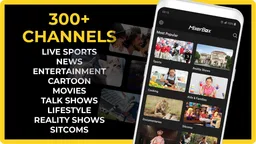
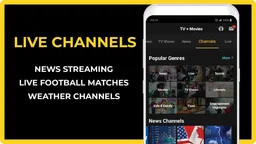
FREECABLE© TV is best approached as a broad, browse-and-watch entertainment app rather than a carefully tailored replacement for every TV service you already use. I’d consider it when I want to explore live television, news, sports, films, and series from one place, especially when I haven’t decided what to watch yet. That breadth is appealing, but it also means the experience depends on finding something that suits your taste among many different kinds of content.
It sits in the News & Magazines category, though its reach goes well beyond news. The app is free, is developed by TV App: News, TV Shows, TV Series & Moviesテレビ, and has a Teen content rating. Its audience is substantial: it has more than 10 million installs and a 4.6 average from around 254,000 ratings. Those figures suggest plenty of people find a use for it, but they don’t tell me whether a particular channel or title will be the one you want tonight. The useful question is whether its mix works for your routine.
Finding your way through a wide mix of viewing
The central trade-off is choice versus focus. FREECABLE© TV brings together live channels alongside shows, series, movies, news, and sports. That can save you from jumping between separate apps when you’re simply looking for something to watch. It can also make browsing feel less direct than opening a dedicated news app or a service built around one particular library.
I’d use it most casually: open the app, look through what is available, and settle on a channel or programme that catches my attention. That is a different habit from searching a subscription service for one specific episode or relying on a local broadcaster’s app for a particular bulletin. If your viewing starts with “show me what’s on,” the range is a strength. If it starts with “I need this exact programme,” a more focused service may be quicker.
One practical way to make a broad catalogue less overwhelming is to decide what you’re in the mood for before opening it. For example, choose between live news, sports, or a film rather than trying to evaluate everything at once. This simple approach helps turn a large selection into a manageable browse, without assuming the app has a particular recommendation or filtering feature.
Where the experience can feel stuck
With an app that covers so many kinds of viewing, the first hurdle is often not a complicated setting but uncertainty about where to begin. Someone opening it for one headline may be distracted by entertainment options; someone looking for a movie may need to browse rather than immediately land on a familiar title. The app’s breadth is most useful when you are flexible, and less useful when you have a very precise destination in mind.
Streaming can also be mistaken for a content problem when the underlying issue is the connection or the device’s current state. If playback pauses or fails to start, I’d first check whether other online services are working on the same connection, then try again after the connection is stable. If only one item seems affected, move to another selection and return to it later. That quick comparison can help distinguish a temporary issue with one stream from a wider problem.
Another source of frustration is expecting “live” viewing to behave like a saved video. A live channel is something to join as it is being broadcast, while a film or series is a different kind of viewing choice. Keeping that distinction in mind can prevent a lot of fruitless searching when you want to replay something you have just seen. I would treat the app as a place to explore and watch what it offers, not assume every live programme is also available on demand.
Setup checks that save time
Before troubleshooting the app itself, check that the phone or tablet meets its basic software requirement. FREECABLE© TV requires Android 5.0 or later, and the current version is 12.02. If installation or opening fails, confirming the Android version is a sensible first step; on an older device, updating the operating system may not be possible, so a different compatible device could be the practical answer.
For a new installation, I’d also make sure there is a reliable internet connection before judging playback. A quick test is to load another online service or page, then return to FREECABLE© TV. If other services are slow too, changing the stream or reinstalling the app is unlikely to fix the root cause. If the connection works elsewhere, close and reopen the app and try a different channel or programme to narrow down what is happening.
Think about the viewing situation as well. A live stream over a weak connection may be a poor fit for a commute through areas with unreliable coverage, while a stable home connection is generally a more comfortable place to explore a selection of live channels. I wouldn’t plan around uninterrupted viewing when the network is changing constantly. For a journey, a service with clearly available offline viewing would be a better match if watching without a connection is essential.
Parents should take the Teen rating into account before handing over a device. It gives a useful broad signal about the intended age range, but it is not a substitute for deciding whether particular viewing is appropriate for a child. I’d check what is on screen and make the decision based on the child and the content, rather than assuming that a broad entertainment app is automatically suitable for every member of the household.
A calmer workflow when playback goes wrong
When something does not play, avoid changing several things at once. First, try a different selection. If that works, the issue may be limited to the original stream or item. If nothing plays, test the internet connection and reopen the app. This order is useful because it separates a single-item problem from a broader connection or app problem without turning a minor hiccup into a long troubleshooting session.
If reopening the app does not help, a device restart is a reasonable next check, particularly if other apps have also been behaving oddly. After that, make sure the installed app is up to date through the app store. Reinstalling is better kept as a later step: it takes more effort and is not the first thing I’d try when the same connection is struggling elsewhere. I would also avoid repeatedly tapping play while a stream is still attempting to load, since that makes it harder to tell whether anything has changed.
For a live event, try another available channel or content type before concluding that the entire app is unusable. If a film loads but a live stream does not, that points to a different pattern than if nothing loads at all. Conversely, if the same content remains unavailable after basic checks while other viewing works, switching to another source for that particular programme may be the least frustrating option.
When a different part of the setup is responsible
Not every playback fault is caused by FREECABLE© TV. A weak Wi-Fi signal, a busy shared connection, or an older device struggling with several tasks can all make streaming feel unreliable. If the problem appears only in one room, moving closer to the router is a useful test. If it happens only when other people are using the connection, try again when the network is quieter before deciding the app is at fault.
It is also worth separating discovery from availability. Seeing a broad range of content does not mean every channel, team, show, or film you personally want will be present at the moment you look. If your priority is a particular local news bulletin, a specific sports broadcast, or one named series, check that requirement before making this your main viewing option. A dedicated broadcaster or a service centered on that content may be more dependable for that single purpose.
Compared with a standard news app, FREECABLE© TV offers a wider entertainment mix, but it may not be as focused for quickly reading headlines. Compared with a conventional streaming service, its appeal is the inclusion of live channels alongside other viewing rather than a promise that one curated library will contain your favourite titles. I would keep those distinctions in mind: it is a useful extra place to browse, not automatically a replacement for every specialist app.
Who will get the most from it
I think the app makes the most sense for someone who likes channel-hopping, wants a free option to explore, or enjoys switching between news and entertainment without starting from a single fixed title. A realistic use would be opening it at home after dinner, checking what is on, watching a bit of live news, and then moving to a film or series if nothing holds your attention. That flexible evening routine suits the app’s variety better than a search for one precise programme.
It is less compelling for viewers who want an ad-free, tightly curated experience, need offline playback, or depend on a particular channel being available. Those are reasonable priorities, but they point toward a different kind of service. Likewise, if you mainly want to read articles and scan headlines, a conventional news app is likely to feel more direct than a platform that also presents entertainment and live viewing.
The app is free, which makes trying it a low-commitment way to see whether its selection fits your habits. Still, free access alone is not a reason to make it your only option. I’d give it a fair test across the kinds of viewing I actually do—especially live news or sports if those matter—rather than judging it only by a quick browse through the entertainment side.
My practical verdict
FREECABLE© TV is a broad, flexible viewing option whose best quality is the ability to explore different kinds of content from one app. Its size—more than 10 million installs—shows that it has found a wide audience, while the 4.6 average across roughly 254,000 ratings is encouraging but cannot guarantee a smooth experience on every device or connection. The developer is TV App: News, TV Shows, TV Series & Moviesテレビ, and the app’s release date is March 24, 2017.
My recommendation is to try it if you value browsing and want a free mix of live channels, news, sports, films, and series. Start on a stable connection, check compatibility if installation gives you trouble, and test more than one kind of content before deciding whether it suits you. If a specific broadcast or a polished, focused library is your priority, use a specialist alternative for that need. The best reason to keep FREECABLE© TV is variety; the best reason to look elsewhere is a need for certainty and focus.
Overall, FREECABLE© TV is a worthwhile option for flexible viewing, provided you approach it as a broad discovery app rather than a guaranteed home for every programme you have in mind. I’d keep it in the mix for casual browsing and switch to a dedicated service when the evening depends on one exact channel or title. That is a realistic way to enjoy what it does well without asking it to solve a different viewing problem.
What we like
- Offers a free way to watch a variety of video content.
- Combines entertainment clips with news in one app.
- Short videos make it easy to watch during brief breaks.
- Content recommendations can help surface new videos.
- The interface is designed for straightforward browsing.
What could be better
- Some content may be less polished than premium streaming shows.
- Video availability can vary by region.
- Frequent ads may interrupt viewing.
- Recommendations may not always match your interests.
- Streaming quality depends on your internet connection.





