Medium: Read & Write Stories review
 Analysis by Appsdrops
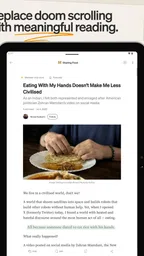
I think of Medium as a reading habit more than a conventional news feed. It is an app for finding and reading work written by individual authors, with subjects ranging from business and technology to design and current events. That makes it useful when I want a considered explanation or a personal perspective, rather than a quick stream of headlines. The trade-off is that the quality and viewpoint can vary from story to story, so I treat it as a place to explore ideas, not as my only source for breaking news.
What free access gets you, and where paid reading fits
Medium is a free News & Magazines app from A Medium Corporation. The free download makes it easy to try the reading experience before deciding whether its paid options are relevant to you. In-app purchases are listed from $4.99 to $149.99 per item, but that range alone does not tell me which purchase suits a particular reader or what access each one provides. I would check the purchase details in the app before paying, rather than assume every story or feature is included.
That distinction matters: installing the app costs nothing, but the presence of in-app purchases means I would not assume all reading is free. If I mainly want occasional articles, I can start without committing money and see whether the material I find is useful. If I expect to read often, I would first identify what I actually want to access and compare that with the purchase options shown to me. The sensible value test is not the size of the catalogue; it is whether the writing I return to is worth paying for.
The app has a 4.7 average from around 518,000 ratings, and it has more than 10 million installs. Those figures suggest a large audience, but they do not guarantee that its particular mix of authors and topics will match your taste. It is rated Teen, so it is intended for that age group and older; I would still use judgment about which topics and writers are appropriate for a younger reader.
A reading experience built around writers
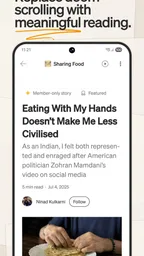
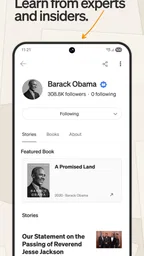
What makes Medium feel different from a standard news app is the emphasis on stories and their authors. A traditional publisher app is often strongest when you want that publisher’s reporting, while a general headline aggregator is designed to show a broad selection of recent coverage. Medium is more appealing when I want to follow an argument, learn how someone approaches a problem, or read an account shaped by a writer’s experience.
That format can make a topic feel approachable. A piece about a design decision or a business challenge may explain the reasoning behind it, not just report that it happened. The same personal angle is also a limitation: an author’s confidence and experience do not automatically make a story comprehensive or impartial. When I need a dependable account of a developing event, I would check established reporting as well rather than treat one Medium article as the final word.
The strongest value is depth and perspective, not a promise of uniform editorial coverage. I find that distinction useful when deciding what to open. A reflective essay can be worthwhile even if it is not a complete reference guide; a factual claim that affects a decision deserves more careful checking. Medium works best when I bring curiosity and a little editorial judgment of my own.
How I would use it in an ordinary week
For example, if I am waiting for a train and want something more substantial than a handful of headlines, I might open Medium and look for a story related to a work problem I have been thinking about. If I find an author whose explanations are clear, I can use that discovery to guide what I read next. Later, I might return to the subject when I have more time, instead of trying to absorb a long piece in a noisy moment.
A practical approach is to read with a question in mind. Before opening an article, I ask whether I want an overview, a personal account, or a useful method. That helps me judge the piece on its own terms and avoid mistaking a compelling voice for a complete answer. For work-related subjects, I also note the author’s assumptions and look for another perspective when the decision has real consequences.
Another useful habit is to treat reading as a small research trail. If an article introduces an idea I want to explore, I can use its subject and the writer’s perspective as a starting point, then compare it with other sources. This is more valuable than simply scrolling until something sounds interesting. It also makes Medium less likely to become a collection of half-read pieces that never connect to anything I need.
Trade-offs to consider before making it a habit
The open range of viewpoints is part of the appeal, but it means I cannot expect every article to meet the same standard, use the same evidence, or be written for the same purpose. Some stories may be insightful; others may be too narrow, overly confident, or simply not relevant to me. That is a real cost in attention. I have to choose carefully and be willing to leave an article unfinished when it is not delivering what its premise suggested.
There is also a difference between a reading app and a complete news service. If I want a clear, fast briefing on the day’s major events, a focused news outlet or a concise aggregator may be a better fit. Medium’s strength is the chance to spend time with an individual story, not the certainty that I will see every important development in one place. I would pair it with other sources when timeliness, broad coverage, or corroboration matters.
Paid access deserves the same careful consideration. A purchase can be worthwhile if it gives you access to writing you genuinely read and value, but I would not pay just because a broad range of topics sounds attractive. First, use the free download to see whether you find authors and subjects you want to revisit. Then inspect the specific purchase terms presented in the app. The listed prices run from $4.99 to $149.99 per item, so it is especially important to understand what you are selecting rather than treating the range as one standard subscription price.
Who is likely to get the most from it?
I would recommend Medium to readers who enjoy essays, explanations, and first-person perspectives across business, technology, design, and current events. It can suit someone who wants to explore a new subject through a writer’s argument, or a professional looking for perspectives that go beyond a short news item. Curious readers who are happy to assess what they read will get more from it than people who want every article to arrive pre-filtered as authoritative.
It may be a poor fit if you want only brief, tightly edited headlines, a single publication’s consistent editorial voice, or a guaranteed route to comprehensive coverage of current events. It is also not the right choice if you expect every piece to be free; the app includes paid in-app purchases, and I would check the terms before relying on access to any particular material. If you prefer a newspaper-style product, a publisher’s own app may be a more direct match. If you mainly want a quick overview, a news aggregator is likely more efficient.
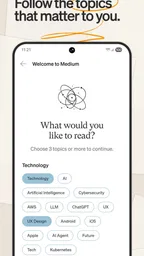
For a first-time reader, I would keep the trial simple: install it, spend a few sessions exploring topics you already care about, and notice whether you find writers you want to follow or return to. Do not judge its value by how many subjects appear in the catalogue. Judge it by whether the stories help you understand something, offer a perspective you had not considered, or give you a worthwhile reason to read beyond the headline.
My verdict on the value
Medium is worth trying if you want a flexible reading space for ideas and individual voices, and its free installation makes that first step straightforward. I see its value in thoughtful pieces that reward time and attention, not in replacing a dedicated news source or guaranteeing a uniform level of reporting. The best results come when I choose a subject deliberately, evaluate each writer on the merits of the piece, and verify important claims elsewhere.
The app is version 4.5.1784911134 and requires Android 7.0 or later. Those details are useful when checking whether it fits your device, but they do not change the main decision: whether its style of reading suits you. I would start free, explore with a specific interest in mind, and consider a purchase only after confirming exactly what it offers. If you enjoy thoughtful writing and are comfortable making your own judgments about quality, Medium can earn a place in your reading routine. If you need fast, consistent news coverage, I would choose a different primary app.
What we like
- A clean reading layout keeps attention on the writing.
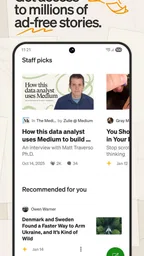
- The library makes it easy to discover stories across topics.
- Writers can publish work and reach a broad reader community.
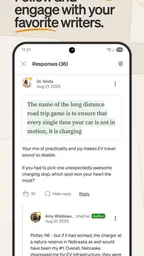
- Following authors helps surface new work from favorite writers.
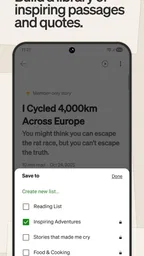
- Reading lists help organize stories for later.
What could be better
- Some stories may be available only to paying members.
- The large catalog can make high-quality work harder to find.
- Recommendations may not always match your interests.
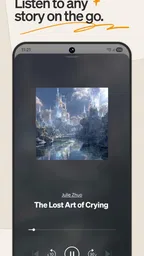
- Offline access is limited for some reading material.
- Frequent updates can change the app's layout or features.





