


Quora: the knowledge platform review
 Analysis by Appsdrops
Quora is most useful when I treat it not as a breaking-news feed, but as a place to follow a question into the reasoning behind its answers. That distinction shapes the whole experience: instead of simply scanning headlines, I can look for people explaining what they know, compare different perspectives, and ask what I still do not understand. As a free News & Magazines app from Quora, Inc., it suits curious readers who enjoy learning through questions more than those who want a tightly edited stream of daily news.
Questions are the app’s real strength
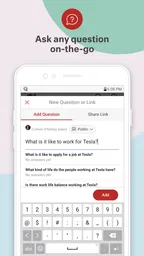
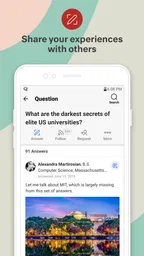
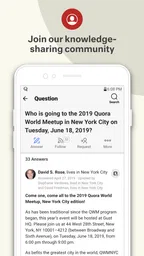
The central idea is simple: people ask questions, and other people respond with answers drawn from their experience, knowledge, or research. In use, that format makes a subject feel approachable. A broad topic can be broken into specific questions, and a good answer can explain not only what someone thinks but why. I find this more inviting than opening a general article when I have one precise curiosity in mind.
Quora works best when the question is clear enough to attract useful responses. “How does this work?” may lead to a wide range of explanations, while a more focused question can draw out practical details and differences in opinion. This is a small but valuable habit: when browsing, I look for answers that directly address the question and make their reasoning visible, rather than assuming a confident tone means an answer is dependable.
The format also changes how I read. An answer is not automatically a vetted reference simply because it is detailed or popular. I use Quora to discover explanations, vocabulary, and angles worth exploring, then check important claims against reliable sources when accuracy matters. That makes it a useful starting point for understanding a topic, not a substitute for specialist advice or carefully reported news.
Reading becomes a path, not just a scroll
A practical way to use the app is to begin with one question and follow only the answers that genuinely add something. If an answer raises a term I do not know, I can use that as the next subject to explore rather than trying to consume every response. This keeps a casual visit purposeful and helps prevent the feed from turning into an endless sequence of loosely related curiosities.
For instance, if I am trying to understand a change in a field I know little about, I can read an explanation, notice where answers agree, and pay attention to where they differ. Agreement can give me a basic outline; disagreement often reveals which assumptions or circumstances matter. The useful insight is not always a single definitive answer. Sometimes it is a clearer sense of what I should ask next.
Because answers come from individual contributors, the experience is uneven. Some are thoughtful and specific; others may be incomplete, opinionated, or more personal than explanatory. I recommend reading with a light editorial filter: ask whether the writer is addressing the question, offering reasons, and making clear what is experience versus general fact. That approach gets more value from the platform without taking every response at face value.
A good fit for spare moments and specific curiosities
Imagine having a short break and wondering why a familiar process works the way it does. Rather than opening a broad news site and hoping the topic appears, I can search around the question, read a few explanations, and leave with a better outline of the issue. That is the everyday scenario where Quora feels distinct: the starting point is my curiosity, not the day’s headline order.
It can also help when I am preparing for a conversation, trying to understand a term that keeps coming up, or looking for the range of experiences people describe around a topic. I would use it to build context and identify questions worth researching. I would not rely on it alone for urgent updates, medical decisions, legal guidance, or claims where a mistake could have serious consequences; in those cases, a qualified source or established news organization is the better next stop.
Compared with a conventional news app, Quora gives more space to explanation and personal perspective, but less of the editorial structure that helps readers distinguish verified reporting from individual commentary. Compared with a search engine, it can surface human accounts and organized answers, but it does not make every answer authoritative. Each alternative has a clearer advantage in some situations: use news outlets for reported developments, reference sources for settled facts, and Quora when you want to see how people explain a question or describe their experience.
Where the format asks for patience
The same openness that makes the app interesting also creates friction. A question can attract answers that vary widely in depth, and a readable response is not necessarily a reliable one. Readers who prefer concise, consistently edited articles may find the discussion-led format meandering. If I arrive with a narrow task, I have to be willing to judge the usefulness of what I find rather than expect every result to be equally focused.
There is also a difference between learning about a subject and receiving a balanced account of it. Personal answers can make abstract topics easier to grasp, but individual experiences do not establish what is typical. I try to treat anecdotes as illustrations, not proof. When several answers make conflicting claims, that is a cue to seek a stronger source, not a reason to pick the most persuasive-sounding writer.
Quora is rated for Teen audiences, which is useful context for families deciding whether it fits a younger reader. I would still encourage teens to think critically about who is answering and how a claim could be checked. The app’s open question-and-answer character is more rewarding when readers understand that confidence, detail, and truth are not the same thing.
Who will get the most from it
The app makes the most sense for readers who enjoy learning in small, self-directed steps and do not mind weighing different voices. It can be especially satisfying if I already have a question in mind, enjoy explanatory writing, or want to see how people approach the same problem from different backgrounds. Its knowledge-focused format is the main reason I would keep it alongside a regular news source rather than expect it to replace one.
It is a weaker choice for someone who wants a brief, fact-checked digest with clear editorial accountability, or for anyone who needs dependable professional guidance. In those cases, a curated publication or an authoritative reference is a better fit. I would also skip a long browsing session when I have no subject in mind and limited time; open-ended discovery can be engaging, but it is easy to lose the original purpose of the visit.
The app has an average rating of 4.0 from around one million ratings, with roughly 29,000 written reviews, and it has passed 50 million installs. Those figures suggest a widely used platform, but they do not tell me whether a particular answer is sound. For a reader deciding whether to try it, the more relevant question is whether learning through other people’s explanations is appealing.
A useful companion, with a reader’s judgement
The current version is 3.2.47, and the app supports devices running Android 7.0 or later. It is free to use, so I can explore its question-and-answer approach without making a purchase decision first. The practical value still depends on how I read: I get the most from it when I follow focused questions, compare reasoning, and verify consequential claims elsewhere.
Quora earns a place on my phone as a discovery tool rather than a final authority. It can turn a passing question into a clearer understanding and show how different people explain the same subject. Its limitations are real: answer quality varies, personal accounts can be mistaken for general evidence, and readers looking for tightly edited news may prefer another app. If you are curious, patient, and comfortable checking important claims, I think it is worth trying; if you need certainty or fast, professionally reported updates, choose a more specialized source.
What we like
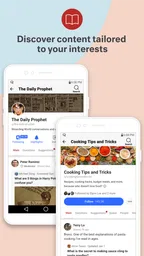
- A personalized feed makes it easy to discover questions on topics you follow.
- Users can request answers from people with relevant experience.
- Topic pages help you find discussions beyond your usual feed.
- You can save useful answers to revisit later.
- The app supports sharing questions and answers outside Quora.
What could be better
- Answer quality varies and some responses may lack reliable sources.
- Popular questions can attract repetitive or overly broad answers.
- The feed may include promotional content alongside discussions.
- Some features and content can require a paid subscription.
- Notifications can become distracting unless you adjust their settings.





