






X review
 Analysis by Appsdrops
X makes most sense to me as a fast-moving public conversation rather than a conventional digital newspaper. I can open it to see what people are discussing, follow accounts that help me understand a story, and move between breaking updates and broader commentary. That immediacy is useful, but it also means the experience depends heavily on how I navigate and filter a busy feed. For readers with different visual, motor, or sensory needs, that distinction matters: access is not just about getting an app open, but about being able to find useful information without the stream becoming exhausting.
Finding a readable path through a live feed
As a news and magazines app from X Corp., X occupies an unusual space between a news reader and a social network. Instead of presenting a fixed front page assembled by an editor, it puts posts, reactions, and unfolding discussion at the center. I find that useful when a story is changing quickly or when I want to see how journalists, organizations, witnesses, and ordinary users are talking about it. It is less helpful when I want a calm, clearly organized digest with context supplied before the conversation begins.
The basic reading task is straightforward: scan posts, open one that interests you, and follow the discussion around it. The difficulty is that a feed can mix useful reporting with jokes, arguments, promotional posts, and speculation. That makes relevance and readability partly a matter of who you follow and how deliberately you use the app. I would start with a small set of sources I trust, then expand gradually rather than following every account that appears in a popular conversation.
One practical habit is to treat a fast-moving thread as a pointer to reporting, not as a finished explanation. If a post makes a strong claim, I look for the original source, the date and context of the post, and whether other reliable accounts are confirming it. This extra step is especially valuable when posts are being shared rapidly. The app can surface a lead quickly; it does not automatically turn every lead into verified news.
For someone who prefers predictable pages, the constant motion of a social feed may be harder to read than a newspaper app organized by sections and headlines. On the other hand, X can make it easier to notice that people are discussing an event before a traditional front page has been updated. I see that as a useful complement to established news outlets, not a replacement for them.
Making navigation less tiring
The app is easier to use when I give each session a purpose. I might open it to check a developing story, look at updates from selected reporters, or follow a particular conversation, then leave once I have what I need. Without that intention, scrolling can blur into an unstructured stream where every new post competes for attention. A clear goal reduces the amount of searching and makes the app feel more manageable.
It also helps to distinguish between reading the feed and investigating a claim. When I see a post worth checking, I pause before moving into replies, where the volume of reactions can make the original point harder to find. I first read the post itself, then inspect the surrounding context, and only then decide whether the discussion adds useful evidence. This sequence keeps the loudest responses from setting the agenda for me.
With an average rating of 4.8 from around 25 million ratings, the app has attracted a very large audience. That scale can be a strength: a breaking event may bring together people who are close to it and specialists who can explain it. But popularity is not the same as clarity. A crowded conversation can be difficult to follow, and a high level of engagement does not tell me whether a post is accurate or accessible to me.
Motor and sensory trade-offs
For motor access, the main challenge is the feed’s repeated cycle of moving, selecting, and returning. A person who finds repeated scrolling or precise on-screen interaction tiring may prefer short visits focused on one account or one story rather than attempting to keep up with everything. I would also avoid treating the feed as a task that must be completed: there is always another post, and stopping is a useful part of using it well.
Sensory load is another real consideration. A fast-changing timeline can combine text, images, video, reactions, and competing opinions. If that mixture feels overwhelming, I recommend narrowing the session: open the app with a particular question, read a limited set of posts, and step away before the stream becomes noise. People who are sensitive to conflict or urgent language may also find that following a carefully chosen group of accounts is more comfortable than browsing widely.
Visual reading needs vary, and a social feed is not always as easy to scan as a clean article layout. Short posts can be convenient, but fragmented information may require more effort to assemble into a coherent account. I would use a dedicated news source when I need long-form context, a stable reading structure, or a sustained explanation without interruptions from replies and unrelated updates.
One useful trade-off is that the same brevity that makes a post quick to inspect can make it incomplete. A short update may be easier to read in the moment, yet leave out background that matters to understanding it. When the subject is consequential, I follow the source back to a fuller report instead of relying on a collection of snippets. That approach is particularly helpful for readers who need information presented in a more deliberate order.
Using it in different situations
A realistic everyday use is checking a local disruption while getting ready to leave home. I can look for updates from relevant local accounts and see whether people are discussing a change, then confirm important details through an appropriate official or established source before acting. The benefit is speed and the possibility of seeing on-the-ground discussion; the limitation is that posts can be incomplete, outdated, or contradictory. I would not make a safety-critical decision from a single update.
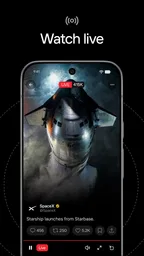
Another good use is following a live public event when I cannot watch it continuously. Posts can provide brief reactions and developments, while a focused group of accounts can make the conversation easier to track. The downside is that live commentary often assumes the reader already knows the background. If I arrive late, I may have to work backward through posts and still miss context, so a later summary from a news organization can be the better choice.
X is available free, and it has more than a billion installs. Its age rating is Mature 17+, which is worth considering for families and anyone deciding whether the content environment suits them. The app also offers in-app purchases, with listed item prices ranging from $0.99 to $999.99. I would not assume that every feature or purchase is necessary to use the basic social feed; readers should review what is presented in the app before choosing to spend.
For practical access across devices, the current version is 12.37.2-prod.01, and the minimum operating-system requirement is version 9. I would check that an older device meets that requirement before planning to use the app as a regular news source. The Android store summary describes a rebuilt Android experience, but I would still judge the actual interface on the device and setup I use rather than treating a broad description as a guarantee of accessibility for every person.
Where the experience still falls short
The biggest barrier is not simply the number of posts; it is the uneven quality and structure of what appears together. A carefully sourced update may sit beside speculation, personal reactions, or arguments that add no useful context. Readers who need a quiet, linear account of events may find this arrangement tiring. A conventional news app, a newspaper’s own reporting, or a specialist publication is often a better first stop when accuracy, background, and orderly presentation matter more than immediacy.
There is also a social cost to using a platform built around public conversation. Replies can provide corrections and firsthand perspectives, but they can just as easily pull attention toward hostility or distraction. I find it sensible to read selectively and not regard participation as required. Someone who only wants headlines and does not want to encounter public debate may be happier with a conventional news reader or email briefing.
Finally, the feed rewards attention in a way that can make stopping difficult. That is not a reason to avoid the app altogether, but it is a reason to set boundaries. I would decide what I came to check, use the feed to locate relevant updates, and switch to a more structured source when I need a complete account. This keeps X in the role where it performs best: a window into current public discussion, rather than the sole place I depend on for news.
An inclusive choice when immediacy matters
I would recommend X to readers who value rapid updates, want to follow particular voices, or enjoy seeing public discussion develop around current events. It can also be useful for people who want to compare perspectives, provided they are comfortable judging sources and separating evidence from reaction. Its scale makes it a lively place to look for leads, but the same scale can make the experience unpredictable and demanding.
For readers who need a steady, low-distraction layout, have difficulty navigating a constantly changing stream, or prefer context before commentary, I would choose a more structured news app as the primary source and use X selectively, if at all. There is no single way to make its feed work for every ability or situation. In my view, the most inclusive approach is to use it in short, purposeful visits, follow sources with care, and move to a calmer format whenever the conversation becomes harder to read than the story is worth.
What we like
- A simple interface makes core features easy to find.
- The app is available on both Android and iOS.
- Its familiar format makes it approachable for new users.
- It can be downloaded from official app stores.
- The name is easy to search for on mobile devices.
What could be better
- The app's features cannot be assessed from its name alone.
- Its privacy practices are unclear without an official listing.
- Device compatibility may vary by version.
- Availability can differ between countries and app stores.
- The name may refer to several different apps or games.




