Local Weather: Forecast&Alerts review
 Analysis by Appsdrops
I judge a weather app less by how confident its forecast sounds than by whether it helps me make a sensible decision when the sky is uncertain. Local Weather: Forecast&Alerts is a free weather app from Muheb Bangash, aimed at people who want a quick local outlook and timely warnings without turning a simple check into a project. Its appeal is straightforward, but getting useful results still depends on a few practical details: the location needs to be right, alerts need to be enabled where appropriate, and a forecast should be treated as guidance rather than a promise.
Getting past the first setup snags
The most important early check is the place the app is forecasting for. If you open a local weather app while travelling, or if your phone’s location settings are restricted, the displayed conditions may not match where you are. I would first compare the location shown in the app with the town or neighbourhood I actually care about. For planning a commute, a saved home location is more useful than a reading for a nearby airport or a different part of a large city.
Location access can also create a false impression that the forecast itself is wrong. If the app is showing an unexpected place, check the phone’s location settings and any location choice available in the app before relying on its outlook. If you prefer not to share device location, look for a manual way to choose a place if one is available in your build; the key is to confirm the result rather than assume the app has picked the right area automatically.
Alerts are another point where setup matters. A warning can only help if notifications are allowed by the operating system and the relevant alert options are enabled in the app. I’d check both places once, then leave notifications on only for the warnings I genuinely want. That avoids the two common extremes: missing something important because alerts were blocked, or muting everything after an overly noisy day.
The app is listed for Android with a minimum OS requirement of version 7.0, and its current version is 1.12.1. If installation or updating is troublesome, checking that the device meets that requirement and that the app store is not waiting on a pending update is a sensible first step. I would also restart the app after changing location or notification settings, since settings changes can take a moment to be reflected in the experience.
Check the basics before judging a forecast
When conditions look implausible, I use a short checklist rather than immediately deciding the app has failed. Is the selected location correct? Is the phone’s date and time set normally? Has the app had a chance to refresh after a change in location or connectivity? These checks are useful because a weather reading can become stale or geographically irrelevant without the forecast service being the underlying problem.
It is also worth comparing the app’s current conditions with what is outside, but not treating one mismatch as proof that every part of the forecast is unusable. A passing shower can affect one street and miss another. I pay more attention to the broader pattern—whether rain is approaching, whether temperatures are rising or falling, and whether conditions may change during the time I will be outdoors—than to expecting a precise description of the weather at my doorstep.
A routine that makes the app more useful
My practical approach is to check the outlook at decision points, not repeatedly throughout the day. In the morning, I’d use the local forecast to decide whether a light jacket or rain gear is sensible. Before leaving for a longer trip, I’d check again and confirm the location, especially if I have moved away from home. This small habit is more dependable than relying on a screenshot or memory of a forecast checked hours earlier.
For example, imagine planning an evening walk after work. A quick glance before leaving can help you decide whether to carry a layer, but a forecast is not a guarantee that the route will stay dry. If the weather looks unsettled, checking again closer to departure is a better workflow than assuming the morning outlook still applies. If a warning appears, I would read it as a reason to reconsider timing or plans, not as a substitute for common sense about what is happening outside.
A useful, slightly less obvious habit is to separate “what is happening now?” from “what should I plan for?” Current conditions help with an immediate choice, such as whether to walk to a nearby shop. A forecast is more relevant to an activity later in the day. Confusing the two can make an app seem inconsistent when the present sky and the later outlook are simply describing different moments.
Another helpful trade-off is notification selectivity. If you receive too many alerts, the easiest reaction is to disable all of them, which removes the benefit of warnings altogether. I prefer to keep only the kinds of notifications that would actually change my plans. If an alert does not affect whether I travel, bring equipment, or postpone an outdoor activity, it may not deserve to interrupt me.
When the app stops updating or seems stuck, I’d work through recovery in stages: verify the selected location, check that the phone has a working connection, close and reopen the app, and then revisit the relevant settings. If a problem began after an update, checking whether the app store offers a newer version is reasonable. These are general troubleshooting steps, not a guarantee that every issue can be fixed locally; persistent trouble may need help through the app store’s support route.
Knowing when the problem is outside the app
Weather information has natural limits. Local conditions can change quickly, and a forecast for a broad area may not reflect what is happening on a particular block, hill, or stretch of coastline. If a decision has safety implications, I would not rely on one app alone. For severe weather, travel disruptions, or outdoor work, I’d also consult relevant local authorities or another trusted source, then use the app as one part of the picture.
Connectivity can matter too. A weak or unavailable connection may prevent fresh information from appearing, so an old reading should not be treated as current simply because it remains visible. If the information seems frozen, checking the connection and reopening the app is more useful than repeatedly tapping around. If the phone is online and the selected location is correct but the same issue persists, the limitation may be a service or app problem rather than something the user can resolve through settings.
It is worth remembering that a notification depends on more than the forecast: the phone may suppress alerts, battery-saving settings may restrict background activity, or notifications may have been disabled earlier. If warnings matter to your routine, test the setup by reviewing the operating system’s notification controls and the app’s own alert choices. I would not assume that installing a weather app automatically means every warning will appear in every circumstance.
Compared with checking a phone’s built-in weather panel or a general search result, a dedicated local weather app can be more convenient when you want to return to the same place and keep an eye on alerts. The trade-off is another app to configure and maintain. A built-in forecast may be enough for someone who only checks the temperature occasionally; someone who plans outdoor routines around changing conditions may appreciate having a dedicated place to check local information.
Who will get the most from it
Local Weather: Forecast&Alerts makes the most sense for people who want a direct weather check before commuting, walking, gardening, or arranging a casual outdoor plan. It is also a reasonable choice for someone who would rather open one focused app than search the web each time. The listing shows a 4.4 average from around 470 ratings, with over 100,000 installs, which suggests that it has found an audience; those figures are context, not a substitute for checking whether its experience suits your needs.
The app is rated for Everyone, so its intended audience is broad. Its developer is Muheb Bangash, and the app is available at no charge. That lowers the barrier to trying it, though “free” does not tell me by itself whether every part of the experience will fit a particular user’s preferences. I would install it for the straightforward local-weather purpose, then decide after checking whether the location and alerts work reliably on my device.
I would look elsewhere if I needed specialist tools for aviation, marine conditions, professional forecasting, or detailed radar analysis. Those needs call for products built around more specific information and workflows. Likewise, anyone who already trusts a preferred weather service and only needs an occasional temperature glance may not gain much by adding another app. The point is not to collect forecasts, but to use one that helps make everyday decisions with less guesswork.
My practical verdict
For ordinary planning, this is a sensible weather app to try, especially if local conditions and alerts are what you want to check. Its strongest value is the simple routine it supports: confirm the right place, check the outlook when plans are being made, and keep notifications configured to match what genuinely matters. The main friction is not complicated operation so much as making sure location, connectivity, and phone settings are not undermining the result.
I’d recommend it to a friend who wants a focused, free way to keep tabs on the weather and is comfortable doing a little setup before relying on alerts. I would not present it as a replacement for official warnings or a specialist forecasting service. Used with those limits in mind, it can make the everyday question—“Should I change what I’m planning?”—easier to answer, while leaving room for judgment when the forecast and the sky do not quite agree.
What we like
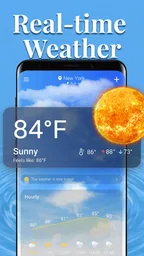
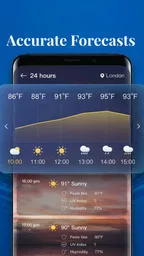
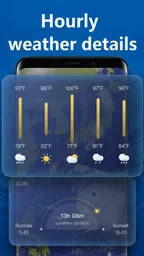
- Hourly forecasts make it easier to plan around changing conditions.
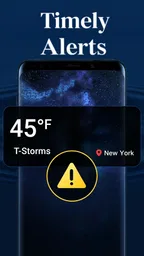
- Severe weather alerts can help users prepare for hazardous conditions.
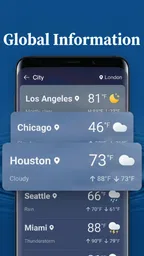
- Multiple location support is useful when checking weather for trips.
- A radar map offers a visual view of nearby weather activity.
- The forecast includes useful details such as wind and humidity.
What could be better
- Forecast accuracy can vary by location and weather conditions.
- Frequent alerts may feel distracting to some users.
- Some features may require an internet connection.
- The app may request location access for local forecasts.
- Advertising may interrupt the experience in the free version.





