Local Weather Forecast - Radar review
 Analysis by Appsdrops
I approach a weather app with a simple test: can I make a better everyday decision after opening it, without having to sort through clutter or guess what the forecast means? Local Weather Forecast - Radar is aimed at that practical job. It is a free weather app from Vitality App Studios, with a broad forecast-and-radar focus rather than a narrow role such as storm alerts alone. Its appeal is straightforward: get a local view, check what may be coming, and decide whether to change plans.
It has a 4.7 average from around 208,000 ratings and more than 10 million installs, so it is a well-established choice rather than an obscure experiment. Those numbers suggest plenty of people find it useful, but they do not guarantee that its forecast will suit every location or that its presentation will match your preferences. I would treat it as a convenient source to consult, then judge its usefulness by how consistently it helps with the places and plans that matter to you.
A practical forecast, with radar as part of the routine
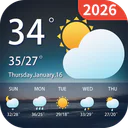
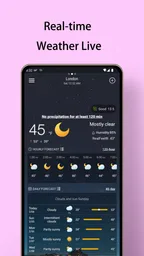
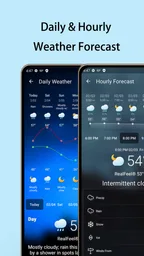
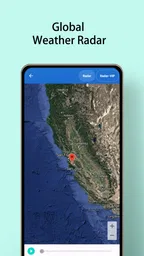
The app belongs to the weather category, and the name makes its central combination clear: local conditions and radar. That pairing is valuable because a forecast summary and a radar view answer different questions. The first helps with the general shape of the day; the second can help you assess whether weather nearby may affect a trip or an outdoor plan. I like having both kinds of information in one app, especially when a quick glance is more useful than a detailed meteorological explanation.
For an ordinary morning, I would use it in stages. First, check the local outlook before choosing clothes or deciding whether to take an umbrella. Then, if the sky looks uncertain or I have a fixed commitment outdoors, look at the radar rather than relying on a single forecast summary. This is a more useful habit than treating any weather app as a promise: forecasts are guidance, while conditions can shift, and a radar view is most valuable when checked close to the time you need to act.
A realistic example is planning a walk between errands. A general forecast may look acceptable, but if clouds are gathering, the radar can help me decide whether to leave now, shorten the walk, or bring rain protection. That small decision is where the app’s combined focus makes sense. It is not about turning a routine check into a weather project; it is about having another way to judge timing when the day is changeable.
What the current version means in practice
The current version is 1.5.8, and the app runs on Android 6.0 or later. That gives it a wide device reach, including older Android phones that may not meet the requirements of newer apps. The version number tells me which release is current, but it does not, by itself, establish what changed in that release. I would not assume a particular new screen, forecast model, or radar capability from the number alone.
That distinction matters for existing users. If you already rely on the app, the sensible approach is to check the current release in the app store and update when it is available for your device. A version change can indicate ongoing maintenance, but it is not proof that a specific problem has been fixed or that the interface has been redesigned. If a familiar workflow matters to you, verify it after an update rather than expecting a particular change.
The app has been available since January 22, 2021, which gives it a longer history than a brand-new weather tool. That is useful context when considering whether it may be a stable part of a daily routine, but age alone does not show how frequently it has changed or how well it performs in every region. My judgment is to focus on what you can test directly: whether the locations you follow are easy to reach, whether the forecast is readable, and whether the radar helps you make decisions without extra effort.
Where it can help beyond checking the temperature
The most useful workflow is to connect the forecast to a decision, not just browse it passively. If you commute on foot or by bicycle, check conditions before leaving and then consult the radar again if the weather looks unsettled. If you are driving, use the app before setting off rather than trying to interpret a map while on the road. For an outdoor appointment, check early enough to have a backup plan, then make one final check nearer the start time.
A less obvious benefit of this routine is that it can reduce overconfidence in a single forecast line. A summary can be easy to remember as “good weather” or “rain,” even when the day is more complicated. Looking at the radar when timing matters encourages a more specific question: is the weather moving toward my area at a useful or inconvenient time? That does not make the app a substitute for professional warnings, but it can make a casual forecast check more actionable.
Another useful tip is to keep the app’s role narrow. Use it for a quick local read and a closer look when weather could disrupt plans; do not keep reopening it without a decision in mind. This avoids the common trap of endlessly comparing small changes that may not affect what you will do. For a picnic, for example, the important question may be whether to choose an indoor backup, not whether a minor forecast detail has shifted.
How it compares with other weather choices
Compared with a phone’s built-in weather panel, this app’s stated emphasis on radar may make it more appealing when you want to inspect nearby conditions rather than glance at a temperature. A built-in option is often enough for someone who only wants a quick daily summary and would rather avoid installing another app. The trade-off is personal: if you rarely need to examine weather movement, a separate forecast app may add little to your routine.
Compared with highly specialized storm or aviation tools, Local Weather Forecast - Radar is positioned for everyday use. Someone who needs technical detail, advanced planning, or a workflow built around a specific profession may be better served by a specialist product. I would not choose an everyday weather app as the sole tool for decisions where precise, authoritative warnings are essential. It is more appropriate for ordinary planning than for replacing official alerts or expert guidance.
Its free price makes it easy to try without committing upfront, while in-app purchases range from $2.99 to $4.99 per item. I would start with the free experience and decide whether the app fits before considering any paid item. The presence of purchases is worth knowing if you prefer apps with no optional spending, but it does not by itself tell you what a particular purchase includes. Check the in-app details before paying, and only spend if the benefit is clear for your own use.
Fit, friction, and sensible expectations
The app is rated for Everyone, which makes it broadly suitable as a general-purpose weather tool. That does not mean every person will find it equally convenient. People who want a very minimal screen may prefer a basic built-in forecast, while users who want a specialized map or highly technical data should compare it with a tool designed for that purpose. The best fit is someone who wants local weather information and a radar-oriented way to assess changing conditions without turning every check into a complex task.
One practical limitation of radar is that it can invite false precision. A map may look exact, but interpreting weather movement still involves uncertainty, and a glance at a screen cannot guarantee what will happen at a particular street or minute. I would use it to improve timing and prepare a backup, not to make a high-stakes call based on a single view. If severe weather is possible, consult appropriate official alerts as well.
There is also a small but important friction in evaluating any forecast app: usefulness depends on where you are and what you need it to do. A person who checks one town every morning has a different standard from someone tracking several locations or making plans around outdoor work. Before relying on it, try your usual location during a few kinds of weather and see whether the information is clear enough to guide your decisions. That personal test is more meaningful than a broad popularity figure.
Who should try it, and what I would watch next
I would recommend giving it a try if you regularly make plans around local conditions and want radar in the same weather app. It may be especially handy for walking, commuting, errands, and deciding whether an outdoor plan needs a backup. If you only check the day’s general outlook once, your phone’s default weather display may already be sufficient. If you need specialized forecasting or authoritative emergency information, choose a dedicated service for that job and treat this app as a companion rather than a replacement.
Vitality App Studios has brought the app through multiple releases to its current version, but the meaningful test for a user is whether updates preserve a familiar routine and improve the experience in ways they can actually notice. I would watch for clear release notes and changes that affect location handling, readability, or the way radar supports quick decisions, rather than assuming that a higher version number automatically means a better forecast. Those are the areas that matter most to someone opening the app in the middle of a busy day.
Overall, Local Weather Forecast - Radar looks like a sensible everyday option for people who want more than a bare temperature reading but do not need a specialist weather workstation. I value its practical combination of local forecasting and radar, and I would use it as one step in planning rather than as a guarantee. Start with the free version, test it against your regular locations, and keep a suitable backup in mind when the weather could seriously affect your plans.
What we like
- Hourly forecasts make it easier to plan around changing conditions.
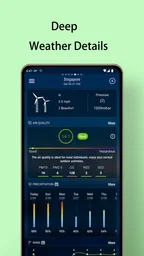
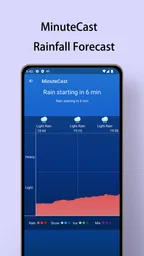
- Radar maps help users track approaching rain and storms.
- Location-based forecasts provide relevant local weather details.
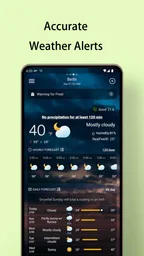
- Severe weather alerts can warn users about hazardous conditions.
- Multiple locations are useful for checking weather while traveling.
What could be better
- Forecast accuracy can vary by location and weather conditions.
- Radar data may be delayed or less detailed in some areas.
- Frequent alerts can become distracting if settings are not adjusted.
- Location access may be needed for automatic local forecasts.
- Some features may depend on an internet connection.





