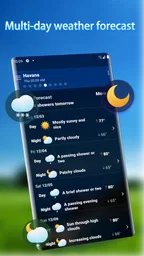
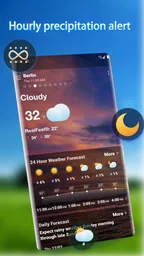
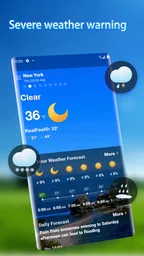
Local Weather Alerts - Widget review
 Analysis by Appsdrops
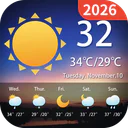
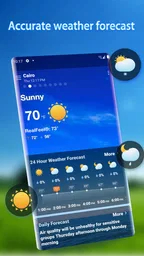
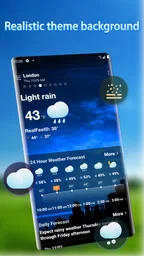
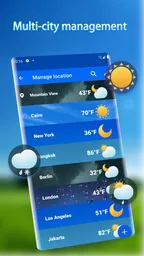
When I want a quick sense of whether rain might disrupt the day, I prefer a forecast I can scan without digging through menus. Local Weather Alerts - Widget is aimed at that kind of everyday check: a weather app from Vitality App Studios that puts local conditions and alerts at the center of its appeal. Its focus is practical rather than flashy, and that makes it most useful when I need a quick planning cue rather than a detailed meteorological workstation.
Quick checks are the main attraction
The app’s appeal depends less on dramatic features than on how easily its weather information fits into a routine. I would use it before leaving home, while deciding whether to carry an umbrella, or when checking whether changing conditions could affect an outdoor plan. The widget angle is especially relevant for people who like to glance at information from their home screen instead of opening a full app every time.
That convenience comes with a useful distinction: a glance is good for orientation, but it should not replace a closer look when timing matters. If I were planning a long drive or an outdoor event, I would open the app and review the forecast rather than make a decision from a brief snapshot. Weather can change, and an alert or summary is most valuable as a prompt to check details—not as a guarantee that conditions will stay fixed.
The short description, “Local Weather Alerts,” signals the intended role clearly. This is for people who care about conditions near them and want changes to be easy to notice. It is less obviously suited to someone who wants to compare several forecast models, inspect specialist charts, or build a detailed picture of a storm system. Those needs call for a more technical weather service.
What a fast-feeling weather app should do
For this kind of app, perceived speed is mostly about reducing the effort between a question and an answer. “Will I need a jacket?” should not require several screens of setup. A clear local view and a handy widget can make a routine check feel immediate, although actual loading time depends on the phone, connection, and current conditions. I would judge the experience by whether I can get the essential information quickly, not by expecting every forecast detail to appear at once.
A practical tip is to treat the widget as a doorway, not the entire forecast. Use it to notice that conditions have shifted, then open the app when the decision has consequences. That two-step habit keeps casual checks light while avoiding the common mistake of relying on a tiny summary for a time-sensitive plan.
Heavy-use moments and sensible habits
Weather apps often see their busiest use when conditions are uncertain: before a commute, during a sudden change, or while coordinating a weekend plan. In those moments, I would check once before leaving and again if the weather becomes visibly different. Repeatedly refreshing any forecast is unlikely to make it more certain; it can instead turn a helpful tool into a source of needless checking.
For a family outing, for example, I would use the local view to decide whether to bring rain gear, then check again close to departure if the sky looks different from the forecast. For a walk with a flexible route, a quick alert can help me choose a shorter loop or postpone the outing. For a fixed appointment, I would keep a backup plan rather than assume the app can remove the uncertainty from weather.
These are useful workflows precisely because they do not depend on a complicated feature set. The benefit is the app’s intended emphasis on local conditions and easy-to-grasp changes. The trade-off is that people who need richer analysis may soon want another source alongside it. A simple alert-centered tool can help with everyday choices without being the only weather reference for every situation.
Reliability means checking the context
I would think about reliability in two parts: whether the app is available when I need it, and whether its forecast is appropriate for the decision I am making. No forecast should be treated as infallible, particularly when conditions are changing quickly. If a warning has real safety implications, I would compare it with official local guidance rather than relying on one app alone.
There is also a practical recovery habit worth adopting. If a widget looks stale or the information seems out of step with what is happening outdoors, open the app and reassess before acting. If the phone has a weak connection, waiting for an update or checking another trusted source is more sensible than assuming the first screen is current. This is general good weather-app practice, not a claim that this app has a particular refresh problem.
The app’s strong public reception gives prospective users a reason to take a closer look: it has a 4.8 average from around 342,000 ratings, and it has passed 10 million installs. Those figures suggest broad adoption, but they do not tell me whether the interface will suit every person or whether a forecast will be right for a particular street. I would still test how clearly its local information answers my own everyday questions.
Device fit, cost, and who should choose it
Local Weather Alerts - Widget is free to install, with in-app purchases ranging from $2.99 to $4.99 per item. That makes it straightforward to try without paying up front, but I would check what an optional purchase changes before spending. If the free experience already covers the quick local checks I need, there may be no reason to buy anything; if a paid item matters to my routine, I would weigh that against other weather apps I already use.
The app is rated for Everyone and requires Android 6.0 or later. That broad age rating makes it appropriate for general audiences, while the operating-system requirement is the more relevant device constraint: an older Android phone below that version cannot run it. The current version is 1.7.4. On a supported device, I would expect the ordinary demands of a weather app, but I would not assume a particular battery impact, data use, or memory footprint without measuring it on the phone in question.
For a fair performance check, I would install it, try the widget, and see whether the local information remains convenient during a normal day. If the home screen is already crowded or I prefer to keep widgets to a minimum, opening a weather app manually may be just as comfortable. People using older or low-capacity phones should also consider whether another app they already have provides enough information; keeping a second weather tool is not automatically an improvement.
Where it fits among weather alternatives
Compared with a phone’s built-in weather view, this app’s draw is its specific emphasis on local alerts and a widget-based glance. A built-in option may be enough for someone who only checks the temperature occasionally and wants fewer apps. A more advanced forecast service is a better match for users who routinely study radar, plan around precise timing, or need specialist weather information. I would choose this app for a simpler, local-first routine, not because one style is universally superior.
It may also be the wrong choice for someone who wants a full planning suite with extensive customization or who expects an alert to replace official emergency advice. On the other hand, if the goal is simply to notice changing local weather without turning every check into a research session, its focused approach makes sense. The best fit depends on how much detail the person actually uses, not how many screens an app can offer.
My performance verdict
My overall view is that Local Weather Alerts - Widget is best approached as a convenient everyday companion: check the local picture quickly, use the widget when a glance is enough, and open the app for decisions that need more context. Its speed appeal is about access and simplicity, while reliability still depends on sensible checking and the limits of forecasting. I would not judge it by imagined battery or loading benchmarks; I would judge whether it makes my own weather routine easier.
Developed by Vitality App Studios and released on November 11, 2020, it has an established audience, but popularity alone is not a reason to install it. I would recommend trying the free version if local alerts and a quick home-screen check match your habits. If you need deep forecasting tools, have an unsupported Android version, or already get everything you need from a built-in service, another option may suit you better. For a straightforward daily glance, though, Local Weather Alerts - Widget has a clear purpose and a sensible place in a weather-app lineup.
What we like
- Quickly check current conditions from the home screen widget.
- Weather alerts can help users prepare for changing conditions.
- Local forecasts make it easy to monitor nearby weather.
- A simple layout is approachable for everyday use.
- Useful for planning commutes and outdoor activities.
What could be better
- Forecast accuracy can vary by location and provider.
- Some features may require an internet connection.
- Weather alerts may arrive late or differ from official notices.
- Widgets can use battery and mobile data while updating.
- Available features may vary across devices and regions.





