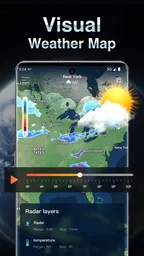
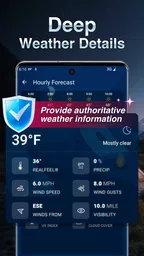
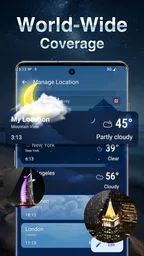
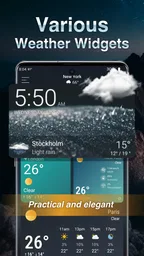
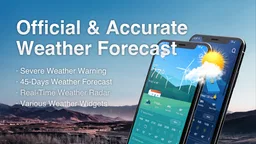
Live Weather: Weather Forecast review
 Analysis by Appsdrops
Weather apps are easy to download and just as easy to forget. The real test is whether checking one becomes a useful habit after the first few days, rather than another icon taking up space on your phone. Live Weather: Weather Forecast aims to make that routine straightforward, with current local conditions and forecasts by the hour and day. I see its appeal in that everyday usefulness: you can check what the weather is doing now, then look ahead before deciding what to wear or when to head out.
A quick start that makes sense
The first impression is refreshingly direct. This is a weather app, not a sprawling lifestyle platform, and its central promise is easy to understand: useful local weather information in one place. The short description, “Live Weather,” sets an equally simple expectation. If you want a fast glance at the forecast rather than a deep dive into meteorology, that focus is a good starting point.
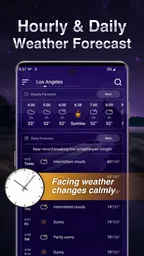
The name, Live Weather: Weather Forecast, is descriptive, and the app’s purpose is clear before you spend much time exploring it. The store summary highlights current conditions alongside hourly and daily forecasts. Those time frames are practical because they answer different questions: what is happening now, what might change later today, and what should I keep in mind for the next few days?
That range gives a new user a natural way to try the app. I would start by checking the current local picture, then use the hourly view when planning a trip or an outdoor errand. The daily outlook is better suited to broad planning. Nothing about that routine needs to be complicated, which matters in an app people often open for a few seconds and then leave.
Its broad audience is another part of the approachable feel. The content rating is Everyone, so the product is positioned as a general-purpose weather tool rather than an app for a narrow specialist audience. It is free to download, and the listed in-app purchases run from $2.99 to $4.99 per item. That makes the initial decision easy: you can give the basic app a try without paying up front, while keeping in mind that optional purchases are part of its business model.
Why the first week can work
During the first week, the strongest reason to return is simple convenience. Weather is tied to small decisions that come up every day: whether to bring a jacket, when to leave, or whether an outdoor plan still sounds sensible. An app with both hourly and daily forecasts can support those checks without asking you to learn a complicated system.
The hourly outlook is especially useful when your day is flexible or the conditions may shift. A daily forecast, by contrast, gives you a broader frame for the days ahead. Having both available helps the app serve quick checks as well as slightly more deliberate planning. That practical distinction is the kind of thing that can make a newly installed weather app feel immediately relevant.
I also appreciate that the core purpose is easy to remember. You do not need a special occasion to use a weather forecast, and you do not have to build a complicated workflow around it. Open the app, check the local conditions, and decide what to do next. For a first impression, that low-friction pattern is more persuasive than a long list of features would be.
What keeps it useful month after month
Novelty is not what gives a weather app lasting value. Habit does. The question is whether it remains useful once the first round of browsing is over, and that depends on how often you naturally need a local forecast. For someone who plans commutes, errands, walks, or outdoor commitments around the weather, the need keeps returning. The app’s mix of current, hourly, and daily information matches those recurring moments well.
In the longer run, I would judge Live Weather: Weather Forecast by whether it earns a place in a small routine rather than by how much time it can hold my attention. A good weather app does not need to become a hobby. It needs to help answer a practical question quickly enough that opening it feels worthwhile. This one’s stated focus is aligned with that modest but valuable role.
There is also a useful difference between checking the weather once and building a dependable habit. A single forecast may be enough for today, but recurring use means returning when plans change or when you need to look further ahead. Hourly and daily views give the app a reason to serve both situations. If you prefer one straightforward place to check the local picture, that combination can remain relevant well beyond the installation week.
Its audience and scale suggest that it is intended for ordinary everyday use. The app has more than ten million installs, a 4.7 average rating, and over 221,000 ratings. Those figures indicate a substantial user base and a generally positive reception, but they do not replace your own test of whether the app fits your habits. Weather needs can be personal: one person checks before every trip, while another only looks when the sky changes.
The app has received over 9,000 written reviews, which also points to an established presence in the weather-app space. That may be reassuring if you prefer choosing a product that many people have tried. Still, for a long-term decision, I would pay more attention to the everyday experience: can you find the forecast you need without turning a quick check into a chore?
Maintenance and the effort of keeping it around
The maintenance burden of a weather app is usually less about doing formal upkeep and more about whether it deserves repeated attention. A lightweight routine is the ideal: open it when you need a forecast, get the information you came for, and move on. Because the app is centered on local weather with hourly and daily views, its basic role is easy to understand. That clarity can make it easier to keep than a tool whose purpose is buried beneath unrelated options.
At the same time, a weather app only stays valuable if it continues to fit the way you plan your days. If you rarely check forecasts, even a capable app may become redundant. If you frequently make decisions around local conditions, then the same small check can become a dependable habit. I would treat the app as something to keep only if it consistently saves effort or helps you feel better prepared.
The current version is 1.1.42, and the app was released on February 22, 2023. It supports devices running Android 6.0 or later. Those details make it easier to assess basic compatibility and identify the product, but the more important long-term question is whether it works comfortably on your own device and remains useful in your own routine.
Because the app is free to download, keeping it installed does not require an upfront purchase. Optional in-app purchases are listed at $2.99 to $4.99 per item, so it is sensible to consider them only in relation to what you personally need. The everyday value should come from the forecast experience you actually use, not from feeling obliged to buy something simply because it is available.
Where forecast fatigue can set in
Even a practical app can become tiring if you find yourself opening it without getting a clear benefit. Weather checks are repetitive by nature; that is also why a little friction can feel more noticeable over time. If a forecast does not fit how you make plans, or if you only need a basic glance, you may eventually return to whichever weather source is already part of your routine.
There is also the simple issue of over-checking. Looking at the forecast again and again will not necessarily make plans easier, especially when you only need a broad idea of the day. I prefer treating an hourly forecast as a planning aid rather than a reason to monitor every change. Used that way, the app can support decisions without turning weather into another thing demanding constant attention.
The listed purchase options may matter to users who are careful about optional spending. Since the app is free to download, you can first decide whether the basic experience suits you. I would avoid treating an in-app purchase as necessary unless it clearly improves the way you use the app. That keeps the decision grounded in value rather than habit or curiosity.
Another source of fatigue is expecting a weather app to be more engaging than it needs to be. Forecasts are useful, but they are not inherently entertaining. The best outcome may be that you open the app, find the local outlook, and close it again. If you want an app that offers a broader set of activities, this focused weather tool may feel too narrow; if you want a quick forecast, that same narrowness can be a strength.
A measured long-term verdict
For me, the case for keeping this app is strongest when local weather regularly influences your plans. The current conditions, hourly forecast, and daily outlook give it a clear everyday purpose, while the free download makes it easy to see whether that purpose fits. Its appeal is not that it demands your attention; it is that it can be ready when a practical question comes up.
The lasting value is in a forecast you can fold into your routine without turning it into another chore. If you already check the weather most days, this app has a sensible role to play. If you seldom need more than a glance outside, you may not open it often enough to justify keeping another app on your phone. That is not a flaw so much as a question of personal fit.
Overall, Live Weather: Weather Forecast comes across as a straightforward choice for people who want local weather information with both hourly and daily planning in mind. Its first-week appeal is easy to understand, and its month-to-month usefulness depends on whether those forecasts support decisions you make repeatedly. I would keep it if it becomes a quick, reliable stop in my daily routine; if it fades into the background, I would let the habit—not the download count—make the final call.
What we like
- Provides current weather conditions at a glance.
- Hourly forecasts help with planning throughout the day.
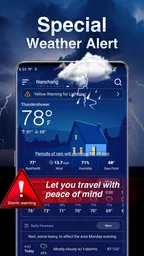
- Weather alerts can give advance notice of severe conditions.
- A range of forecast periods supports short and long-term planning.
- A straightforward layout makes key details easy to find.
What could be better
- Forecast accuracy can vary by location and changing conditions.
- Some features may require an internet connection.
- Weather data may not update instantly in every area.
- Notifications can become distracting if enabled frequently.
- The app may request location access to show local forecasts.





