

Lingvano: Sign Language - ASL review
 Analysis by Appsdrops
I like language-learning apps best when they help me do something useful away from the screen, and sign language makes that test especially important. Lingvano is an education app for learning American Sign Language, developed by Lingvano. Its lessons are designed for beginners and short practice sessions, which makes it approachable if you want to build a habit rather than spend an evening studying a textbook. My overall impression is that it can give a new learner a structured starting point, but it should be treated as one part of learning ASL—not a substitute for real conversations or instruction from Deaf signers.
A beginner-friendly place to start
The app is free to download, though it also offers in-app purchases priced from $17.99 to $134.99 per item. That range is worth checking carefully before committing: the free entry point makes it easy to explore, while paid options may not suit someone who only wants to learn a few signs casually. It is rated for Everyone, and its current version is 6.0.3. It runs on Android 8.0 or later, so owners of older devices should check compatibility before planning to use it.
Lingvano has earned an average rating of 4.8 from around 81,000 ratings, with about 7,000 written reviews and over one million installs. Those figures suggest that many learners have found it useful, but they do not tell me whether a particular course format will suit you. I would judge it by whether its lessons help you understand and remember signs—not by popularity alone.
What makes ASL learning different from studying a spoken language is that a sign is not just a vocabulary item to memorize. Hand shape, movement, position, and facial expression can all matter. A useful learning routine therefore needs more than a list of translations. The best way to approach Lingvano is to pay attention to the whole movement and expression, then try to recall it without immediately looking back at the lesson.
How I would fit it into a real day
Imagine you have a few minutes during a quiet break and want to make progress without opening a full coursebook. A short lesson can give that time a clear purpose: learn a small group of signs, replay anything that feels unfamiliar, and finish by trying to produce them from memory. The next day, revisit the difficult ones before moving on. That simple pattern is more useful than rushing through a long session and hoping the signs stick.
The short-session approach is also a good fit for people who are curious about ASL but unsure how much time they can give it. You can use the app to establish whether regular practice feels manageable before deciding whether to pay for more. I would still set a realistic goal: a few minutes of app practice can build familiarity, but it will not make you fluent or ready for every conversation.
One practical tip is to avoid treating the app as a silent flashcard deck. Watch the demonstration closely, including the signer’s face, and make the sign yourself rather than merely recognizing it on screen. If you have a mirror, it can help you notice whether your hands are placed as you intended. That does not replace feedback from another signer, but it makes practice more active.
What the current version tells me—and what it doesn’t
The confirmed release date is January 11, 2021, and the current version is 6.0.3. That gives a reader a clear sense that the app has been around for several years and is now on a later version. It does not, by itself, establish which lessons or tools changed between releases, or whether a particular feature is new. I would not infer a detailed development history from a version number alone.
For someone already using Lingvano, the sensible conclusion is modest: the app has continued to reach a current release, so it is not simply an old, untouched listing. But a version update is not proof that a course has been redesigned, that an individual learning issue has been fixed, or that new content has been added. If you rely on a specific capability, check its current description in the app store before building your study routine around it.
For a new learner, the practical question is less about version history and more about fit. Does the lesson style make signs clear to you? Can you follow the material at a pace that feels comfortable? Do you want a guided introduction, or do you need direct human feedback from the start? Trying the free experience can help answer the first two without assuming that the latest version has changed the learning method in a particular way.
Where it fits among ASL learning options
Compared with searching for individual sign demonstrations online, a dedicated learning app can offer a more deliberate path through beginner material. Random clips are useful when you need to look up one expression, but they can leave you jumping between topics without a plan. Lingvano’s appeal is its focus on learning ASL as a beginner, rather than making you assemble a course from scattered references.
A book or static vocabulary list has different strengths. It can be convenient for reviewing a term, but it cannot show movement as naturally as a video demonstration. On the other hand, a live class or conversation group can provide something an app cannot: interaction, correction, and the experience of communicating with another person. If your priority is to use ASL with family, friends, or colleagues, I would combine app practice with opportunities to learn from Deaf people and sign with others.
That distinction matters because recognizing a sign on a screen is not the same as understanding it in a real exchange. A learner may know a rehearsed expression yet struggle when the other person signs at a different pace or uses an unfamiliar variation. Lingvano can help with the first steps, but it should not be your only source if your goal is comfortable, flexible communication.
Who is likely to enjoy it, and who may need something else
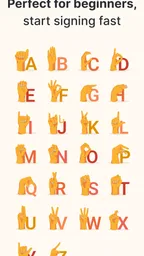
I would recommend trying Lingvano if you are a complete beginner, prefer a guided digital course, and can make short, repeatable practice sessions part of your routine. It may also suit someone who wants to explore ASL before enrolling in a class or joining a local signing community. The modest commitment of a brief lesson can make starting less intimidating than sitting down with a large reference book.
I would look elsewhere—or use it only as a supplement—if you need a teacher to correct your signing, want a course centered on conversation with other learners, or are already beyond basic material. It may also disappoint someone expecting a translation tool that instantly handles an entire conversation. Learning signs takes observation and practice; an app cannot remove the need to develop those skills yourself.
There is a broader choice to make, too: ASL is a specific sign language, not a universal system shared by every signing community. If you need to communicate in another country or with someone who uses a different sign language, an ASL course may not address that need. In that case, choose learning materials for the language used by the people you want to communicate with rather than assuming that signs transfer everywhere.
Costs, consistency, and a sensible study plan
Because the app is free to download but offers paid purchases, I would explore the available lessons and payment details before buying anything. The listed purchase range runs from $17.99 to $134.99 per item, a substantial spread. Read the offer presented at checkout and make sure you understand what it includes and how it matches your learning goal. A beginner who is still testing their interest should not feel pressured to choose a higher-priced option before establishing a routine.
To get more from the experience, I would keep a short list of signs that are easy to confuse or repeatedly forget. Review that list before a new lesson, and practice each sign in a short phrase or situation rather than as an isolated hand movement. For example, if you are learning a greeting, rehearse how you would use it when meeting someone, not only how to copy it once. This makes practice more purposeful while avoiding the false confidence that can come from recognizing a sign without being able to produce it.
Another useful trade-off is pace. Moving quickly through many lessons feels productive, but signs that are not revisited are easy to lose. Slowing down to repeat a difficult movement may feel less impressive in the moment, yet it is likely to be better use of a short practice window. If a demonstration remains unclear after several attempts, note the question and seek another explanation or feedback from a knowledgeable signer rather than guessing at the form.
My verdict and what I would watch next
My recommendation is to treat Lingvano as a promising beginner’s practice companion, not a complete replacement for human teaching. Its focus on ASL and short learning sessions makes it an approachable way to begin, and the free download lets you judge the format before considering an in-app purchase. Its large audience and strong average rating are encouraging context, but your own progress will depend on steady practice and whether the demonstrations work for you.
The main limitation is the boundary of any solo app-based course: it can support observation and repetition, but real communication requires more than copying a model. I would pair lessons with chances to sign with other people and stay open to correction. That combination is especially important if your reason for learning is to communicate with someone specific, rather than simply recognize common signs.
As the app continues to receive versions, I would watch for clear explanations of what has changed and whether updates address learners’ practical needs. For now, the release date and current version establish its timeline, but they do not justify assumptions about new content or improvements. If you want an accessible first step into ASL and are willing to practice beyond the screen, Lingvano is worth exploring. If you need immediate conversational fluency, personal feedback, or a different sign language, a class or community-led option is a better foundation.
What we like
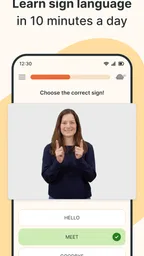
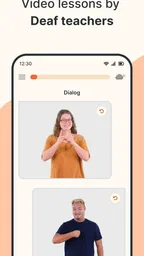
- Lessons use short videos with native signers.
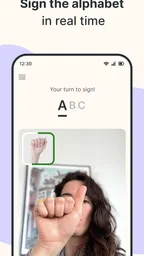
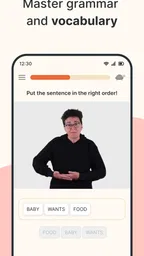
- Interactive exercises help reinforce signs and phrases.
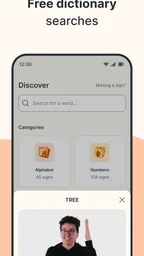
- A built-in dictionary makes sign lookups convenient.
- The interface is approachable for beginners.
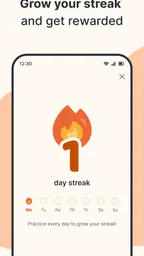
- Progress tracking helps learners stay consistent.
What could be better
- ASL lessons do not teach every sign language.
- Some lessons and features require a subscription.
- Learning from videos offers limited real-time feedback.
- A steady internet connection may be needed for video lessons.
- Signing practice can be difficult on a small screen.





