
Learn to Read: Reading.com review
 Analysis by Appsdrops
When I judge a reading app for children, I look beyond whether it offers phonics: I want to know if a child can follow the activity without constant adult interpretation, and whether the routine fits real family life. Learn to Read: Reading.com is an education app from Teaching.com built around early reading practice, including phonics and letter tracing. Its focus is appealingly concrete, though its fit depends on a child’s age, comfort with screens, and need for support.
Clear steps matter more than a crowded screen
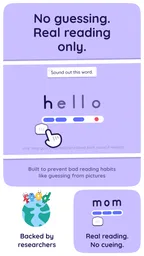
Reading practice can be tiring when instructions, decorations, and choices compete for a young learner’s attention. The promise of a focused sequence of early-literacy activities is therefore a meaningful strength here. Phonics gives children a way to connect sounds and letters, while tracing brings in a physical element rather than relying only on recognition. In my view, those are useful building blocks for a short, purposeful session.
The app’s name and store summary make its purpose easy for a parent to understand before handing over a device. That clarity matters: a caregiver can frame the activity as reading practice rather than open-ended screen time. I would still sit with a new learner initially and watch whether the child understands what to do next. Clear subject matter does not automatically mean every instruction or screen will suit every reading level.
One practical approach is to keep a session small and observe where the child hesitates. If letter tracing feels comfortable but sound work takes more effort, that is useful information for choosing what to revisit, rather than a reason to push through a long sitting. An adult can also ask the child to say a sound aloud after an activity, turning screen practice into a conversation. This makes the app part of learning, not a substitute for a person reading and talking with the child.
Reading.com has a 4.7 average from around ten thousand ratings, and it has passed a million installs. Those figures suggest that many families have tried it, but they cannot tell me whether its teaching approach matches a particular child. I would treat popularity as a reason to consider it, not as proof that it will work equally well for every learner.
Tracing is useful, but not every hand finds it easy
Letter tracing asks for more than knowing a letter: a child has to control a finger or stylus, attend to a path, and coordinate what they see with a movement. That can make the activity satisfying for a child who likes hands-on tasks. It can also be frustrating for a learner who knows the answer but struggles with precise touch input. I would avoid interpreting a missed trace as a reading failure; it may reflect motor control or the device interaction instead.
For a child who tires quickly, try a brief turn and stop while the experience is still positive. If the device is awkward to hold, placing it on a stable surface may reduce the effort of supporting it while tracing. This is a simple setup change rather than a feature of the app, but it can make a real difference to whether the child can focus on the letter itself.
Sensory preferences deserve the same attention. A child may enjoy visual practice but become uncomfortable with screen time, or may need an adult to help keep attention on one task. I would introduce the app in a calm setting rather than during a noisy transition, then check whether the child seems engaged or overwhelmed. Families should use their own judgment about breaks and screen use; a digital activity is not automatically the best format for every learner.
Fits a short routine better than a substitute for shared reading
A realistic use case is a caregiver preparing dinner while a child completes a short practice period nearby, with the adult checking in between tasks. The app can give that moment a learning focus, but I would not count on it as a fully independent activity for every beginner. A young child may need help getting started, encouragement after a difficult letter, or an explanation that connects a sound to words they already know.
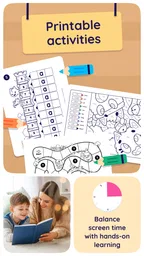
It may also fit a regular home routine: a little practice after breakfast, or a calm activity before a caregiver reads a printed book aloud. Keeping the app session predictable can help a child know what to expect. The trade-off is that families need to decide how much screen-based practice belongs in their day; paper, conversation, library books, and everyday letter spotting remain valuable alternatives, not inferior options to be displaced.
Compared with a general children’s game, this is more directly aimed at early literacy. Compared with a paper workbook, it brings interactive screen practice and tracing into the same product, while a workbook can be easier to share, mark, or use away from a device. A parent-led lesson offers more flexibility to pause and explain, but requires an adult’s attention. I see the app as one tool in that mix, especially for families seeking a structured digital starting point.
What families should weigh before relying on it
The app is free to download, with in-app purchases ranging from $6.99 to $119.99 per item. That range makes it sensible to check what is included and what a child can access before building a routine around paid material. I would not assume that every activity a family wants is available at no cost, nor would I buy anything until I had seen whether the core approach suits the learner.
It is rated for Everyone, but that label does not mean it is appropriate for every developmental stage or learning need. A child who already reads comfortably may find early phonics too basic, while a child who needs specialist instruction may require a teacher’s tailored approach. If a learner has trouble with the app’s touch interactions, a read-aloud session, physical letter tiles, or adult-guided practice could be a better immediate fit.
There is also a difference between practicing a skill and demonstrating it on a screen. A child can trace a letter without being ready to recognize it in a book, and can know a sound without being able to explain it. I recommend asking occasional questions away from the device—such as spotting a familiar letter on packaging—so an adult can see whether practice is carrying into daily reading. That small check helps avoid mistaking successful taps for broad progress.
The current version is 5.13.6 and requires Android 8.0 or later. Those details are worth checking against a family’s device before planning to use it, especially if the child will share an older phone or tablet. The app is listed as released on July 13, 2023, and its age classification is Everyone. These practical points help establish whether it can be part of a household routine, but they do not replace trying it with the child who will use it.
A thoughtful option when the format fits the learner
I would recommend Learn to Read: Reading.com to caregivers who want a focused way to introduce phonics and letter tracing, and who can stay close enough to notice when a child needs help. Its strongest case is as a short, repeatable addition to reading time—not as a replacement for books, conversation, or individualized teaching. Teaching.com has kept the product centered on early literacy, which gives parents a clear starting point when choosing an educational app.
I would be more cautious if a child becomes distressed by touch-based tracing, is already beyond introductory reading work, or needs a highly adapted learning experience. In those situations, a physical activity or one-to-one guidance may be more comfortable and responsive. For families willing to observe, keep sessions manageable, and weigh any in-app purchase carefully, this is a useful option to try. Its real value depends on whether the child can access the practice comfortably and carry it beyond the screen.
What we like
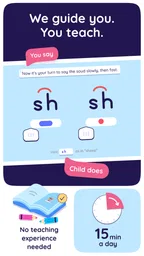
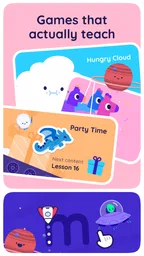
- Guided lessons make it easier to follow a clear learning path.
- Short activities help keep practice sessions manageable.
- Audio support can help children connect sounds with letters.
- Progress tracking helps caregivers see how learning is going.
- Designed for early readers with little or no prior experience.
What could be better
- The subscription may be costly for families on a tight budget.
- Some children may need an adult to guide their practice.
- Its structured approach offers limited room for free exploration.
- A steady internet connection may be needed for some features.
- The lesson pace may not suit every child's learning style.





