

Language Learning: Pingo AI review
 Analysis by Appsdrops
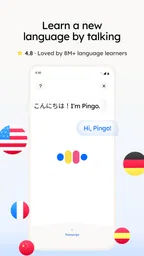
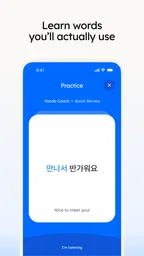
I look at a language-learning app differently from a game or a reference tool: the useful question is whether I would feel comfortable returning to it often enough for speaking practice to become a habit. Language Learning: Pingo AI puts AI-assisted language practice at the center, with English, Korean, Spanish, and Japanese among the languages named in its store description. That makes it most interesting to someone who wants an approachable way to practise producing language, not simply to collect vocabulary or read explanations.
My trust assessment is deliberately practical. I can describe what is visible about the app and its purchase model, but I would not treat the presence of AI as proof of how conversations are stored, reviewed, or used. Those are matters to check in the app’s privacy information and account or device settings before sharing anything personal. For a language exercise, ordinary invented scenarios are usually enough; there is no need to practise with real names, addresses, work details, or private messages.
What the app is asking you to trust
Developed by Pingo AI, Inc., this is an education app built around AI language learning. Its appeal is clear: speaking practice can feel less intimidating when the other side is an app rather than a person. You can try a phrase, make a mistake, and keep going without the social pressure that sometimes makes learners avoid conversation altogether.
The app has a 4.7 average from around 217,000 ratings, and it has passed five million installs. That scale can help a new user judge whether it has attracted broad interest, but popularity is not a substitute for checking privacy choices or deciding whether its teaching style suits you. I would use those figures as context, not as a guarantee of learning quality or data handling.
It is free to install and is rated for Everyone. The current version is 5.4.8, and the listed minimum operating-system requirement is version 8.0. In-app purchases are priced from $14.99 to $119.99 per item, so I would distinguish “free to try” from “everything needed for a long-term learning plan is free.” Before committing to a purchase, check the price and terms shown in the app store for your account and region.
AI practice is useful, but it changes the trust question
With a conventional phrasebook, most of what you enter is a search or a selection from prepared material. An AI conversation is different: you may type or say something personal without thinking of it as data. I recommend keeping practice fictional and task-focused, especially while you are still deciding whether the app’s controls and privacy terms meet your comfort level.
For example, instead of explaining your actual commute or describing a colleague, practise a made-up situation: asking for directions to a station or ordering a drink. You still get relevant language practice, but you avoid disclosing details that have no teaching value. This is a small habit with a useful payoff, and it applies to any AI tutor, not just this one.
Check the choices before making practice personal
I would start by looking for the app’s privacy information and any controls presented during setup or in its settings. Read what the app says about account use, information handling, and available choices rather than assuming that a familiar AI interface behaves like a private notebook. If you are uncomfortable with a choice, pause before entering sensitive material; you can still practise with generic prompts.
I would also pay attention to whether the app asks you to create an account, what options it offers, and whether any permissions are requested. I can’t responsibly describe specific permissions, account controls, or privacy settings without having their exact wording in front of me, so I would not assume that a control exists just because it is common in other apps. The useful approach is to review the options actually shown on your device and decide deliberately.
That caution is not a reason to avoid speaking practice altogether. It is a reason to separate language learning from personal disclosure. If the exercise is “help me say that I would like a table for two,” a real name or restaurant booking detail adds nothing. If you want to practise a conversation about your job, a fictional role and workplace will usually do the same job.
A workflow that keeps practice focused
A practical routine is to decide on one speaking goal before opening the app. I might choose a short task such as introducing myself, asking a simple question, or explaining a preference. I would then practise a few alternative ways to express the same idea, note the phrase that feels easiest to say, and try it aloud again later without looking. This turns an AI exchange into active rehearsal rather than an endless chat.
Another useful trade-off is to treat the AI as a rehearsal partner, not as the final authority on every nuance. A fluent-looking answer can still be a poor fit for the situation, register, or regional variety you have in mind. If a phrase matters for work, study, travel, or a formal message, compare it with a trusted dictionary, course, or human speaker before relying on it. For low-stakes practice, the app’s conversational format may be more valuable than perfect linguistic precision.
For a busy learner, a short, repeatable scenario is often better than a long session. On a walk, for instance, I could rehearse asking for directions in Japanese, then repeat the exchange later while waiting for a bus. The point is not to share a real destination or personal schedule. It is to make one useful pattern easier to retrieve when the real situation eventually comes up.
Where it fits beside courses and phrasebooks
Compared with a standard language course, an AI-focused app can make it easier to practise constructing responses instead of only recognizing correct answers. That matters if your main obstacle is hesitation. A structured course is usually the better choice if you need a carefully sequenced syllabus, explicit grammar explanations, or a clear progression from beginner foundations. I would not replace those materials with conversation practice alone.
A phrasebook or dictionary has the opposite strength: it is direct and easy to consult when you need a reliable expression quickly. It will not necessarily give you the same back-and-forth rehearsal. I see Pingo AI as most useful between lessons or alongside reference tools, where it can help turn a phrase you have learned into something you can say. If you mainly want translations, grammar references, or offline material, a dedicated resource may suit you better.
The app is also a better fit for learners who are willing to speak imperfectly. If you prefer to understand every rule before trying a sentence, AI conversation can feel frustrating: the exchange may move ahead before you have resolved the grammar point that is bothering you. In that case, a textbook or instructor-led course can provide a more deliberate path, with Pingo AI reserved for later practice.
Price, commitment, and everyday fit
The free starting point lowers the barrier to trying the format, but the available in-app purchases make it worth checking what is included before building a routine around paid access. The listed per-item range runs from $14.99 to $119.99. I would compare the purchase details with how often I realistically expect to practise, rather than buying because I hope a payment alone will create a habit.
A useful test is to use the app for a specific, modest purpose before deciding whether to spend: rehearse a short introduction, practise asking for help, or prepare a few lines for a trip. If the interaction makes you more willing to speak and you return to it voluntarily, the format may be worth paying for. If you find yourself wanting lesson structure, pronunciation guidance, or a clear way to review mistakes, check whether the app meets that need before purchasing; don’t assume that an AI conversation automatically covers every part of language learning.
Language Learning: Pingo AI was released on January 2, 2025, and the app’s developer is Pingo AI, Inc. The release date is useful context for understanding that this is a relatively recent product, but I would still judge it by the actual experience on my device: whether the language options and practice style match my goals, whether I understand the choices around data and account use, and whether the cost makes sense to me.
My cautious verdict
I would recommend Language Learning: Pingo AI to a learner who wants a low-pressure way to practise forming spoken language and is comfortable checking an AI app’s privacy choices before sharing anything beyond fictional exercises. Its strongest potential is not replacing a course; it is helping a phrase move from something you recognize to something you can attempt in conversation.
I would skip it, or use it only as a supplement, if you need a clearly sequenced curriculum, prefer human feedback, want a reference-first tool, or are unwilling to use an AI service without more clarity about its controls and data practices. My advice is to begin with generic scenarios, inspect the choices actually available in the app, and try a short routine before considering any purchase. That lets you judge the learning fit without making practice more personal than it needs to be.
What we like
- Offers speaking practice without the pressure of a live conversation.
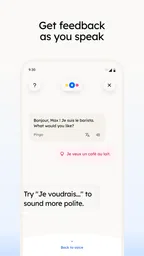
- Provides corrections that can help learners notice recurring mistakes.
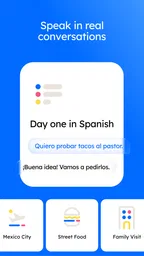
- Supports practice across a range of everyday situations.
- Lets users study at their own pace and revisit conversations.
- Can make short language practice sessions easy to fit into a routine.
What could be better
- AI feedback may miss context or nuance in a learner’s response.
- Voice recognition can struggle with accents or background noise.
- Some features may require a paid subscription.
- A stable internet connection may be needed for key functions.
- It may not provide the depth of instruction found in a full course.





