



Knowunity: AI Study & Homework review
 Analysis by Appsdrops
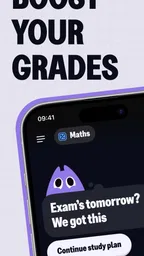
Knowunity is an education app for students who want help with exam preparation, homework, and practice in one place. Its focus is clear from the start: make it easier to work through school subjects and prepare for assessments. I like that straightforward aim, especially for students who want a study companion they can turn to during a busy term rather than another app with an unrelated collection of tools.
A study app built around schoolwork
Knowunity sits in the education and study support space, with a broad audience in mind. Whether you are reviewing a topic before a test, trying to make sense of an assignment, or looking for a way to practise what you have learned, the app is positioned around those familiar student needs. That makes it easy to understand why it might earn a place on a student’s phone: its purpose connects directly to everyday schoolwork.
The experience is best judged as a study aid, not as a replacement for classes, teachers, or a student’s own effort. An app can help make revision feel more manageable, but the most useful study still happens when you engage with the material, check your understanding, and return to difficult ideas. I see Knowunity’s appeal in that supporting role: it aims to bring exam prep, homework, and practice into a single learning-focused experience.
That broad scope can be especially useful when your routine changes from one day to the next. One evening may call for homework help; another may be set aside for revision. Having an app focused on both gives students a consistent place to begin, rather than requiring them to think of study as one narrow activity. The important point is to use it with a clear goal, such as revisiting a lesson or preparing for an upcoming assessment.
What the app is trying to make easier
Schoolwork can feel demanding when assignments, revision, and practice pile up at the same time. Knowunity’s central promise is relevant because those tasks are connected: understanding class material can make homework less intimidating, and completing practice can reveal which topics need more attention. An app that brings those needs together has a sensible role in a student’s routine, even if the student still needs to decide what to study and how deeply to explore it.
For parents and older students comparing learning apps, the name and purpose are easy to place. Knowunity is designed for study rather than general entertainment, and its store summary emphasizes exam preparation, homework, and practice. The content rating is Everyone 10+, so families can also take that age guidance into account when deciding whether it suits a particular student.
Cost and what free access means
Knowunity is free to install, which makes it possible to try the app without an upfront purchase. That is a useful starting point for students who want to see whether a dedicated study app fits their habits before spending money. In-app purchases are available, with listed prices ranging from $4.99 to $74.99 per item. Those figures describe the purchase range, not a promise that any particular option is necessary or that a paid item will suit every student.
My practical take is to begin with the free access and judge the app by how it supports your own study routine. A price alone does not establish value; what matters is whether the experience helps you make progress on the schoolwork you already need to do. Before choosing an in-app purchase, consider what you expect it to add and whether you would use that benefit regularly. Since the available purchase prices span a wide range, it is worth checking the specific option in the app store rather than assuming every purchase costs the same.
The app has been available since September 10, 2020, and its current version is 6.46.5. It requires Android 8.0 or later. Those details may help when checking compatibility on an older device, while the free installation gives eligible users a low-commitment way to explore the app. The key distinction is simple: downloading it costs nothing, while optional in-app purchases may involve payment.
Where its value comes from
The strongest potential value is convenience. A student who already spends time preparing for exams, handling homework, and practising lessons may appreciate an app aimed at those overlapping needs. Rather than treating revision as something separate from daily assignments, Knowunity frames study support as a continuing part of school life. That positioning makes sense to me because steady review often feels less daunting than leaving all preparation until the last minute.
There is also value in having a recognizable starting point when you are unsure how to approach a study session. Instead of opening a general-purpose app and getting distracted, you can begin with the task in front of you: exam preparation, homework, or practice. That does not guarantee a better result, of course. The student still has to focus, question what they are learning, and decide when to ask a teacher or consult class materials. But an education-first setting can make it easier to keep the purpose of a session in view.
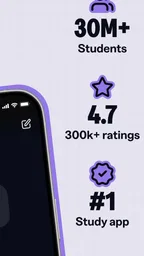
Knowunity has a 4.7 average rating, based on around 237,000 ratings, and more than 10 million installs. Those figures suggest that many users have given it a try and that its overall reception is strong. They are useful context, not a guarantee that every student will have the same experience. A highly rated study app can still feel like the wrong fit if its approach does not match your learning style or if you prefer working directly from textbooks and class notes.
The app has also accumulated around 1,100 written reviews. That is a smaller number than its overall rating count, so I would treat the average as a broad signal rather than a complete picture of every user’s experience. The most helpful test is personal: does using Knowunity make it easier for you to return to your schoolwork, stay organized around a study goal, or practise more consistently? If so, the free entry point may already provide worthwhile value.
Tradeoffs worth considering
No study app can do the learning on your behalf. If you open Knowunity without a clear question or plan, it may not automatically turn an unfocused session into productive revision. Students get more from any educational tool when they decide what they are trying to understand, actively work through the material, and make time to review weak areas. I would treat the app as a companion to those habits, not a shortcut around them.
Another consideration is the difference between free access and optional purchases. Free installation is a real advantage, but it does not mean every possible part of the experience is free. With in-app purchases ranging from $4.99 to $74.99 per item, families may want to review purchase choices together and make sure the cost is clear before confirming anything. That is a sensible step for any app with optional spending, particularly when a student uses it for school.
There is also the question of fit. Some learners prefer printed notes, a planner, or direct guidance from a teacher; others like using a phone as part of their study routine. Knowunity is more likely to feel useful to students who are comfortable turning to an app for education-related support. If a phone tends to pull you away from your work, a digital study tool may require extra discipline. The app’s topic is academic, but the student still controls how focused the session becomes.
Finally, broad study support is not the same as a personal learning plan. Students have different classes, deadlines, strengths, and gaps in understanding. The best way to evaluate the app is to connect it to a specific need rather than expect one tool to solve every school challenge. Try it when you have a real task in mind, and notice whether it helps you work through that task more effectively.
Who is most likely to benefit?
Knowunity is a natural option for students who want an app centered on exam preparation, homework, and practice. It may suit learners who like keeping study support on their phone and want a dedicated place to begin when they sit down to work. The free installation makes it easier to test that fit without committing to an upfront payment, while the Everyone 10+ rating gives families a useful age reference.
It could also be worth exploring for students who are trying to build a more regular study routine. A familiar tool can make it easier to return to schoolwork, provided it supports rather than interrupts the student’s focus. I would start with one clear purpose—reviewing a topic, working on an assignment, or practising before an exam—and see whether Knowunity helps you stay engaged with that goal. That small trial tells you more about personal value than popularity alone.
Parents may find the cost structure important when deciding whether to let a student use the app. Since it is free to install but includes optional paid items, a quick conversation about purchases can help set expectations. Students who are already comfortable managing app purchases should still check each item’s price before buying. The range is broad enough that it is better to assess each option individually than to assume all paid content represents the same commitment.
Knowunity may be less compelling for someone who does not want to study on a phone or who already has a routine that works well with books, class resources, and paper notes. That is not a weakness so much as a matter of preference. A useful education app should complement the way you learn; it does not need to replace every method you already trust.
My verdict on value
For an app focused on schoolwork, Knowunity makes a clear case for trying it: it brings exam prep, homework, and practice under one educational umbrella, and it costs nothing to install. Its strong average rating and large install base make it a well-established choice, though individual results will depend on how naturally it fits a student’s routine. I would start with the free access, use it for a real study task, and only consider an in-app purchase if the specific paid option offers value that matters to you.
My verdict: Knowunity is worth a look for students who want a phone-based study companion and are willing to stay actively involved in their learning. Its free entry point keeps the initial decision simple, while optional purchases call for a little more thought. If the app helps you return to homework, prepare for exams, or practise with greater consistency, it can earn a place in your study routine; if it does not match your habits, there is no need to pay for extras.
Knowunity is ultimately most convincing as a practical starting point, not a promise of effortless results. Try it with a clear academic goal, pay attention to whether it genuinely supports your work, and keep your spending decisions tied to a specific benefit. For students seeking a dedicated education app, that makes it a sensible free download to evaluate on their own terms.
What we like
- Organizes study materials into subject-specific collections.
- Lets students create and share notes with peers.
- Offers practice quizzes for reviewing key concepts.
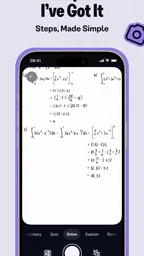
- AI tools can help explain difficult topics.
- A searchable library makes finding study resources convenient.
What could be better
- AI answers may contain errors and need checking.
- Some useful features may require a paid subscription.
- Shared materials can vary in accuracy and quality.
- The large resource library may feel overwhelming at first.
- Access to some content may depend on an internet connection.





