

Kiddopia - Kids Learning Games review
 Analysis by Appsdrops
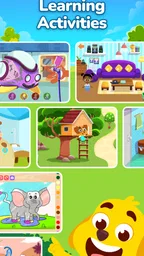
I see Kiddopia as a cheerful starting point for young children who are curious about tapping, matching, and learning through play. Its appeal is not that it replaces a teacher or turns screen time into a complete curriculum. It is that familiar characters and simple activities can make a short learning session feel inviting, especially for a child who is not yet ready for longer lessons. I would consider it a useful option for supervised, bite-sized play, with the important caveat that the in-app purchase model deserves a parent’s attention.
Play that can make learning feel approachable
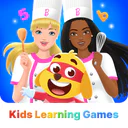
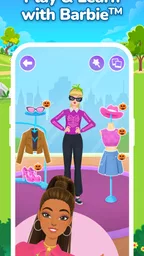
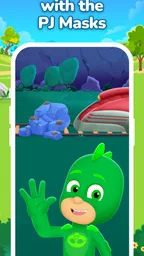
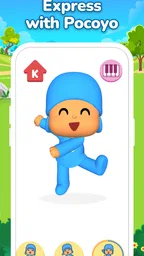
This is an education app from Kiddopia Inc., designed for children and presented with characters including Barbie, Baby John, the PJ Masks, and Pocoyo. That recognizable mix gives it a different feel from a bare collection of alphabet drills: a child may be drawn in by a character, then encounter activities intended to make learning part of play. The store’s age classification is Everyone, but I would still expect a parent or caregiver to choose when and how a young child uses it.
The strongest reason to try it is the combination of a child-friendly theme and a broad, play-led approach. Many young children need a gentle invitation before they will stick with an activity, and familiar characters can provide that first bit of interest. In my view, the app is most promising when a child is happy to explore at their own pace rather than being asked to complete a formal lesson on demand.
That distinction matters. I would not treat a game session as evidence that a child has mastered a skill, nor would I use the app as a substitute for drawing together, reading aloud, talking, or hands-on play. Instead, I’d think of it as one possible activity in a larger routine: a small screen-based option for a quiet moment, with an adult nearby to notice what catches the child’s attention and connect it to something away from the screen.
A good fit is a child who responds to playful prompts and benefits from variety, not a family looking for a tightly structured teaching plan. If your child becomes frustrated by touch controls, loses interest quickly, or needs an adult to explain every step, the experience may require more hands-on help than you hoped. That is not necessarily a flaw in the app; it is a reminder that early-learning games work best when matched to a child’s age, patience, and comfort with a device.
Why the familiar characters matter
The branded cast is more than decoration when it helps a hesitant child approach an activity. A child who already recognizes Pocoyo or the PJ Masks may be more willing to try something new than they would be with an unfamiliar character. Barbie and Baby John add further variety to the presentation. The trade-off is that character recognition can become the main attraction, so I would watch whether the child is engaging with the activity itself or simply tapping to see the character again.
A practical way to get more value from that interest is to sit nearby for the first few sessions and ask simple questions about what the child is doing. If an activity involves identifying or sorting something, for example, an adult can invite the child to look for similar things in a book or around the room. This keeps the app from becoming a passive distraction and gives the child a chance to explain their choices. I would keep those prompts light: the point is to support curiosity, not turn play into a test.
How I would fit it into an ordinary day
Imagine a caregiver preparing dinner while a young child wants something to do nearby. A short session could be a reasonable way to occupy that gap, provided the device is already set up and the adult can check in. I would decide on the session before handing over the device, stay close enough to see what is happening, and end with a simple transition such as choosing a book or helping with a small task. That routine is more reliable than expecting an app to manage screen time by itself.
Another useful moment might be a quiet break after a busy outing, when a child wants something familiar but a parent does not want to put on a long video. An interactive activity can invite a little more participation than simply watching a screen. Still, I would not assume every child will find the controls intuitive or every activity equally engaging. If the child starts tapping randomly or asks for help repeatedly, it may be better to stop and try again another time rather than prolong a frustrating session.
For a first try, I’d keep the goal modest: see whether the child can settle into an activity, follow what it asks, and enjoy the interaction without constant adult troubleshooting. A short, observed trial tells a parent more than a long session does. It also helps reveal whether the character theme motivates genuine participation or whether the child would rather use a physical puzzle, crayons, or a story.
What to weigh before installing
The app is free to download, but it includes in-app purchases ranging from $0.99 to $199.99 per item. That is the biggest practical caution I would raise for families. A free starting point does not mean every part of the experience is included at no cost, and the upper end of that purchase range makes it sensible to review purchase controls before a child is given independent access. I would set device-level safeguards and check what is available in the app before treating it as an unrestricted play space.
That purchase structure can also affect whether the app suits your household. If you are comfortable supervising access and deciding what, if anything, to buy, the free download gives you a way to explore before making a commitment. If you want a completely purchase-free experience or do not want to monitor in-app spending, a physical activity or an app with a pricing model that better fits your preferences may be a better choice. The decision is less about whether purchases are inherently bad and more about whether the setup matches your family’s boundaries.
Another limitation is that character-led play may not be every child’s preference. Some children are more engaged by open-ended building, real-world activities, or a calm story than by a themed learning game. Others may enjoy the familiar presentation but need an adult to keep them focused on the learning task. I would not choose it solely because a child likes one of the characters; I’d also check whether the child enjoys the style of interaction.
Where it sits among children’s learning options
Compared with a traditional alphabet or number practice app, Kiddopia’s distinguishing draw is its recognizable entertainment characters and playful framing. That can lower the barrier to getting started for a child who resists drills. On the other hand, a family seeking a narrow, systematic practice tool may prefer an app built around one clearly defined skill, while a child who learns best with physical objects may get more from blocks, picture cards, or a shared activity with an adult.
Compared with videos, an interactive app can ask a child to do something rather than only watch. But interactivity alone does not make screen time educational or automatically beneficial. I would use it selectively and pay attention to the child’s mood and engagement. If the child is tired, overstimulated, or already struggling to move away from a device, a screen-based activity may be the wrong choice at that moment, even if the content is aimed at learning.
The app has an average rating of 4.4 from around 18,000 ratings, and it has been installed over 5 million times. Those figures suggest that many families have tried it, but they cannot tell me whether it matches a particular child’s needs. I would treat popularity as context, not a recommendation on its own. A quick supervised trial is still the best way to judge whether the activity style works in your home.
Practical details and who should choose it
Kiddopia is listed as free, with optional in-app purchases, and is rated for Everyone. It was released on June 26, 2018, and its current version is 26.11.09. The minimum operating system is 8.0. Those details are worth checking against the device you plan to use, particularly if it is an older tablet or phone. The app has around 1,200 written reviews, which can offer additional perspectives, although individual experiences will depend on a child’s age, interests, and how the family handles purchases and screen time.
I would recommend giving it a try if you want a character-led learning app for a young child, are willing to supervise at least initially, and are comfortable managing optional purchases. It may be especially useful as one small choice in a varied routine rather than as the main source of learning. If you want a no-cost-only experience, a structured lesson sequence, or a device-free way to occupy a child, I would look elsewhere first.
My verdict is positive but measured: the familiar cast and play-based presentation give children an approachable reason to engage, while the purchase range and the need for adult guidance make it less suitable as an unattended default. I’d install it to see whether a child enjoys its style, keep sessions intentional, and judge its value by the quality of the interaction—not by how long it holds attention. That makes it a worthwhile option for the right family, rather than an automatic pick for every young learner.
What we like
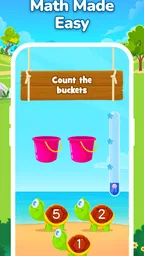
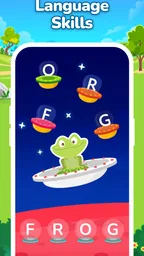
- Activities cover early skills such as letters and counting.
- Bright visuals make the interface inviting for young children.
- Games are designed for short and simple play sessions.
- A wide variety of activities can help keep kids engaged.
- Parental controls support a more supervised play experience.
What could be better
- Many activities require a paid subscription to access.
- The app may need substantial storage for its content.
- Some children may need help navigating between activities.
- Screen time can add up without limits set by an adult.
- The experience is aimed mainly at preschool and early learners.





