
Journey Weather review
 Analysis by Appsdrops
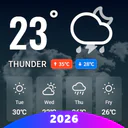
I judge a weather app less by how many panels it can show than by whether it helps me make a sensible plan before I leave home. Journey Weather has a focused promise: it presents weather information across the coming week, giving me a straightforward place to check what might affect the days ahead. That makes it most appealing as a practical planning aid, rather than a specialist forecasting tool.
A week-ahead view for everyday decisions
As a weather app from Pulsacell Dev, Journey Weather is aimed at people who want to look beyond the conditions right now. A seven-day outlook can help with ordinary choices such as when to run errands, whether to bring outdoor plans forward, or how to think about the week’s commute. I would use it to get oriented, then check again nearer the time for decisions where changing conditions matter.
The distinction is important: a forecast several days out is useful for spotting a broad pattern, but it should not be treated as a promise about the exact weather at a particular hour. I find a week-long view most valuable when it helps me compare days and keep plans flexible. If the forecast looks unsettled later in the week, for example, I might avoid committing to an outdoor activity on the first glance alone.
Journey Weather is free to install, so trying it does not require a purchase decision. That is a clear advantage for someone who wants a simple forecasting companion without paying upfront. The app is rated for Everyone, and its version is 1.2.6. It was released on August 21, 2025, and is listed for Android 7.0 and later.
What the free access is worth
For value, I would separate what is certain from what is not. The confirmed price is free; that makes the initial cost easy to assess. I would not infer from that alone that every possible feature or future use is guaranteed to remain free, but there is no purchase required to get started. If your main need is a convenient look at the week ahead, that no-cost entry point is a sensible reason to give it a try.
It is also useful to know how widely it has been adopted: Journey Weather has over 100,000 installs, with an average rating of 4.4 from 842 ratings. Those figures suggest that many people have tried it and that the overall response is positive, though they cannot tell me whether its presentation will suit my habits or whether its forecasts will meet a particular need.
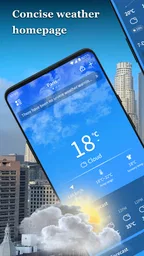
The store summary gives a concise idea of the app’s central job: checking weather over the next seven days. I see that focus as both its value and its boundary. A compact forecast can save time when I want a quick planning check, but someone who expects a deep meteorological workspace should compare it with apps built around more detailed tools.
How I would use the forecast in real life
Imagine I have a busy week with a grocery trip, a walk, and a weekend gathering outdoors. I would open the app early in the week to see whether one day looks more promising than another, then keep the plans flexible rather than treating the first forecast as final. On the morning of the gathering, I would check again before deciding what to wear or whether to adjust the timing. This two-step habit is more useful than relying on a single week-ahead glance.
A second practical use is packing. If I am preparing for a short trip, I can consult the seven-day outlook before choosing clothes, while leaving room for a change in conditions. The app’s horizon suits this kind of rough preparation: it can help me avoid packing as if every day will be identical. For a trip where weather risk has serious consequences, though, I would want more detailed and timely information from a source designed for that level of planning.
There is also a useful way to avoid overreacting to the forecast. I would compare the general outlook across several days instead of letting one uncertain day dictate the whole week. That is especially helpful when plans are movable: a gardener might choose a different day for an outdoor task, while someone arranging a casual meetup could keep an indoor alternative in mind. These are planning decisions, not guarantees about what the sky will do.
Where a focused forecast can fall short
The main tradeoff is that a seven-day forecast is inherently a broad planning view. The farther away a day is, the less wise it is to build a precise schedule around it. I would not use a week-ahead prediction as the sole basis for a safety-critical decision, a long outdoor event, or travel where a sudden change could have serious consequences. A more specialized weather service may be the better choice when detailed alerts, local conditions, or expert-level interpretation are essential.
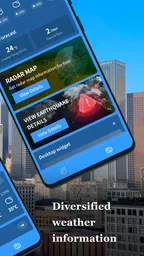
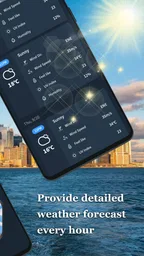
There is another practical limitation: a short description of the app’s purpose does not tell me how much detail its screens offer. If you need a particular display, such as a specific hourly breakdown or a specialised map, check whether the installed app provides it before making Journey Weather your only weather source. I would rather make that quick check than assume that every feature common in larger weather apps is included here.
That uncertainty affects how I compare it with familiar alternatives. A phone’s built-in weather app may be enough if you only check the current conditions occasionally. A feature-rich third-party forecast app may be preferable if you regularly consult maps, alerts, or more granular views. Journey Weather’s strongest case is the straightforward week-ahead purpose; I would choose it when that is the view I actually use, not simply because it belongs to the same category as those larger tools.
Who is most likely to get value
I think this app makes the most sense for someone who wants a low-friction way to consider the coming week. It could suit a person who plans errands around likely weather, likes to compare possible days for an outdoor activity, or wants a quick forecast before packing. Because it is free to install, it is also reasonable for a curious user to try it and decide whether its approach fits their routine.
It is less compelling for someone who already has a trusted weather app that answers the same week-ahead question clearly. Installing another app only adds value if its way of presenting the forecast feels easier or more useful to you. I would also steer away from treating it as a specialist tool if your work, health, or travel plans depend on detailed weather monitoring. In those cases, prioritize an app or service whose capabilities match the stakes.
People considering compatibility should note the Android 7.0 minimum. That makes the listed requirement clear for Android users, while the relevant store page is the place to check availability for a particular device. I would not assume the same installation options across platforms without checking the app store used on that device.
My verdict on installing Journey Weather
My recommendation is measured but positive: Journey Weather is worth trying if your main goal is to look ahead across the week without paying to begin. Its value is not that a long-range forecast can settle every plan; it is that a broad outlook can help you choose a better day, pack with more thought, or keep a backup idea ready. Used that way, it can be a convenient part of an everyday routine.
I would skip it if you expect a complete weather-analysis toolkit, need detailed information for high-stakes decisions, or already have an app that gives you the same view in a format you prefer. For most casual planning, though, the free starting point and focused week-ahead role make it an easy option to evaluate for yourself. The best test is simple: use it to plan a flexible week, then see whether its forecast view genuinely helps you make decisions sooner.
What we like
- Clear forecasts make it easy to check conditions before leaving.
- Location-based updates help travelers prepare for changing weather.
- A focused interface keeps essential forecast details easy to find.
- Weather information can help with planning outdoor activities.
- Useful for checking conditions across destinations on a trip.
What could be better
- Forecast accuracy can vary by location and time.
- Some features may require an internet connection.
- Weather details may be limited compared with specialist forecast apps.
- Frequent location updates may affect battery life.
- The app may offer less value for users who rarely travel.





