
Imprint: Learn Visually review
 Analysis by Appsdrops
I like learning apps best when they help me make sense of an idea, not just collect screens I have tapped through. Imprint: Learn Visually is an education app from Polywise built around visual explanations, with a focus that makes it a natural fit for people who want to explore a subject in short, digestible sessions. Its central promise is appealing: use images and concise lessons to make information easier to take in and recall. In practice, that approach is most useful when I treat it as a starting point for learning rather than a complete substitute for a course or reference book.
How visual lessons change the learning routine
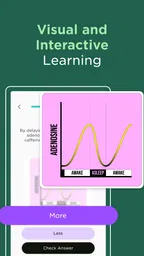
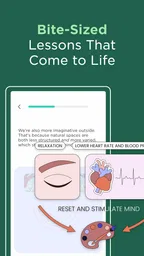
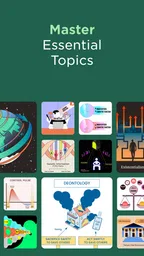
The app’s visual-first identity matters because it changes how I approach a lesson. Instead of beginning with a long block of text, I can engage with an idea through a more visual presentation and follow the explanation in manageable pieces. That can lower the effort needed to get started, particularly when I have only a few minutes or find dense reading tiring.
That convenience does not mean every topic becomes effortless. Visual presentation can clarify relationships and make a lesson feel approachable, but it is not automatically enough for deep understanding. I get more out of a session when I pause to explain the central point in my own words, connect it to something I already know, or revisit a part that did not stick. Seeing an explanation is a useful first step; actively recalling it is what turns that moment into learning.
One practical way to use Imprint is to choose a single subject before opening it. If I start with a vague intention to learn anything, browsing can take over and the session may end without a clear takeaway. A better routine is to decide what question I want answered, work through a relevant lesson, then write a one-sentence summary somewhere I can find later. That small follow-up helps me notice whether I actually understood the material.
The app is free to install, and its in-app purchases range from $15.99 to $99.99 per item. I would look at the available purchase details carefully before committing, then judge the value against how regularly I expect to use the lessons. A free entry point makes it easier to try the format, while the purchase range means frequent users should think about their own budget and learning habits rather than assuming every part of the experience will remain free.
Where it fits among learning options
Compared with a conventional textbook, Imprint is likely to feel less demanding at the moment you begin a session. A book is often better when I want full context, careful definitions, or a reference I can navigate in depth. Compared with a broad video platform, a visual lesson can offer a more focused way to take in an explanation without relying on a stream of unrelated recommendations. Those are differences in format, not proof that one method always teaches better.
I would use it alongside other tools rather than ask it to do everything. For a course with a syllabus, assignments, and a need to demonstrate mastery, a structured class or textbook remains the stronger backbone. For curiosity-driven learning, quick refreshers, or a visual introduction to a subject, Imprint has a more natural role. If you learn best through long-form reading, detailed worked examples, or hands-on practice, this may not be your primary app.
Why connectivity matters during a session
Network access can shape the experience before a lesson even begins. When I have a reliable connection, it is easier to open the app, find something relevant, and continue without turning a brief learning break into a technical task. That makes a connected moment useful for choosing a topic on the spot, especially when I have just encountered a question in a conversation, article, or class.
I would not build a routine that depends on being able to open any lesson in every environment. A commute, a weak signal indoors, or a crowded public network can interrupt the simple plan of using a spare few minutes. Because offline availability is not something I would assume, I would test the app in the places where I expect to use it before relying on it for a trip or a low-connectivity workday. If uninterrupted access is essential, a downloaded book or saved notes may be the safer companion.
A useful habit is to make the decision about what to learn while connected, rather than waiting until a connection becomes unreliable. If I am preparing for a quiet break, I can open the app beforehand and see whether the lesson I want is ready to use. I would avoid treating that check as a guarantee of offline access; it is simply a way to discover any network friction before I am counting on the session.
Using it in small mobile windows
Imprint’s visual format seems particularly suited to short stretches of attention: a pause between tasks, a few quiet minutes at home, or a waiting period when I would otherwise scroll without purpose. The trick is to choose a moment when I can focus on the explanation. A phone makes lessons easy to reach, but the same pocket-sized convenience also puts messages and other distractions within immediate reach.
For example, imagine I read a news story that mentions a scientific idea I do not understand. I can use a break to look for a related lesson, follow it with that question in mind, and then tell myself the main point without looking at the screen. If the connection is poor, I can switch to jotting down the question and return to it later. That keeps the app in a helpful role instead of letting a failed load consume the entire break.
Short sessions are not the same as shallow learning, but they do need a little structure. I would stop after one lesson and note what still feels unclear instead of tapping through several topics just to feel productive. If the app’s visual explanation has helped me form a useful mental picture, that is a good outcome for a brief session. If I need precise detail or a reliable source for an assignment, I would follow up with a more comprehensive reference.
What to do when the app or connection gets in the way
When a lesson does not load as expected, I would first check whether the connection is working elsewhere, then try again when the signal is steadier. I would also make sure the app is current; the version listed for Imprint is 3.17.0, and its minimum operating-system requirement is 8.0. Keeping an app updated is a sensible first troubleshooting step, though it cannot fix every network problem.
The more important recovery choice is what to do with the learning goal while waiting. I can write down the question I meant to explore, make a quick guess at the answer, and return to the lesson when access is stable. This turns a failed connection into a small prompt for active thinking rather than a reason to abandon the subject. If I am in the middle of a time-sensitive study session, I would keep a textbook, course material, or notes available as a dependable fallback.
I also would not assume that a lesson interruption means the app has saved every step or that reopening it will restore the exact point where I stopped. A cautious workflow is to note the topic or key idea before leaving a session, especially when the connection is unstable. That tiny habit is more reliable than depending on an unconfirmed recovery behavior and makes it easier to pick up later.
Keeping a data-conscious routine
If I am watching or loading visual material over a mobile connection, I would be mindful of my data allowance and avoid opening lessons casually when I need to conserve it. I would prefer a trusted Wi-Fi connection for exploratory browsing, then use cellular access when a particular lesson is worth the data to me. This is a practical precaution, not a claim about the app’s data use or a particular setting.
For anyone sharing a device or keeping an eye on monthly usage, the simplest approach is to check the phone’s own data controls and review the app store’s purchase information before using paid options. Imprint is rated for Everyone, which makes its age classification broad, but that does not replace a parent’s judgment about a child’s screen habits, learning needs, or purchases. I would guide younger learners toward a clear topic and a defined stopping point instead of leaving the phone open as an unlimited activity.
There is also a useful attention cost to consider alongside data. A quick connection makes it tempting to open the app whenever a spare moment appears, but learning works better when I give a lesson enough focus to form a takeaway. I would rather complete one explanation thoughtfully than jump among several because the phone and network make switching easy.
Who is likely to get the most from it
Imprint is a good candidate for curious learners who like visual explanations, want an approachable way into a subject, or need a change from long reading sessions. It may also suit someone who wants to turn idle phone time into a more intentional learning habit. Its 4.5 average from around 14,000 ratings, along with more than a million installs, suggests that it has found a sizable audience, though those figures cannot tell me whether its teaching style will match your own.
I would be more cautious if you need a formal course plan, extensive practice questions, citations for academic work, or detailed explanations of every exception. A visual summary can give a topic shape, but sometimes the most useful learning resource is still a chapter, a class, or a practical exercise. Likewise, anyone who often studies without dependable network access should test their intended routine before making this their main resource.
Polywise has made an app that gives visual learning a clear place in everyday life, and I find that approach most valuable when I use it with a question in mind and follow up by recalling what I learned. It is free to start, rated for Everyone, and compatible with operating systems from version 8.0; the current version is 3.17.0. Those details make it easy to consider, but the real decision is whether its lesson style fits the way you learn and whether your usual connection is reliable enough for the moments you want to use it.
My verdict is positive with a practical caveat: I would recommend Imprint: Learn Visually to someone who wants a visual, low-friction way to explore ideas, not to someone expecting a complete replacement for a textbook or a dependable offline study library. Start with one topic you genuinely want to understand, try a short session on the connection you normally have, and see whether you can explain the main idea afterward. If that routine clicks, the app can make small breaks feel more purposeful; if you need depth, uninterrupted access, or formal structure, pair it with a resource built for those needs.
What we like
- Visual explanations make complex topics easier to grasp.
- Short lessons fit conveniently into breaks.
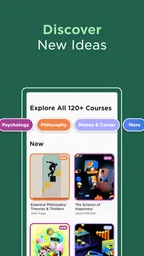
- A broad range of subjects supports casual exploration.
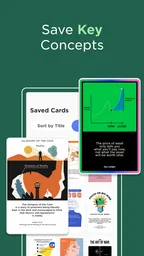
- Illustrations help reinforce key ideas.
- The clean layout keeps lessons easy to follow.
What could be better
- Some lessons may feel too brief for in-depth study.
- The visual format may not suit every learning style.
- Coverage can vary in depth between topics.
- A steady internet connection may be needed for content.
- The app may offer less practice than a dedicated course.





