Great Weather review
 Analysis by Appsdrops
When I choose a weather app, I care less about how impressive the forecast looks than whether it helps me make a sensible plan without turning a quick check into a chore. Great Weather is a straightforward option in that everyday category, and I’d consider it if I wanted a free app for checking conditions before leaving home, planning errands, or deciding whether to bring an extra layer. Its appeal is simplicity; that also means it may not satisfy people who want detailed analysis or specialized weather tools.
How I’d decide if it fits
Great Weather is a weather app from 5660 BA, LLC. It is free and has an Everyone age rating, which makes it approachable for a broad range of users. The app has a 4.1 average from around 12,000 ratings, and more than 5 million installs. Those figures suggest it has reached a substantial audience, but they don’t tell me whether it matches any one person’s needs. The useful question is whether its level of detail and day-to-day experience suit the way you check the forecast.
I’d start by asking how often I need to make a decision based on weather. If I mostly want a quick reference before commuting, walking the dog, or heading to the shops, a compact, uncomplicated forecast can be enough. If I’m planning a long drive, outdoor work, or a trip where changing conditions matter, I’d want to compare forecasts and seek more detailed local information rather than relying on a single app alone.
That distinction matters because “good weather app” can mean two different things. For one person it means a clear answer to “Should I take an umbrella?” For another it means radar, severe-weather alerts, and fine-grained hourly planning. Great Weather is best approached as a practical daily companion, not as a replacement for every specialized source a serious weather watcher might use.
What makes the everyday check worthwhile
The best workflow for a simple forecast app is to check it at the moment a decision is still easy to change. I’d glance at the day’s conditions while getting ready, then check again before a longer outing if the weather could affect what I carry or wear. That sounds obvious, but it prevents a common mistake: looking only at the current sky and assuming the next few hours will behave the same way.
A useful habit is to pair the forecast with the actual plan. For a short walk, broad conditions may be enough. For a school pickup or a sequence of errands, I’d think about when I’ll be outside, not just whether the day is labeled sunny or rainy. This approach helps me get more value from a weather app without expecting it to make the decision for me.
Another practical tip is to use one app consistently for routine checks, then consult another source when the consequences of being wrong are higher. Switching between several forecasts every morning can create noise rather than confidence. A simple app can serve as the first check; for a hike, event, or weather-sensitive journey, a dedicated forecast source may be the wiser second step.
Where Great Weather makes sense
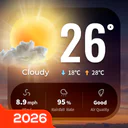
The strongest case for Great Weather is the person who wants a low-friction place to check conditions and get on with the day. I can imagine opening it before choosing a jacket, deciding whether to take a different route, or working out whether outdoor chores are worth starting. For a household, it can also be a shared reference point: check the forecast before packing a child’s bag or planning time in the yard, rather than relying on a quick look out the window.
There is value in not overcomplicating this routine. A weather app does not need to become a hobby to be useful. If the main task is checking what the day may feel like and making a small adjustment, a general-purpose app is often more fitting than a tool designed around charts and meteorological detail. That is the kind of use where I’d give Great Weather a fair try.
Its launch date was December 5, 2024, and the current version is 1.3.5. For a person considering a new install, those details are useful context, not a guarantee of any particular feature or update schedule. The app’s rating and reach offer a rough indication that other people use it, but I would still judge it by whether the information is easy to find and helpful in my own routine.
One non-obvious way to evaluate it is to test it against a real week rather than opening it once and forming an opinion. Check it before a commute, before an outdoor errand, and on a day when the forecast could change your plans. Notice whether you can reach a useful answer quickly and whether you trust the information enough to act on it. This small trial reveals more than a first impression of the screen.
When another kind of weather app may be better
Great Weather is not automatically the right choice for someone who wants to study weather patterns or follow conditions minute by minute. In that case, a radar-focused app or a service built around detailed hourly forecasts may be a better fit. Someone who regularly plans hikes, boating, outdoor events, or work exposed to changing conditions may need specialized tools and should not treat a general daily forecast as their only source.
There is also a difference between wanting a forecast and wanting an alerting system. If your priority is receiving timely warnings while you are not actively checking your phone, compare apps specifically for their alert options and make sure they suit your location and needs. I would not choose Great Weather on the assumption that it provides a particular alert feature; I’d verify that in the app before depending on it for safety-critical decisions.
People who already get useful forecasts from a phone’s built-in weather service may have little reason to switch. The built-in option has the advantage of familiarity and may already cover quick checks. A dedicated app is worthwhile when its presentation or daily workflow feels clearer to you, not simply because it is a separate download. I’d compare the two over the same few days and keep the one that helps me make decisions with less effort.
For travel, I’d be cautious about treating any one general forecast as definitive. Conditions can vary across a route, and a forecast for the starting point may not answer what will happen later or somewhere else. In that situation, checking the relevant destination and consulting another source is a better habit than assuming one glance covers the whole journey.
The real cost of switching
Because Great Weather is free, the main cost is not a purchase; it is attention and setup. Trying a new weather app means learning where it puts the information you care about and deciding whether it deserves a place in your routine. If the first few checks feel slower than your current option, that is a meaningful drawback even if the app looks appealing.
I’d avoid installing several weather apps at once just to compare them. That can make routine decisions harder, especially when different forecasts present information differently. A cleaner test is to use Great Weather as your regular check for a short period, while keeping your usual source available for anything important. If you find yourself repeatedly returning to the old app for clarity, that is useful evidence that switching has not improved your day.
It is also reasonable to keep two sources for different jobs: one quick option for everyday planning and one more detailed source for occasions when weather could seriously affect a plan. That arrangement is more practical than expecting a single app to excel at every level of detail. The trade-off is having to remember which source is appropriate, so I’d only do this if the extra detail genuinely changes my decisions.
Great Weather lists Android minimum OS 7.0. If you are choosing it for an older device, checking that requirement before installing can save time. Its free price makes a trial relatively easy, but I would still consider whether an app’s presentation and forecast workflow work for the person who will use it, particularly if the phone belongs to someone who prefers a very simple interface.
Who I’d recommend it to
I’d recommend Great Weather to someone who wants a free, general-purpose weather app and values an uncomplicated daily check more than specialist controls. It makes the most sense for routine decisions: what to wear, whether to bring rain protection, or whether an outdoor errand seems sensible. Its broad audience and 4.1 average rating are reassuring background, but personal fit matters more than popularity.
I would steer a weather enthusiast, a person who plans demanding outdoor activities, or anyone who depends on specialized alerts toward an app designed around those needs. I’d also tell someone who is already happy with their phone’s built-in forecast not to switch without a clear reason. A new app should solve a real annoyance—unclear information, an awkward routine, or a missing capability—not just add another icon.
My practical recommendation is to try Great Weather as a first-stop forecast, then judge it by a handful of ordinary decisions rather than by its name or store appeal. If it helps you plan quickly and you feel comfortable with the level of detail, it can earn a place on your phone. If you need deeper tools, compare it with a specialized alternative and use the one that fits the stakes. The best weather app is the one that gives you enough confidence for the decision at hand without asking you to do more work than the forecast is worth.
What we like
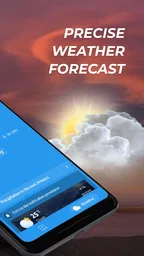
- Clear forecasts make upcoming weather easy to check at a glance.
- Useful weather alerts can help you prepare for changing conditions.
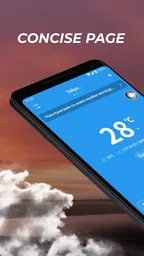
- A simple interface makes everyday checks quick.
- Multiple locations help you follow weather away from home.
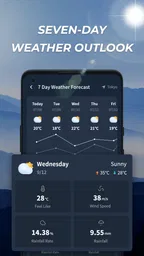
- Weather details support better planning for outdoor activities.
What could be better
- Forecast accuracy can vary by location and time frame.
- Some features may require an internet connection.
- Frequent alerts may feel distracting to some users.
- Location access may be needed for local forecasts.
- The app may display ads or promote paid features.





