

FOX Weather: Daily Forecasts review
 Analysis by Appsdrops
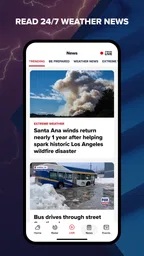
I find FOX Weather: Daily Forecasts most useful when I want weather information and live news in the same place. It is a free weather app from FOX News Network, LLC, and its mix of forecasts, storm tracking, and live coverage gives it a more news-oriented feel than a simple screen that only shows temperature and rain chances. That combination can be handy when conditions are changing quickly, though it will not suit everyone who just wants a quiet, minimal forecast.
What the free app offers—and what paid items mean
The app is free to install and use, with in-app purchases listed at $1.99 to $12.99 per item. That makes the basic decision straightforward: you can try its weather and news experience without paying upfront. The presence of purchases is worth knowing before you download, but it does not by itself tell me what each purchase adds or whether any particular feature requires payment. I would check the purchase details in the app before spending rather than assume the free experience or a paid option includes something specific.
For a free app, its appeal is the combination of practical forecasts and a live-news angle. If I am checking whether to bring a raincoat, I want the forecast first; if a storm is affecting my area, live coverage can provide context beyond a single weather reading. The balance matters: people who want a fast answer may find news content more than they need, while those who like following developing weather may appreciate having both kinds of information together.
FOX Weather has an average rating of 3.8 from around 4,000 ratings, with about 1,900 written reviews. It has over one million installs and is rated for Everyone. Those figures suggest an established audience, but they cannot tell me whether its forecasts will be the best fit for a particular location or how well its presentation matches your habits. I would treat the rating as a broad signal, not a substitute for trying it on the days and in the places that matter to you.
Where its value comes from
The core value is not simply that it displays a forecast; many weather apps do that. It is that FOX Weather brings storm tracking and live news into a weather-focused experience. That can save a little friction when I want to move from “Is this going to affect my plans?” to “What is happening around the storm?” without switching between a forecast app and a news source.
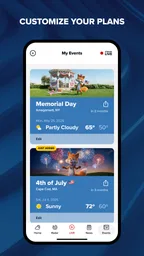
A realistic use is planning a drive across town on a day when the weather looks unsettled. I would check the forecast before leaving, then revisit the app if a storm starts developing. The forecast helps with the immediate choice—whether to leave earlier or bring an umbrella—while live coverage may help me understand why conditions are changing. I would still use judgement on the road and avoid checking a screen while driving; the app is best consulted before setting off or once safely parked.
There is also value in separating two kinds of weather questions. A forecast is useful for routine planning, such as deciding what to wear or whether an outdoor errand is sensible. Live coverage is more relevant when severe or fast-changing weather becomes a story you need to follow. Keeping both in one app can make the second kind of check feel more direct, without making it a replacement for official alerts or local emergency instructions.
Tradeoffs in a forecast-and-news approach
The main tradeoff is focus. A dedicated forecast app is often the better choice if all I want is a quick, uncluttered glance at current conditions and the day ahead. FOX Weather’s news component can be a benefit when weather is developing, but it may feel like extra material during an ordinary week. If you prefer a tool that stays strictly on the forecast, this app’s broader format may not be your ideal daily screen.
Another practical consideration is that live news and a forecast answer different questions. A report can explain what is unfolding, but it should not be treated as a personal prediction for every street or neighborhood. For decisions that depend on precise local conditions, I would compare the forecast with another trusted weather source and follow relevant local alerts. That is particularly sensible when travel, outdoor work, or safety is involved.
I would also be deliberate about purchases. The app’s free entry point is clear, while the listed per-item purchase range indicates optional paid items are available. Since the purchase amount alone does not establish what an item contains, I would open the in-app description and decide whether it solves a need I actually have. If the standard experience already covers your routine checks, there is no reason to buy something merely because it appears in the app.
How I would use it alongside alternatives
Compared with a basic weather app, FOX Weather is the more natural choice when I want forecasts alongside storm-related coverage. Compared with a general news app, it makes weather the center of the experience rather than one topic among many. That distinction is useful: I would open it to check conditions and follow weather news, not as my only source for every breaking story or as a substitute for a highly specialized forecasting tool.
A useful workflow is to make the forecast the first stop and treat live coverage as a second step. For an ordinary morning, I would look at the weather information I need and close the app rather than browse news automatically. If a storm is approaching, I would then use the coverage to add context, while checking local guidance for decisions that require authoritative instructions. This keeps the app helpful without letting a stream of updates distract from the simple question I opened it to answer.
One less obvious tradeoff is that a combined weather-and-news product can be more useful on unusual days than on routine ones. Its extra context earns its place when weather changes plans or becomes a developing event; on a calm day, the same news layer may add little. I would judge it over both situations, rather than deciding from one glance during a storm or one quiet morning.
Who is most likely to get value
I think the app makes sense for people who already follow FOX coverage or who want a weather destination that also offers live news. It is especially worth trying if you often need to understand a storm as well as check the forecast, or if you prefer keeping those tasks together. Since it is free to install, trying the basic experience is a low-commitment way to see whether its presentation works for you.
It is less compelling if your priority is a minimal forecast with as little surrounding content as possible. It may also be the wrong primary tool if your work or travel depends on highly specialized weather information. In those cases, a more focused forecasting app or a dedicated local source may fit better, while FOX Weather can remain a secondary place to follow news about major conditions.
The app was released on October 21, 2021, and its Everyone age rating makes it broadly suitable for general audiences. I would not read that rating as a promise that every news item will feel appropriate for every household; it is still sensible for parents to consider how children use live news content. For adults looking for a weather tool with a newsroom angle, the broad audience rating is a straightforward point in its favor.
My verdict on downloading
I would recommend FOX Weather: Daily Forecasts if you want a free way to check forecasts and follow storm coverage in one place, and if you are comfortable with a weather app that also brings news into the experience. I would skip it as my main choice if I wanted nothing beyond a stripped-back forecast, or if I needed a specialized tool for detailed local planning. Its strongest value is the handoff between everyday weather checks and live context when conditions become more consequential.
Overall, I see FOX Weather as a useful option rather than a universal replacement for other weather services. Start with the free experience, notice whether the news coverage genuinely helps your decisions, and review any purchase description carefully before paying. If the combination feels convenient in your daily routine, it earns a place on your phone; if you keep opening another app for a cleaner or more specialized forecast, there is little reason to force the fit.
What we like
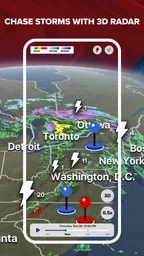
- Radar maps make approaching weather systems easy to follow.
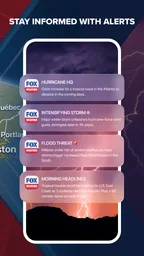
- Customizable alerts can warn you about severe conditions.
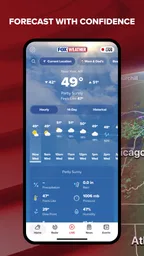
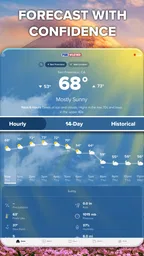
- The forecast includes detailed hourly and daily outlooks.
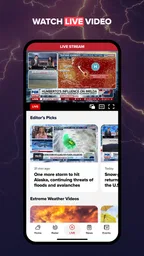
- Video coverage adds useful context during major weather events.
- Location-based forecasts help you check conditions while traveling.
What could be better
- Frequent video content may use substantial mobile data.
- Some advanced features may require a paid subscription.
- Forecast accuracy can vary by location and weather conditions.
- Notifications may feel excessive unless carefully customized.
- The interface can feel busy with its many content sections.





