
Epic: Kids' Books & Reading review
 Analysis by Appsdrops
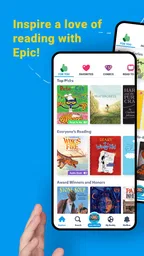
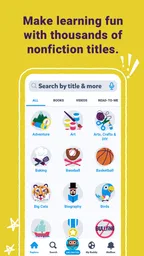
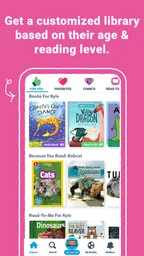
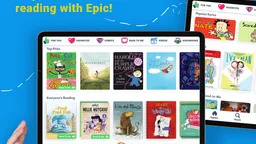
When a child wants something to read but is not ready to tackle a whole book alone, I like having a choice that can meet them partway. Epic: Kids' Books & Reading is an education app from Epic Kids Inc. built around children’s books, stories, ebooks, and videos, including read-aloud material. Its strongest use is not replacing a library visit or a parent’s bedtime routine, but making it easier to turn a spare stretch of time into a reading session that suits a grade-school child’s energy and confidence.
From “I don’t know what to read” to a reading routine
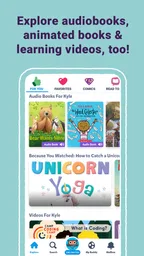
The app is free to install and rated for Everyone, which makes it approachable for families looking for a child-focused reading option. Epic has been available since May 21, 2015, and its current version is 3.142.3. The broad mix of formats is useful because children do not always approach reading in the same way: one may want to listen and follow along, another may prefer to browse an ebook, and a short video can be a gentler starting point when attention is low.
I would begin by treating Epic as a place to choose the next activity, rather than expecting a child to open it and independently build a reading habit straight away. A parent can help narrow the choice: a story for a quiet break, a read-to-me book for a child who is tired, or a video when the goal is a brief introduction to a topic. That small bit of direction can prevent the familiar problem of scrolling through a large collection without settling on anything.
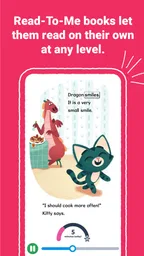
The distinction between listening and reading matters. A read-aloud can help a younger or reluctant reader stay with a story, hear how sentences flow, and connect spoken words with the page. It is not the same as practicing every word independently, though. If a child needs focused decoding practice, I would pair Epic with a suitable book or learning activity that asks them to do more of the reading themselves.
A practical session, from choosing to finishing
In an everyday family routine, I would use it like this: after school, offer the child a limited choice between listening to a story and looking through an ebook. Let them make the final pick, then stay nearby long enough to see whether the format is working. If they are following the story, leave them to it; if they drift, switch to a shorter activity rather than turning the moment into a test. The useful outcome is a child who has spent a little time with a story, not a session measured by how many pages they finish.
For a car ride or a wait before an appointment, the appeal is that books and other child-oriented material are available in one app, so a parent does not have to decide in advance whether the child will want to read or listen. That flexibility is a real strength for unpredictable stretches of the day. I would still choose the material before handing over the device when possible: a clear starting point is easier for a child than an open-ended browse.
A second helpful workflow is to use the read-aloud as a bridge, not a substitute. Let the app carry the first part of a story, then ask the child what they think might happen next or invite them to take over a page if they want. This gives a hesitant reader a low-pressure way to join in. It also gives a parent a natural handoff from screen-based listening to conversation, which can make the activity feel more shared than simply handing over a phone.
How the formats hand off to one another
Epic’s mix of ebooks, stories, read-to-me books, and videos is more useful when each format has a job. I see video as a possible spark for interest, audio-supported reading as a way to stay with a story, and an ebook as an opportunity to browse at the child’s own pace. The formats can support one another, but they are not interchangeable: watching is not the same practice as reading, and listening along may not give a confident reader the challenge they want.
That distinction helps with age and ability differences within a household. A child who is just beginning to enjoy books may appreciate the support of narration, while a stronger reader may want to choose and read without it. If siblings share a device, I would avoid assuming that one selection suits both. The parent’s handoff—helping each child find a comfortable starting point—can matter as much as the app’s collection.
Compared with a single-purpose ebook reader, Epic’s range gives families more ways to get a child engaged, especially when reading confidence changes from day to day. Compared with a physical library book, it is more convenient to browse on a device, but it cannot replace the feel and focus of a paper book or the personal guidance of a librarian. And compared with a video-only entertainment app, its emphasis on books gives parents a clearer route toward a reading activity, provided they steer the child toward one.
What parents should expect from the experience
The app has an average rating of 3.9 from around 92,000 ratings, with roughly 26,000 written reviews and more than 10 million installs. I take that as a sign that it has reached many families, not as a guarantee that every child will enjoy its format or that every household will find it frictionless. The practical question is whether its combination of reading and listening matches the child in front of you.
Although the app is free to install, it includes in-app purchases, with items ranging from $0.99 to $89.99. I would check the purchase details in the app store and review any prompts with a child before letting them browse independently. The range makes it especially sensible to treat the free download and any paid commitment as separate decisions; families should decide what they are comfortable spending rather than assume every part of the experience will be free.
For setup, the listed minimum operating system is 7.0. That is useful to know if you are considering an older device, but the actual experience can still depend on how that device performs with current apps. I would install it on the device the child will really use and try a short session before relying on it for a trip or a regular routine. A quick test lets you judge the interface, the child’s interest, and whether the device is a comfortable way to read together.
Where the routine can stall
The breadth that makes Epic flexible can also create choice fatigue. A child who is already unsure what they want may browse instead of reading, and a parent who expects the app to make the decision for them may find that the session loses momentum. My practical fix is to offer two choices, not an unrestricted search, and to name a stopping point before the child begins. This keeps the app in service of the routine rather than letting browsing become the routine.
Another limitation is the screen itself. For a child who becomes restless with a device or has trouble stopping once screen time begins, a paper book may be the better choice. Likewise, if the goal is deliberate, independent reading practice, a read-to-me format can make the task too easy unless the child is invited to take over. I would choose Epic for access and variety, but not assume that variety alone guarantees concentration or progress.
Parents should also think about how much guidance they want to provide. Epic works best in my view when an adult helps a child choose something appropriate and then gives them room to enjoy it. If you need a tightly structured teaching program, or want a resource centered on one specific reading skill, a more focused educational tool may fit better. Epic is a broader reading destination, not a substitute for every kind of instruction.
Who I would recommend it to
I would recommend Epic to families with grade-school children who like having stories in more than one format, and especially to parents trying to make short reading opportunities easier to start. It can suit a child who enjoys being read to, a reluctant reader who needs a softer entry into books, or a family that wants a shared choice for quiet time. Its value is clearest when a parent uses it to help a child move from choosing a story to spending time with it.
I would be more cautious if your child is happiest with physical books, needs a structured literacy curriculum, or tends to turn every device session into a negotiation. In those cases, a library book, a teacher-recommended resource, or a focused reading tool may be a better fit. There is no need to force a digital format just because it offers many choices.
My overall impression is that Epic is most useful as a flexible helper in a family reading routine. Keep the first choice simple, match the format to the child’s mood, and use listening as a bridge toward participation when that makes sense. If you approach it that way, the app can make it easier to find a story for an ordinary gap in the day. If you expect it to replace books, teaching, or parental guidance, it is likely to disappoint.
What we like
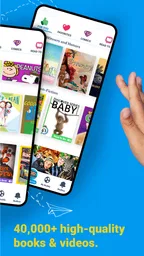
- A large selection helps children find books that match their interests.
- Read-along narration can support early reading practice.
- Adjustable text settings make reading more comfortable.
- New titles provide fresh options for regular reading sessions.
- A child-friendly layout makes browsing approachable for young readers.
What could be better
- The subscription may be costly for families on a budget.
- Some books require an internet connection to access.
- The catalog may vary by region or subscription plan.
- Young children may need help choosing suitable titles.
- Screen-based reading may not suit every child's routine.





