






Elevate - Brain Training Games review
 Analysis by Appsdrops
I like brain-training apps best when they give me a focused activity I can fit between other tasks, rather than asking me to treat a game as a substitute for studying. Elevate is built around that kind of short mental workout: its exercises draw on vocabulary, memory, and mental math, making it a practical option when I want to exercise a few different skills in one place. It is an education app from The Mind Company, and its broad appeal is reflected in a 4.6 average rating from around 521,000 ratings.
What using Elevate feels like now
The app’s central idea is straightforward: open it when you have a little spare attention and work through brain-training activities. That makes it easier to approach than a conventional course, where progress depends on following a longer lesson sequence. I can imagine using it while waiting for an appointment or during a quiet break, then putting it away without needing to plan a full study session.
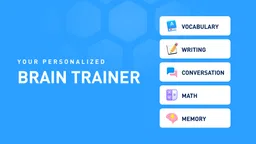
Its mix of language, memory, and number-focused tasks is a useful distinction. Rather than concentrating on one narrow kind of puzzle, Elevate gives the experience a more varied feel. Switching between different mental demands can help keep a routine from becoming monotonous, though it also means the app is not a deep course in any one subject. I would treat it as regular practice, not as a replacement for a vocabulary class, a maths tutor, or a structured memory program.
With more than 10 million installs, it is a well-established choice in its category. That scale is reassuring if you want an app with a large user base, but it does not tell me whether every exercise will suit every person. The more useful question is whether you enjoy the style of practice enough to return to it. If you prefer clear prompts and compact activities, the format has an obvious appeal; if you want open-ended lessons or detailed explanations, you may find it too game-like.
The app is free to download and is rated for Everyone. It also offers in-app purchases, with individual items ranging from $0.99 to $399.99. I would look carefully at the purchase details shown in the app before committing to anything, especially if you are only trying it out. The free entry point makes sampling straightforward, but the range of possible item prices is wide enough that it is worth being deliberate rather than tapping through a purchase screen casually.
A useful routine, not a test of intelligence
The healthiest way to use Elevate is to think of it as a prompt to practise, not a scorecard for judging your ability. A strong or weak result in a short game can reflect attention, familiarity with the task, or the conditions around you. I would focus on whether the activities feel engaging and whether a routine fits my day, rather than treating a number on screen as a meaningful verdict about intelligence.
One practical approach is to use it at a consistent point in the day, such as after lunch, and stop when you are no longer paying attention. Brain games lose much of their value as a break when you keep pushing through them while tired or distracted. Short, attentive sessions are more likely to feel like useful practice than a long stretch of tapping just to keep a streak or chase a result.
What the version history tells us—and what it does not
The current Android version is 5.265.0, while the app’s release date is June 4, 2014. Together, those facts show that Elevate has had a long life as a product and is still represented by a current version. They do not, by themselves, tell me which exercises have changed, how the interface has evolved, or what a particular update added. I would not infer a specific new feature from a version number alone.
For someone who has used the app for years, that distinction matters. A newer version may be relevant to compatibility and maintenance, but it is not proof that the core experience has been transformed. Existing users should judge an update by what they actually notice: whether familiar activities still suit their routine, whether navigation feels comfortable, and whether the app remains an enjoyable way to practise. New users should make the same decision on the experience in front of them rather than expecting a particular feature because the version number is high.
Elevate requires Android 9 or later, which is a concrete compatibility point to check before installing it on an older device. If your phone runs a supported version, the age of the original release is less important than whether the current app works smoothly for you. I would also keep expectations grounded: a long-running app can be dependable, but longevity alone does not guarantee that its approach matches your learning preferences.
How it compares with other ways to practise
Compared with a flashcard app, Elevate is a better fit when you want variety and short, interactive tasks rather than a personally curated deck of terms. Flashcards are often stronger for learning a particular set of vocabulary because you can choose the material and revisit exact items. Elevate’s wider mix is appealing when you want a change of pace, but it is not the tool I would choose to prepare for a specific exam or memorise a defined list.
Compared with a dedicated maths practice app, its mental-math element is more likely to serve as one part of a mixed routine than as a full course. If you need worked solutions, a syllabus, or a careful progression through a topic, a specialist learning app or textbook is likely to be more useful. The same goes for memory: short puzzles can make practice engaging, but they are not a substitute for strategies tailored to a real task, such as remembering names or organising study material.
That trade-off is also the reason I can see Elevate working well for people who get bored with single-purpose apps. A variety of activity types gives you more chances to find something you enjoy on a given day. The drawback is that breadth can make progress feel less concrete. If your main goal is a measurable improvement in one subject, choose a resource that teaches and tracks that subject directly, then use Elevate as an optional change of pace.
Small choices that make it more useful
First, try activities when you have enough attention to read prompts carefully. A noisy commute may be fine if you can concentrate, but it is not ideal if interruptions make you rush. This matters especially for mental arithmetic and vocabulary tasks: a careless mistake can tell you more about the environment than about your ability.
Second, use the range of exercises to notice what feels easy, difficult, or simply enjoyable. That is more useful than assuming every brain-training activity deserves equal time. If a task repeatedly frustrates you, take a break or switch focus rather than turning a casual app into a chore. Conversely, if a type of exercise feels satisfying, it can be a good anchor for building a small habit.
Third, keep a separate route for goals that need real-world transfer. If you are learning vocabulary for travel, pair app practice with the phrases you expect to use. If you want to improve arithmetic for work, practise with the kinds of calculations your job actually involves. Elevate can provide a convenient mental warm-up, but connecting practice to a real purpose makes it easier to tell whether it is serving you.
Who should try it, and who may prefer something else
I would recommend giving Elevate a try if you enjoy bite-sized challenges, want several kinds of mental activity in one education app, and are comfortable treating the experience as practice rather than a formal course. It may also suit people who find long lessons hard to fit into the day. Since it is free to download and intended for Everyone, it is easy to consider as a casual option, while purchases remain something to review carefully.
I would skip it if you need a structured curriculum, lessons that explain every answer in depth, or exercises tailored to a professional or academic objective. It is also not the best choice if you dislike game-style practice or prefer to control exactly which words and problems you study. In those cases, a focused course, textbook, flashcard tool, or specialist maths resource is a better match.
For a realistic everyday use, picture a ten-minute gap before an evening appointment. I would open Elevate, choose a short session, and treat the activities as a deliberate change from scrolling. If the session leaves me feeling engaged, I might return the next day; if I am distracted or tired, I would stop rather than force it. That modest use case is where the app makes the most sense: an accessible way to spend spare attention, not a promise of dramatic results.
What I would keep an eye on
For current users, the practical things to watch are whether the activities still feel varied, whether the routine remains enjoyable, and whether any purchase is genuinely worthwhile for how you use the app. For prospective users, I would pay attention to the first sessions: do the prompts make sense, do you like switching among skill areas, and can you imagine opening the app without turning it into an obligation? Those answers matter more than the app’s age or popularity.
My overall view is positive but measured. Elevate has a clear role as a compact, varied brain-training app, and its long-running presence and current Android version make it a familiar option in the education space. Its limitations are just as important: it should not be mistaken for a specialised course, and a mixed set of games may not satisfy someone who wants a precise learning plan. If you want approachable practice in spare moments and enjoy mental challenges, I think it is worth trying. If you need depth, targeted teaching, or a guaranteed connection to a particular real-world skill, choose a more focused tool instead.
What we like
- Short daily sessions make it easy to build a regular training habit.
- Personalized difficulty can keep exercises challenging as skills improve.
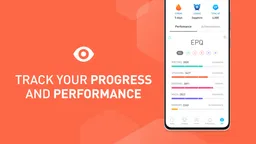
- Progress tracking helps users see changes in their performance over time.
- A wide range of games targets different cognitive skills.
- The interface is polished and easy to navigate.
What could be better
- Many exercises and features require a paid subscription.
- Some users may find the daily reminders distracting.
- Repeated game formats can feel monotonous over time.
- Scores are not a substitute for a professional cognitive assessment.
- The app requires an internet connection for some features.





