

DMV Practice Test: Permit 2026 review
 Analysis by Appsdrops
I like a driving-test study app best when it helps me turn a few spare minutes into focused practice, rather than making me feel as if I need to sit down for a full lesson. DMV Practice Test: Permit 2026 is aimed at that kind of preparation: it is an education app from BrainSoft Apps for people working toward a learner’s permit or written driving test. It is free to install, with optional in-app purchases, and its Everyone age rating makes it suitable for a broad audience. The useful question is not whether an app can replace the handbook—it cannot—but whether it can help you identify what to review and build a steady study routine.
Build a useful baseline before chasing a score
My suggested starting point is to take a practice session before doing much targeted review. Treat the result as a rough map of what you know, not as proof that you are ready for the real exam. A missed question can point to a rule you have not learned, a distinction you have blurred, or a moment of careless reading. Those call for different fixes, and simply repeating questions until the answers look familiar will not tell you which problem you have.
For a first session, slow down enough to read every option and notice the wording. Driving questions often hinge on a condition or exception, so remembering a phrase without understanding when it applies can create false confidence. After finishing, make a short note of the subjects that gave you trouble. Even a simple paper list—such as signs, right-of-way, or safe driving rules—can help you decide what to revisit without relying on a streak of correct answers.
The app’s title also mentions routes, but I would keep route familiarity separate from written-test readiness. A route can help you think about practical driving, while a permit test checks knowledge of rules and signs. If you are preparing for both, use each kind of practice for its own purpose: learn the written material from the handbook and questions, then use real-world instruction and local guidance for driving decisions. Passing a quiz is not permission to treat a route exercise as a substitute for supervised practice.
A realistic routine might be a short session during a commute break or while waiting for an appointment—not while driving, of course. I would answer a manageable set of questions, mark the topics that felt uncertain, and return to those later with the relevant handbook section. That last step matters: a quiz is most helpful when it sends you back to a rule, rather than becoming the only source you consult.
Make your first sessions diagnostic, not competitive
It is tempting to focus on getting a high score quickly. I find that a better early goal is to explain why an answer is right and why the tempting alternatives are wrong. If I can only recognize the correct choice after seeing it, I have learned less than if I can describe the rule in my own words before looking at the options.
Keep an eye on repeated mistakes, too. Missing the same sort of question several times may mean you need to study the underlying rule, not take more tests. Conversely, one isolated error after a long day may be a reading slip rather than a major knowledge gap. This distinction keeps practice honest and avoids spending too much time polishing topics you already understand.
Check the practical details before making it your main study tool
Because the app is free to install but offers in-app purchases from $2.49 to $34.99 per item, I would explore the free experience before paying for anything. First decide whether its question style and study flow suit you. Then consider whether a purchase addresses a real need in your preparation. I would not buy an add-on just because I was anxious about an approaching test; anxiety is not evidence that a paid option will fix a weak study plan.
The app is at version 1.1.13, and it requires Android 7.0 or newer. That makes compatibility a quick thing to check before planning a routine around it, especially if you use an older phone. The app has a 4.7 average from around 12,000 ratings, with about 498 written reviews, and has passed 100,000 installs. Those figures suggest that many learners have tried it, but they cannot tell you whether its questions match your local rules or your preferred way of studying.
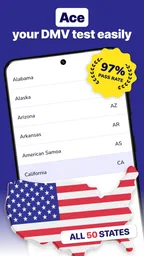
DMV requirements vary by location, so I would check that the material is appropriate for the jurisdiction where you will take the test. Use the official handbook or local licensing authority as the final reference for rules, signs, and exam expectations. A practice app can make review more convenient, but it should not be treated as a guarantee that every detail applies everywhere.
Use settings and study conditions to reduce friction
Before settling into a routine, take a minute to look through the app’s available settings and make sure the experience works for you. I would check whether there are controls that affect how questions are presented or how a session behaves, but I would not assume a particular option exists. If you find a setting that makes practice easier to read or less distracting, use it consistently; changing the format every session can make it harder to compare how well you understand the material.
Your own environment is part of the setup. A quiet five-minute session with enough attention is usually more useful than answering questions while multitasking. If you study in short bursts, stop after a natural point and jot down the subject to revisit. That small habit makes it easier to resume later and prevents a quick session from turning into random tapping with no clear follow-up.
Also decide what “ready” means before you rely on practice scores. I would want to see that I can explain the rules behind my answers, handle unfamiliar wording, and review weak areas without needing to memorize the order of questions. If you only feel confident when the same questions recur, change the task: close the app, explain the rule aloud, and compare your explanation with the handbook. That exposes gaps that a familiar multiple-choice screen can hide.
Repeatable habits beat marathon sessions
One efficient pattern is to alternate between a quiz and a review step. Start with practice, identify one or two topics that caused hesitation, read those topics in the handbook, then return to questions later. This is more deliberate than taking test after test, and it helps separate learning the rule from recognizing a previously seen answer. Keep the review small enough that you can repeat it tomorrow rather than exhausting yourself in one sitting.
Another useful pattern is to keep a mistake log outside the app. Write down the topic and the reason for the miss in a few words: “confused two sign meanings,” “forgot the condition,” or “read too quickly.” The log does not need to reproduce the question. Its purpose is to show whether the problem is knowledge, interpretation, or attention. After several sessions, you can choose the next review task based on that pattern instead of guessing.
If you are studying with a family member or instructor, use questions as conversation starters rather than asking them to quiz you endlessly. Explain your choice, then invite them to challenge the reasoning. This can reveal whether you understand the rule or merely remember a familiar answer. It is especially useful for people who feel prepared on a phone screen but struggle to put a rule into words.
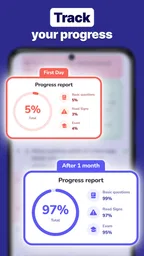
For a learner balancing school, work, or other responsibilities, consistency is more realistic than a long cram session. A short planned review on several days gives you chances to notice what is sticking and what is not. If you miss a day, resume with the topic you last found difficult instead of restarting from the beginning. That keeps the routine focused and avoids treating an app’s session history, if present, as the definition of your progress.
Know where the app’s limits matter
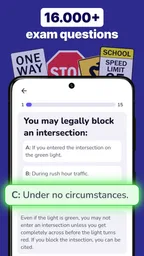
The main limitation of any multiple-choice practice tool is that recognition can masquerade as understanding. Repeatedly seeing the same question may make the correct option feel obvious, even if you could not apply the rule in a new situation. That is why I would mix practice with handbook reading and self-explanation. If a question seems ambiguous or conflicts with local guidance, verify the rule rather than treating the app as the authority.
It is also not the right choice as a complete driving course. Passing a written test does not teach vehicle control, judgment in traffic, or how to respond calmly to an unexpected situation. Someone seeking hands-on instruction should prioritize a qualified instructor and supervised driving, using this app only for the knowledge portion. Likewise, if you already know the rules well and need personalized help with a specific concern, a conversation with an instructor may be more valuable than another general quiz.
Compared with a printed handbook, the app offers a more interactive way to check recall in short sessions, while the handbook remains better for careful explanations and authoritative local detail. Compared with broad online quizzes, a dedicated permit-preparation app may feel more focused, but no quiz format should be assumed to cover every local requirement. I would use the app for practice, the handbook for learning and verification, and an instructor or licensing authority for questions that affect real-world decisions.
For new drivers, the app’s Education focus is a natural fit, and its release date of November 8, 2024, gives it a clearly current 2026-oriented identity. Still, the year in the title is not a reason to skip checking local materials. Rules and exam procedures are jurisdiction-specific, so choose the right reference for your area before treating any practice result as a readiness signal.
Who I would recommend it to
I would recommend DMV Practice Test: Permit 2026 to a learner who wants convenient written-test practice, is willing to check uncertain answers against a handbook, and can keep a modest study routine. It is especially useful if you tend to postpone studying until you have a long block of free time; short sessions make it easier to begin. BrainSoft Apps has a well-established audience for the app, but the number of users should be only one small part of your decision.
I would hesitate to recommend it as the sole resource to anyone who needs jurisdiction-specific confirmation, comprehensive instruction, or hands-on driving feedback. It may also frustrate a learner who expects a quiz app to teach every rule from scratch without independent reading. If that describes you, start with the official handbook or an instructor, then use practice questions to check your understanding.
My overall view is that this is best treated as a practice companion, not a replacement for the handbook or real instruction. Use an early session to find weak spots, review those topics from a trusted local source, and return to the app to test whether the rules make sense in fresh questions. If you follow that loop—and resist the urge to judge readiness by a familiar score alone—it can make permit preparation more organized and less daunting.
What we like
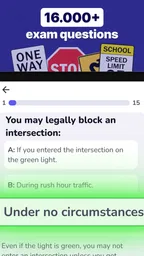
- Practice questions cover common road rules and traffic signs.
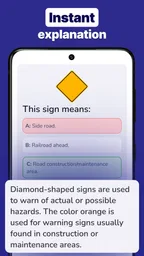
- Explanations can help clarify why an answer is correct.
- Short quizzes make it easy to study in brief sessions.
- Practice can help identify topics that need more review.
- A useful study option for learners preparing for a permit exam.
What could be better
- Question coverage may differ from your state's current test.
- Practice results do not guarantee a passing score.
- Some features may require payment or show advertisements.
- The app cannot replace the official driver's handbook.
- Studying on a phone may be distracting for some learners.





