

Coursera: Grow your career review
 Analysis by Appsdrops
When I want to learn a skill but don’t know which course to trust, I look for more than a pile of videos: I need a clear subject, a sensible way to practise, and a result I can use beyond the app. Coursera: Grow your career is built around that kind of learning. It brings courses, certificates and degree programs into one education app, giving me a route from exploring a topic to working through a structured course. The important caveat is that the app can help organize learning, but it cannot decide what matters for my goals or make the time commitment disappear.
From a career question to a course plan
The most useful way to begin is with a specific question rather than a broad ambition. “I want to understand data analysis well enough to contribute at work” gives me a better starting point than “I should learn something new.” Coursera, made by Coursera, Inc., offers a wide range of subjects and levels, so narrowing the goal first helps keep the choice manageable. I can consider whether I need a quick introduction, a deeper sequence of study or a credential that supports a longer-term plan.
This distinction matters because the app includes several kinds of learning commitment. A course may suit someone testing an interest or filling a particular knowledge gap; a certificate or degree represents a more substantial path. I would read the course details carefully before committing, paying attention to the expected work and the skills it claims to teach. A polished title is not enough: I want the actual topics to match the task I hope to perform afterward.
As an education app, it is more structured than a general video platform. That is a strength if I want a learning path rather than a collection of unrelated clips. It also means I should not expect every subject to be best learned through a phone screen. For hands-on work, I may need a computer, practice materials or a quiet block of time alongside the app.
Choosing without getting lost in the catalog
My practical selection method is to write down one outcome, then compare a few options against it. If I want to improve a work process, I look for relevant skills and exercises, not just a course whose name sounds impressive. I also ask whether I am prepared for the course’s pace. A long program can be worthwhile, but it is a poor match if I only have short, irregular windows and no realistic plan to return to it.
This is where Coursera differs from free tutorials scattered across the internet. Those can be faster for answering one narrow question, and they let me jump straight to a specific explanation. Coursera is more appealing when I want a sequence and a defined learning commitment. The trade-off is that a structured course can include material I already know, while an informal tutorial may leave gaps because it assumes I can assemble the larger picture myself.
I would also separate the value of learning from the value of a credential. A certificate can make progress easier to describe, but it does not automatically prove that I can apply a skill. If I am choosing a course mainly to improve my work, I would plan a small practical project alongside it. That gives me something concrete to test, explain and build on, whether or not I later pursue a formal credential.
A realistic week of study
Imagine I am trying to become more confident reading business data while keeping up with a full-time job. I could use a quiet evening to identify a suitable course, then reserve two short study sessions during the week and a longer session at the weekend for practice. On a commute or during a break, I might use the app for a small portion of learning, but I would leave demanding exercises for a moment when I can concentrate.
The useful insight here is to assign different kinds of work to different moments. Short sessions can help me maintain continuity; they are not necessarily the best place to solve a complicated problem or take careful notes. I would keep a simple record outside the app of the concepts I want to revisit and the questions I need to answer. That makes it easier to resume after a busy week without spending the next session trying to remember where my attention left off.
I would also set a checkpoint before starting: after a few study sessions, can I explain one new idea in my own words or use it on a small example? If not, I may need to slow down, revisit a lesson or choose a more introductory course. This is a better test than merely counting completed sections, because progress indicators can show activity without showing whether the material has stuck.
Keeping learning connected to real work
The app is most useful to me when I treat it as one part of a workflow. I begin with a work-related problem, use a course to build understanding, then try to apply the idea in a low-risk setting. For example, someone learning a new analytical method could practise on a personal or sample task before using it in a real report. The learning becomes easier to assess when there is a result to compare with the original problem.
This approach also helps me identify what the course is not doing for me. A lesson can explain a method, but applying it to a team’s particular tools, rules and priorities may require help from a colleague or manager. That handoff is important: I would ask someone familiar with the work to review my first attempt, rather than assuming that finishing a course makes my work ready for production.
For people studying alongside colleagues, the same idea can turn individual learning into a useful conversation. I can bring one specific takeaway to a meeting, explain how I tried it and ask whether it fits the team’s needs. That is more practical than announcing that I have completed a course and expecting the credential alone to change how others assess my skills.
What happens after a course
My preferred end point is not simply reaching the last lesson. I want to be able to name what I learned, show where I used it and decide what comes next. That could mean applying a technique to a work task, adding a small project to a portfolio or identifying a more advanced subject to study. If I am pursuing a certificate or degree, I would treat the credential as one part of that story, not a substitute for examples of practical ability.
Coursera can support different levels of ambition, from exploring a subject to following a more extended program. That breadth is useful, but it makes careful selection essential. Before paying for anything, I would check what the particular course or program includes and whether its format matches my schedule. The app itself is free to download, while in-app purchases range from $0.99 to $799.99 per item, so costs depend on what I choose rather than on a single universal learning plan.
That pricing range is a reason to pause and compare options, not a reason to assume that the most expensive path is automatically the best. I would decide what outcome I need first, then judge whether the commitment is proportionate. Someone who only needs a basic introduction may be better served by a short course or free learning materials elsewhere. Someone pursuing a longer, organized path may find the added structure more relevant.
Where the workflow can break
The first friction point is choosing. A large learning catalog can make it tempting to collect courses instead of finishing one. I would resist enrolling in several subjects at once and choose a single priority until I know how much study time I can sustain. If the course turns out to be too basic or too demanding, I can reassess, but starting with a manageable commitment gives me a fairer test than overloading my schedule from day one.
The second is the gap between watching and doing. Mobile learning is convenient, but convenience can encourage passive sessions: I can listen to material while distracted and mistake familiarity for understanding. For lessons that involve detailed thinking, I would put the phone aside when needed, take notes and practise on a larger screen or with other materials. The app is a useful companion, not a replacement for every tool a subject might require.
A third point of friction is motivation over time. A career-focused course may sound urgent when I enroll and less urgent after a demanding week at work. I would make the next action small and specific, such as finishing one lesson or revisiting one concept, rather than relying on a vague promise to study more. If I repeatedly cannot fit the course into my life, a shorter resource or a different learning format may be the honest choice.
There is also a difference between a course that teaches knowledge and one that helps me demonstrate it. If I need immediate coaching, feedback tailored to my work or practice with a particular workplace system, a mentor, colleague or hands-on project may be more effective. Coursera can provide structure and content, but my progress still depends on choosing suitable material and creating opportunities to use it.
Who I would recommend it to
I would recommend Coursera: Grow your career to people who are comfortable learning independently and want a more organized alternative to searching for disconnected tutorials. It is a good fit for a professional exploring a new area, a learner building knowledge around a job responsibility, or someone prepared to pursue a longer credential with a clear reason for doing so. Its 4.3 average rating across around 309,000 ratings and more than 10 million installs suggest that it has reached a broad audience, though those figures cannot tell me whether a particular course suits my goals.
The app is free, and its age rating is Everyone; purchases are available within the app. It was released on March 27, 2014, and its current version is 6.16, with Android 10 as the minimum operating system. Those practical details matter when deciding whether it will run on a device and whether I am comfortable evaluating paid learning options. I would still judge a course by its fit and workload, not by the app’s popularity.
I would suggest a different route for someone who needs instant answers to a narrow question, learns best through live instruction, or cannot make time for steady independent study. A focused tutorial can be quicker for one task; a teacher or mentor can offer direct feedback; and a practice-based environment may be better for learning by doing. There is no benefit in choosing a structured course simply because it looks more formal if another format better matches the way I learn.
My verdict after following the learning path
Coursera works best when I use it as a bridge between curiosity and deliberate practice: define a need, choose a course that addresses it, set a realistic routine, and carry at least one lesson into a real task. Its mix of courses, certificates and degrees gives learners room to choose a level of commitment, while the main trade-offs are the effort required to select well, the possibility of paid study and the need to practise beyond the screen.
I would start with one course and one clearly stated outcome, then review whether I can use what I learned before signing up for a longer program. If that process suits me, the app can make independent learning feel more coherent and easier to connect to career goals. If I want immediate personal guidance or a quick answer with no wider study plan, I would choose another format. My recommendation is therefore positive but practical: use it with a purpose, and let the work you can actually do—not a completed lesson count—show whether the course was worth your time.
What we like
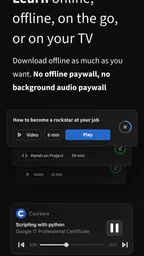
- Download lessons for offline study while traveling.
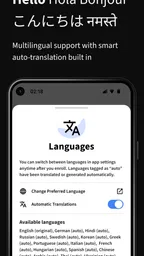
- Course subtitles help make many lessons easier to follow.
- Deadlines can provide structure for completing assignments.
- Courses cover topics from technology to business.
- Certificates can help document completed learning.
What could be better
- Some courses require a paid subscription or separate fee.
- Course quality and teaching style can vary by instructor.
- Peer-reviewed assignments depend on timely feedback from classmates.
- Specializations may take months to complete.
- Certificates do not guarantee employment or career advancement.





