


ClassDojo review
 Analysis by Appsdrops
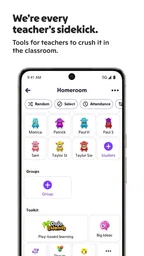
I see ClassDojo as a practical bridge between classroom life and home, rather than a full learning platform. Its central strength is making it easier for teachers, tutors, children, and families to stay connected around the school day. That can be genuinely useful when a quick, regular line of communication matters more than a complicated system of lessons and assignments. The trade-off is that its value depends on people using it consistently: if a teacher or family rarely checks in, the app cannot create a strong connection on its own.
Communication is the real reason to use it
Developed by ClassDojo, this free education app is built around a familiar problem: parents often want to know what is happening in class, while teachers need a manageable way to keep families in the loop. Rather than treating those groups as separate audiences, the app puts them in one shared environment. I find that approach more useful than a stream of occasional formal school announcements, because everyday context can make a child’s progress easier to understand.
The name is well known among families and educators: it has a 4.8 average from around 1.4 million ratings, and it has passed 50 million installs. Those figures suggest broad adoption, but they do not guarantee that every classroom will use it in the same way. A parent’s experience can be lively and informative in one school and much quieter in another, depending on how the teacher chooses to communicate.
The best way to think about it is as a classroom-to-home communication tool, not a replacement for every school service. If your main need is a shared place to follow classroom updates and maintain contact, it makes sense. If you need a detailed learning-management system for organizing coursework, grading, and long-term academic planning, you may still need a separate platform.
Why the shared classroom context helps
Messages about school can lose meaning when they arrive without context. A short note about a child’s day is easier to act on when it sits alongside the broader classroom relationship, rather than being buried in a parent’s personal email. That shared setting can help a family understand whether a message is routine, part of an ongoing conversation, or something worth following up on privately.
One useful habit is to treat the app as a check-in, not a notification feed to monitor constantly. I would choose a regular time—after school or once in the evening—to look for updates and respond thoughtfully. This keeps school communication from interrupting the workday and makes it less likely that a quick message will be misunderstood when read in a hurry.
For example, imagine a caregiver who works during school hours and cannot take calls. A teacher can share an update through the classroom channel, and the caregiver can read it later and reply when free. That is a modest convenience, but it can remove the back-and-forth of trying to catch each other at the right moment. It is especially helpful when several adults share responsibility for keeping up with a child’s school life.
A better fit for ongoing relationships than one-off announcements
ClassDojo is most compelling when communication is reciprocal. A teacher can make contact with families, but parents also need to feel comfortable asking a clarifying question or sharing relevant context. In practice, I would use it for brief, specific exchanges: explain what needs attention, ask one clear question, and agree on whether a longer conversation is needed. That keeps a digital message from carrying more emotional weight than it should.
A small but important workflow tip is to separate “I need to know this” from “I need to discuss this.” A quick update can be handled in the app, while a sensitive or complicated concern is better raised in a direct conversation with the teacher. Written messages are convenient, but tone is easy to misread, and long threads can make a simple issue harder to resolve.
Another practical use is coordinating among the adults who support a child. When a family member, tutor, or teacher has a different piece of the picture, a shared communication routine can reduce the chance that everyone is working from an outdated assumption. That does not mean every adult should be included in every exchange; it means families can decide who needs to stay informed and keep messages focused.
Where it can feel limited
The main weakness is not a lack of purpose but uneven participation. If the classroom does not post regularly, families may open the app and find little that helps them. Conversely, frequent updates can become another stream to keep up with, especially for parents already managing school email, messaging groups, calendars, and other apps. Before making it part of your routine, I would ask the teacher how they intend to use it and what kinds of messages families should expect.
That question matters because families should not assume the app is an urgent alert system or that a message will be seen immediately. If an issue needs a prompt response, a direct call or the school’s established urgent contact method is a safer choice. ClassDojo works better as a steady channel for ordinary communication than as the only route for time-sensitive matters.
There is also a boundary to what a classroom-focused communication app can do. It can help people exchange updates, but it cannot substitute for a face-to-face meeting when a child needs sustained support or a difficult subject requires nuance. Nor does a shared communication space automatically solve disagreements. I would use it to open a conversation, not to try to settle a sensitive issue through a string of short messages.
Its financial model is worth understanding before you start. The app is free to download, with in-app purchases ranging from $0.99 to $199.99 per item. That broad range does not mean a family needs to buy anything to get the basic idea of the app; it does mean I would check what an optional purchase is for before approving it, particularly on a device used by a child. The app is rated for Everyone, but that rating does not remove the need for sensible adult guidance around devices and spending.
How it compares with familiar alternatives
Compared with email, ClassDojo offers a more classroom-centered place to keep communication connected to school rather than mixed into work and personal messages. Email may be better for a formal record or a detailed message that needs careful wording. A group chat can be faster for informal coordination, but it can also blur boundaries and make it harder to know which information applies to which family. The right choice depends less on features than on the school’s established habits.
Compared with a full learning-management system, ClassDojo’s appeal is its narrower focus. If you primarily want to stay connected with the people around a child’s classroom, a simpler communication space may be easier to use than a system organized around assignments and course administration. If your priority is tracking a large amount of academic work, deadlines, and grades, a dedicated school platform will usually be the better anchor, with ClassDojo serving only as a communication complement if the teacher uses it.
That distinction also helps answer whether it is worth installing when a school already has an app. I would avoid maintaining two channels for the same purpose unless the teacher clearly explains what belongs where. When announcements are split across services, families can miss information or waste time checking both. A quick conversation about the school’s preferred channel can prevent that friction.
Who will get the most from it
I would recommend ClassDojo to families whose teachers actively use it and who want a straightforward way to keep up with classroom life. It can also suit tutors who need a practical communication link with families, and educators who want home and school to feel less disconnected. It is particularly useful for caregivers who cannot be available for calls during the day but can read and answer messages later.
It is less suitable for someone looking for a complete academic organizer, a substitute for school administration software, or a guaranteed real-time alert channel. It may also be a poor fit for families who prefer not to add another notification source, or whose school already has a clear, well-used communication system. In those cases, consistency is more valuable than adopting an extra app simply because it is available.
On Android, the current version is 9.12.0 and the minimum operating-system requirement is version 8.0. That makes it relevant to a range of Android devices, though I would still check that the phone or tablet being used can run the current release. The app is free, but optional purchases are present, so families should review purchase settings if children use the same device.
A measured recommendation
ClassDojo has been available since February 25, 2013, and its continued reach makes sense: the need it addresses is ordinary, persistent, and easy to underestimate. Families do not always need another sophisticated school system; sometimes they need a dependable way to understand what is happening and ask a question without waiting for the next meeting.
My recommendation is conditional but positive. If your child’s teacher uses it with a clear routine, I would give it a try and agree at home on who checks messages, when to respond, and which matters deserve a direct conversation. If the classroom rarely uses it or your school already has a better-established channel, installing it may add noise rather than clarity. Its strongest feature is the connection it can support, not the app itself; that connection works best when teachers and families meet it with purposeful, considerate communication.
What we like
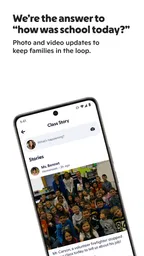
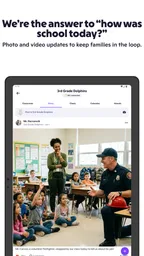
- Teachers can share classroom updates with families in real time.
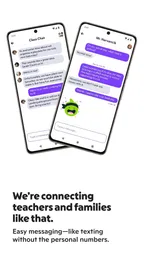
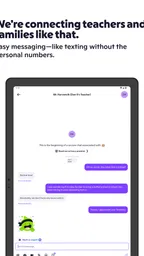
- Built-in messaging helps families contact teachers without sharing phone numbers.
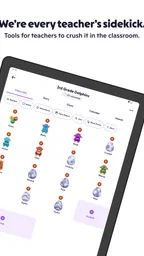
- Students can customize avatars to make their profiles feel more personal.
- Families can view updates from multiple children in one place.
- The core tools are available without a paid subscription.
What could be better
- Some features depend on a teacher setting up the class first.
- Frequent notifications can become distracting.
- Family access may be limited if a teacher does not post regularly.
- The app collects information about children and requires careful privacy review.
- Some tools are less useful for families whose schools do not use ClassDojo.





