
Canvas By Instructure review
 Analysis by Appsdrops
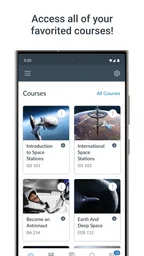
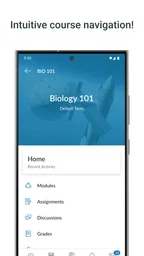
Keeping up with classes can get messy when assignments, grades, and course updates are scattered across different places. Canvas by Instructure brings key parts of that schoolwork into a mobile app, giving students a way to check their courses, turn in work, and study offline. I see its main appeal as straightforward: it helps make the learning platform easier to reach when you’re away from a computer, without trying to replace the course itself.
Canvas on mobile: the current experience
Canvas is an education app from Instructure. Its central promise is practical rather than flashy: stay on top of courses, view grades, submit work, and study offline. That focus makes it relevant to students who want a quick way to check what is happening in class while commuting, between lessons, or working somewhere without a reliable connection.
The app is free and is rated for everyone. It has a 4.5 average from around 225,000 ratings, with more than 10 million installs. Those figures suggest that Canvas is a familiar tool for a broad student audience, though the experience will naturally depend on how a school or instructor organizes its courses.
In day-to-day use, I’d treat Canvas as a companion to the courses already set up for me, not as a standalone learning library. Its value comes from bringing course information and common study tasks within reach. If your classes use Canvas, opening the app can be more convenient than reaching for a laptop every time you want to check a grade or submit an assignment.
A focused set of student essentials
The listed features address tasks students tend to revisit throughout a course. Checking grades can help you keep track of progress, while submitting work from a mobile device is useful when you need to finish a task away from your desk. Offline study support is another welcome part of the pitch: it can help make course material more accessible when an internet connection is unavailable, depending on what is available for offline use.
I like that these basics are easy to understand. Canvas doesn’t need to be framed as a dramatic reinvention of studying; it is a tool for handling familiar course routines with less friction. For a student who already uses the platform in class, a dedicated mobile app can make those routines feel more immediate.
That convenience is also where expectations matter. A mobile app is best suited to quick checks and tasks that work well on a smaller screen. Longer reading, detailed writing, or organizing a complicated assignment may still feel more comfortable on a computer. I’d use Canvas on my phone to stay informed and handle accessible tasks, while choosing the device that fits the work at hand.
Course access depends on the learning setup
Canvas is most useful when your institution or instructor uses it consistently. The app can put course activity in one place, but it cannot make a course more organized than the materials and information provided through that course. If instructors keep grades and assignments current, students have a more dependable mobile reference; if course spaces are used unevenly, the app may feel less complete.
This is an important point for anyone considering a download. Canvas is not a general-purpose study app that automatically supplies classes. It connects students with courses that are part of the Canvas learning environment. Before relying on it, I’d make sure my school’s courses are available there and that the app fits the way those classes are run.
Version history and product evolution
The current version is 8.12.0, and Canvas was released on December 22, 2012. That long span gives the app a history as a mobile companion to an established learning platform. It is reasonable to view the current release as part of an ongoing product, but a version number alone does not tell me which particular screens or tools have changed over time.
For students, the more useful question is what the present app supports for their actual courses. The core promise remains clear: check grades, submit work, and study offline. That gives existing users a practical basis for deciding whether the mobile experience covers the tasks they want to handle on the go, without assuming that every course uses every capability in the same way.
Canvas has accumulated substantial reach, with around 29,000 reviews alongside its ratings. That level of feedback points to a widely used app, but individual experiences can vary with course setup, device habits, and expectations. I’d weigh the app’s core role more heavily than any single user’s impression: it is designed to make course participation more accessible from a phone or tablet.
What changes for existing users
If you already use Canvas on a computer, the app’s biggest benefit is likely convenience. You can bring course access into the moments when opening a laptop would be awkward, whether that means checking a grade before class or submitting work while away from home. The mobile format can also make it easier to keep course tasks in view as part of an everyday routine.
That does not mean every student should move all of their study time to a phone. I’d think of the app as another doorway into coursework. It can help with quick, focused actions, while a larger screen may remain the better choice for extended study sessions. Using both formats can be a sensible approach rather than treating one as a replacement for the other.
Offline study support may matter most to users whose schedules take them through places with unreliable connectivity. It offers a reason to prepare for study away from a dependable connection, though students should still be mindful of what course content is available offline in their own setup. The practical effect is that Canvas can fit more varied study situations, rather than limiting coursework to a desk and stable internet.
For new users, the learning curve should be considered in context. If you already know how your school organizes its Canvas courses, the app’s purpose is easy to grasp. If the platform is new to you, the course layout and instructor practices will shape how quickly it becomes useful. I’d start by locating the classes I need and then use the app for the recurring tasks that matter most to me.
Where the mobile experience has limits
Canvas’s focused purpose is a strength, but it also sets a boundary. It helps students engage with courses hosted in its learning environment; it is not a substitute for an instructor, a complete lesson plan, or a personal study strategy. Students still need to understand course expectations and manage their own time, even when grades and assignments are easier to reach.
The app’s usefulness also depends on the fit between mobile work and the task. A quick grade check is naturally suited to a phone. A lengthy assignment may require more room, and offline access is only helpful when the material needed for study can be used without a connection. I’d judge the app by how well it supports my routine, not by expecting every part of learning to feel effortless on a small screen.
Another consideration is that a course platform can only reflect the way a course is maintained. Students may find Canvas more helpful when instructors communicate and organize their materials consistently. That is not a flaw unique to the mobile app; it is part of relying on a shared digital classroom. The app brings the course closer, but the course still needs to be actively used.
What to watch as you use it
For current users, I’d keep an eye on whether the app continues to cover the tasks that are most important in their courses: finding relevant class information, checking grades, submitting work, and preparing to study offline. Those are the capabilities that define its appeal. Any future changes would be most meaningful when they make these everyday actions clearer or more convenient, rather than simply adding complexity.
It is also worth paying attention to how your instructors use Canvas. A well-maintained course can make mobile access feel genuinely useful, while inconsistent course updates can make any platform harder to rely on. The strongest experience comes from the combination of a capable app and a course space that reflects what is happening in class.
Students choosing between mobile and desktop use should watch their own habits, too. If the app helps you notice assignments sooner or check progress more regularly, it may become a valuable part of your routine. If a particular task feels cramped on a phone, switching to a larger screen is simply a practical choice. The point is to use the format that supports the work, not to force every task onto one device.
My verdict on Canvas by Instructure
Canvas is a useful, no-cost education app for students whose courses run on the platform. Its strengths are easy to explain: mobile access to grades, assignment submission, and offline study support. I appreciate that it concentrates on recognizable student needs instead of presenting itself as a complete solution to every challenge of learning.
For students already using Canvas, the app offers a convenient way to stay connected to coursework beyond a computer. Its limitations are mostly tied to the realities of mobile study and the way each course is managed, so I would not expect it to replace a larger screen or an instructor’s course organization. But as a companion for checking progress, handling suitable tasks, and keeping study materials closer at hand, it makes a sensible addition to a student’s toolkit.
Canvas
What we like
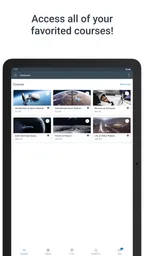
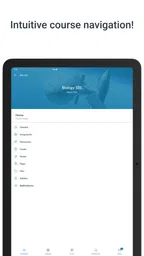
- Course materials and announcements are easy to find in one place.
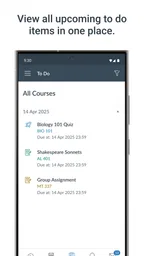
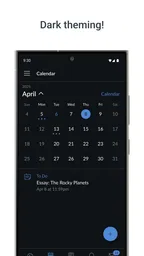
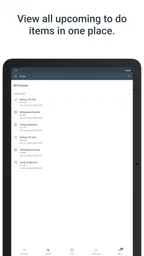
- Calendar views help students track upcoming deadlines.
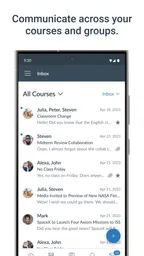
- Push notifications can alert users to new course activity.
- The interface is familiar to many students and instructors.
- Grades and instructor feedback are accessible on mobile.
What could be better
- Some course tasks still require the full web version.
- App features can vary depending on school configuration.
- Notifications may become distracting across multiple courses.
- Uploaded files can be difficult to review on a small screen.
- Offline access to course content is limited.





