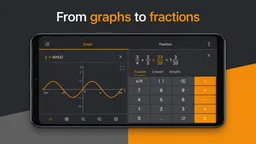
Calculator review
 Analysis by Appsdrops
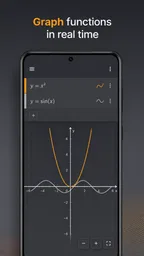
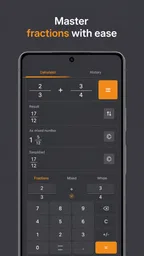
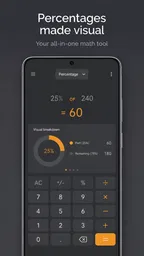
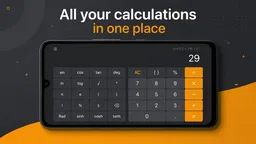
Calculator takes a familiar everyday tool and gives it a clean, stylish presentation with a focus on scientific calculations. That’s the point I found most useful: instead of treating a calculator as an afterthought, the app makes it easy to reach for when a quick sum is not enough. It belongs to the education category, but it also fits naturally into day-to-day tasks, from checking a calculation to working through a more involved problem.
A scientific calculator with a simple feel
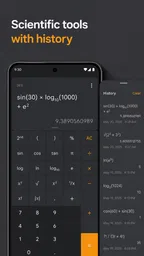
The app’s central appeal is its combination of accessibility and scientific-calculator functionality. A scientific calculator can look intimidating when its controls are crowded or unfamiliar, especially if you only need it occasionally. Calculator aims for a more approachable experience, pairing scientific use with a stylish design and an easy-to-use feel. That matters because a useful tool should help you focus on the calculation rather than make you wrestle with the interface.
When I want a calculator for more than basic arithmetic, I value being able to bring up a dedicated app and stay in one place. Calculator is built around that practical role. Its description is brief, but its emphasis is clear: this is a calculator app intended to be straightforward to use while offering a scientific-calculator approach. I see that as a sensible middle ground for people who want something more capable than a bare-bones calculator without turning a simple task into a lesson in software.
The interface is part of the appeal, not just decoration. A polished presentation can make a frequently used utility feel more comfortable, while a straightforward layout helps reduce the pause between opening the app and getting started. I don’t expect a calculator to entertain me; I want it to feel clear and dependable as a tool. This app’s clean, stylish positioning suits that expectation, particularly for someone who wants a dedicated option on their phone.
Why the scientific focus matters
Basic arithmetic is only one reason to keep a calculator close. Scientific calculations come up in study, work, and personal projects, and using a tool intended for that broader purpose can be more convenient than switching between different apps. Calculator’s defining capability is that scientific-calculator focus, presented in a way that aims to remain approachable. The result is a practical option for users who sometimes need to go beyond addition, subtraction, multiplication, and division.
That focus also gives the app a clear identity. There are plenty of reasons to open a calculator, but not every calculator is designed with scientific use in mind. I appreciate that Calculator puts this purpose at the center instead of trying to present itself as an all-purpose study platform. Its role is easy to understand: open it when you need a calculator, and use its scientific orientation when a routine calculation calls for more.
How it fits into everyday use
In practice, the value of a calculator app comes from how readily it can support a task. You might be checking figures while studying, handling a calculation for a personal project, or working through numbers as part of a routine. The most useful tool is often the one that does not interrupt your train of thought. Calculator’s easy-to-use positioning makes sense in that context: it is meant to keep the experience approachable while serving as a scientific calculator.
I’d approach it as a dedicated utility rather than a full educational course. The app’s category and scientific focus make it relevant to learning and problem-solving, but the basic promise is still a calculator. That distinction is helpful. If I already understand what I need to calculate, I can use a calculator app as a practical aid; if I need to learn a concept from scratch, I would look for learning materials designed specifically for that. Calculator is most compelling when the task is calculation itself.
A simple interface can also be valuable for occasional users. People who use scientific calculations every day may already have preferred habits, while someone who needs them now and then may be put off by a complicated-looking tool. Calculator’s combination of style and ease of use speaks to that second group as well as to regular users. It offers a reason to try a scientific-calculator app without making the experience sound needlessly technical.
The setting where it makes the most sense
For me, the strongest scenario is study or independent problem-solving where a scientific calculator is useful but a dedicated physical device is not the most convenient option. A phone is already close at hand, and an app gives you a focused place to handle calculations. Calculator’s education connection fits this use naturally, while its broader utility makes it relevant beyond a classroom. It can suit a student, a curious learner, or anyone who occasionally needs a scientific calculation during the day.
It can also be a sensible choice for someone who wants a calculator that feels more considered than a minimal utility. The app is free to download, so there is no purchase cost simply to try it. It does include in-app purchases, with listed item prices ranging from $0.99 to $99.99. I would keep that in mind when browsing the app, especially if I prefer to avoid optional spending, but the free entry point makes it accessible to start with.
Calculator has been available since January 13, 2016, and it has reached more than 10 million installs. It holds an average rating of 4.4 from around 122,000 ratings, with 427 written reviews. Those figures suggest that many people have found a reason to try it as a mobile calculator. They are useful context, though my decision would still come down to whether a scientific-calculator app with an approachable, stylish feel matches the way I work.
What to keep in mind
The main tradeoff is also a matter of expectations: Calculator is a calculator, not a complete study environment. If you want explanations, guided lessons, or a wide suite of learning resources, the app’s core purpose may not cover that need. Its appeal rests on providing a convenient tool for calculations, with scientific use at the center. I think that focused role is a strength, as long as you choose it for what it is rather than expecting a broad educational platform.
Another consideration is the presence of in-app purchases. The app is free, but optional paid items are part of the experience, so users who are careful about spending should pay attention to any purchase prompts. That does not change the basic appeal of having a calculator available, but it is worth knowing before you settle into using the app. For a utility, I prefer a clear sense of what is free and what may involve a purchase.
Scientific calculators can also require a little familiarity. Even when an app is designed to be easy to use, scientific work may involve concepts or operations that a casual user does not encounter every day. Calculator’s accessible presentation can make the tool less imposing, but it cannot replace understanding the problem you are trying to solve. I see the app as a practical aid: it supports the calculation, while the user still brings the question and the context.
The app is rated for Everyone, which makes its general audience broad. That does not mean every user will need scientific functionality, of course. Someone who only wants to work out simple everyday totals may prefer the calculator already available on their device. The case for installing Calculator is stronger when a dedicated scientific-calculator experience, a polished look, or an education-oriented tool is more appealing than the default option.
Who is likely to get the most from it?
I’d recommend Calculator most readily to students and learners who want a convenient scientific calculator on a mobile device, as well as to people who sometimes work with calculations outside of school. Its design is also a good fit for anyone who wants a tool that feels approachable rather than strictly utilitarian. Because the app is free to start using, it can be a low-commitment way to see whether a dedicated scientific calculator suits your routine.
It may be less compelling for someone who never needs scientific calculations and is perfectly happy with a basic calculator. In that case, an extra app may not add much value. Likewise, people looking for instruction or a comprehensive collection of educational material should treat Calculator as a calculation tool, not a substitute for those resources. Matching the app to the job is the best way to judge it fairly.
A useful everyday option
Overall, Calculator makes a focused case for itself: it is an easy-to-use, stylish scientific calculator app that brings a more capable calculation tool to a phone. I like the emphasis on usability because scientific functions are most valuable when they are accessible at the moment you need them. The app’s educational relevance is clear, but its usefulness is not limited to schoolwork; it can also support personal projects and everyday problem-solving.
Calculator is worth considering if you want a dedicated scientific calculator with an approachable presentation. Its free download lowers the barrier to trying it, while in-app purchases are something to keep in view. It will not replace a full learning platform, and basic users may not need anything beyond their default calculator. But for students, curious learners, and anyone who wants a practical scientific-calculation tool close at hand, it offers a straightforward reason to install it.
What we like
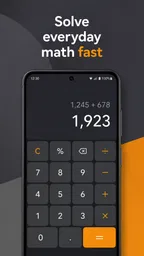
- Performs common arithmetic quickly with a familiar keypad.
- Large keys make number entry easier on many screens.
- Works offline for calculations without an internet connection.
- Useful for checking everyday totals and quick estimates.
- Simple layout is easy for new users to understand.
What could be better
- Advanced scientific functions may not be available.
- No visible calculation history can make past results harder to revisit.
- Small screens can make long expressions difficult to read.
- Typing errors may go unnoticed without clear expression review.
- Some versions may include ads or request unnecessary permissions.





