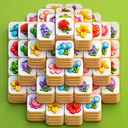








Tile Explorer - Triple Match review
 Analysis by Appsdrops
I can see why a triple-match puzzle earns a spot on someone’s phone quickly: the rules are easy to grasp, each board offers a small problem to solve, and a short session can fit between other plans. The harder question is whether it remains worth opening after that first burst of curiosity. My view is that Tile Explorer - Triple Match is most appealing to people who enjoy careful, low-pressure pattern matching and can treat it as a brief pastime rather than a game that must keep surprising them.
Made by Oakever Games, this free puzzle game has a 4.9 average from around 2.4 million ratings, with over 100 million installs. Those figures point to broad appeal, but they don’t tell you whether its particular rhythm will suit you. Its central attraction is the repeated task of spotting matching tiles and making choices that keep a board manageable. That sounds simple, yet the order in which you clear pieces can matter more than a quick glance suggests.
Why the first sessions work
The early appeal is the low barrier to entry. I don’t need to learn a long set of rules before I can understand what I’m trying to do, so it works well when I have a few spare minutes and little appetite for a complicated game. The puzzle format also gives a session a clear focus: look at the available tiles, notice possible matches, and decide what to remove next.
That simplicity is useful, but it doesn’t mean every move is automatic. A tempting match may be less helpful than one that exposes or preserves options elsewhere on the board. I found it more satisfying when I paused briefly to scan the layout instead of tapping the first obvious trio. That tiny change in approach turns a familiar matching action into a modest planning exercise.
It is a good fit for a quiet break, a wait in a queue, or a short pause between chores. I would not choose it when I want a story, a strong sense of character progression, or a puzzle that demands sustained concentration for a long stretch. The pleasure here is in a compact board-level challenge, not in a dramatic narrative or a demanding campaign.
A useful way to approach each board
My practical advice is to look across the whole visible arrangement before making the first move. Identify which matches are easy to access, then consider whether clearing them will leave you with more choices or simply remove convenient options. This is especially helpful when several similar tiles appear in different parts of the layout: treating them as interchangeable can lead to a poor sequence.
I also found it sensible to avoid playing on autopilot. When I moved too quickly, I was more likely to miss a better order or make a choice that narrowed what I could do next. A deliberate scan takes only a moment, and it makes the game feel more like solving a puzzle than repeating a reflex. That is the main skill I would carry into later sessions.
There is a trade-off, though: anyone who wants every move to feel novel may find the basic matching premise familiar early on. The game’s appeal depends on whether you enjoy refining decisions within a recognizable format. If you need a new mechanic or a changing objective to hold your attention, a broader puzzle adventure may be a better choice.
What keeps it useful after the novelty
For me, lasting value in a casual puzzle comes from how easily it fits into a routine. This one asks for little setup and offers a straightforward activity when I want to occupy my attention without committing to a long session. It can serve as a small mental reset: instead of scrolling without a purpose, I can focus on a board and make a series of deliberate choices.
That use case is different from treating it as a daily obligation. I would keep it around if I naturally enjoy returning to the same kind of tile puzzle, not because I feel I must maintain a streak or meet a target. The game’s strongest recurring value is the dependable shape of its play: a visible puzzle, a set of possible matches, and room to improve how thoughtfully I choose.
Compared with word puzzles, it asks less of vocabulary and more of visual scanning. Compared with number-placement puzzles, it feels less like filling a structured grid and more like managing a changing set of matching options. Those alternatives may be better when I want a deeper logic problem or a different kind of mental effort; this is the more approachable choice when I want visual pattern recognition in a casual format.
There is no need to reserve a large block of time for it, which makes it easier to revisit than a game built around lengthy levels. Still, short sessions are only an advantage if the repeated task stays enjoyable. If I notice that I am tapping through boards simply out of habit, rather than because I want to solve them, that is a good cue to take a break rather than force a routine.
Maintenance, cost, and everyday friction
The game is free to download, with in-app purchases ranging from $0.99 to $44.99 per item. I’d decide in advance whether I’m happy to play without spending, then treat any purchase prompt as a reason to pause and consider whether it actually improves my experience. That small boundary matters in a casual game: a low-effort pastime should not turn into an unplanned expense just because I am trying to keep a session going.
In practical terms, “maintenance” is less about managing a complex game system and more about keeping expectations sensible. I would not make it the default app I open every time I have a spare minute. Rotating it with a different kind of activity helps the matching format stay fresh, while leaving it alone for a while is better than treating repetition as a flaw that must be overcome.
On Android, the listed minimum operating-system requirement is 7.1, and the current version is 2.7.2. It is rated for Everyone, which makes the straightforward puzzle premise approachable across a wide audience. The game was released on May 17, 2024; I’d still check that my device’s software and available storage suit the current app before installing, as I would with any game.
Oakever Games has built something with an uncomplicated premise rather than a puzzle that asks players to learn a large rulebook. That makes it easy to recommend to a friend who likes tile matching but doesn’t want a lengthy introduction. It also sets a clear expectation: the appeal comes from the board-by-board decisions, so the game has to earn repeat visits through that core activity.
Where fatigue can set in
The same consistency that makes the game easy to return to can become its main limitation. If I want a sense of discovery, varied puzzle types, or a clear progression that changes how I play, a familiar triple-match loop may start to feel samey. This is not necessarily a problem for someone who enjoys repeating a format and getting more careful with it; it is a real consideration for players who need frequent changes in pace.
Another point to watch is attention. Because the game looks approachable, it can be tempting to play while distracted. But when I stop looking across the board and select matches by habit, the puzzle loses its small strategic edge. I get more from it when I give it a little focus, which means it is not quite the ideal companion for every moment when I am also trying to read, talk, or handle another task.
I would skip it if my priority were competitive play, elaborate strategy, or a story that carries me from one chapter to the next. I would also look elsewhere if I already know that repeated tile-clearing games bore me. A word game, a logic puzzle, or a more varied puzzle collection would give those players a clearer change of texture than another session with a consistent matching premise.
For a household choosing a simple game suitable for a broad age range, the Everyone rating and readable puzzle concept make it an easy option to consider. I would still judge the fit by whether the person enjoys visual matching and patient choices; an age rating alone cannot make a repetitive format appealing to someone who wants action or a more involved challenge.
My long-term verdict
Tile Explorer - Triple Match earns lasting space on my phone when I want a calm, low-commitment puzzle and enjoy improving my choices within a familiar format. I like that it is easy to understand yet rewards a quick scan before acting. Its strong audience response—around 13,000 written reviews alongside millions of ratings—shows that many players have embraced it, but my recommendation still comes down to personal taste rather than popularity alone.
I’d keep it installed as an occasional break, not as a game I expect to reinvent itself every week. The most useful habit is to play with intention: scan the board, choose a match for what it opens up, and stop when the activity starts to feel automatic. That approach makes its simple design a strength instead of a source of fatigue.
Overall, this is a sensible pick for fans of casual visual puzzles who value quick access, familiar rules, and small decisions that reward attention. It is less convincing for anyone who needs constant novelty or a deeper sense of progression. If that distinction matches what you want from a phone game, the game’s straightforward appeal can outlast the first-week novelty—provided you enjoy the puzzle itself, rather than expecting it to become something entirely different.
What we like
- Simple tap controls make matching easy to learn.
- Short rounds suit quick play sessions.
- The familiar triple-match format feels approachable.
- Sorting tiles adds a light puzzle challenge.
- Progressive levels provide a steady sense of advancement.
What could be better
- Later levels may require careful planning.
- Tile layouts can feel repetitive over time.
- Mistakes may leave too few matching tiles.
- Some players may find the pace relaxing rather than exciting.
- Frequent play may make the puzzles feel predictable.







