

Arrows – Puzzle Escape review
 Analysis by Appsdrops
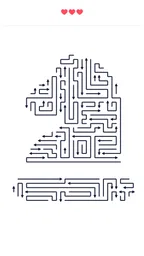
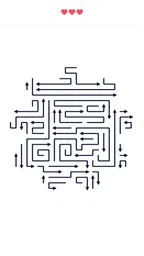
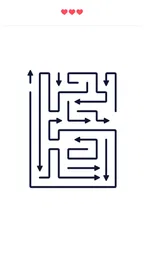
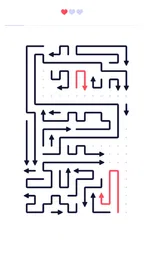
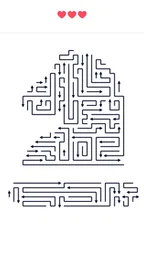
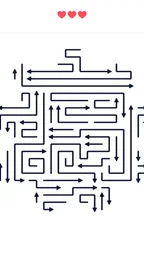
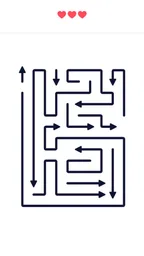
I like puzzle games that make me stop and look before I tap, and Arrows has that appealing promise: a board full of directional pieces, with the job of clearing them through logical choices. In my experience, its best moments come from treating the screen like a small traffic problem rather than rushing to remove whatever catches the eye. It is a focused idea, easy to understand at a glance, but it asks for more care than the simple presentation might suggest.
As a free puzzle game from Lessmore GmbH, Arrows is aimed at anyone who enjoys compact logic challenges on a phone. It has a 4.7 average from around 2.3 million ratings, and it has passed 100 million installs. Those figures suggest broad appeal, but they do not tell you whether its style suits you: the important question is whether you enjoy reading directions, spotting dependencies, and correcting a plan when one move changes what remains possible.
Small goals make it easy to begin
The basic objective is refreshingly direct: clear the arrows. There is no elaborate premise to learn before the puzzle starts, so I can get into the actual problem quickly. That makes it a natural choice for a brief pause in the day, when I want something more involving than scrolling but do not have the attention for a long story or a complicated ruleset.
The first useful habit is to scan the whole arrangement before acting. An arrow’s direction matters because a move that looks harmless in isolation can affect the route or space available to another piece. I get better results by tracing obvious exits first, then checking whether removing one arrow exposes a clearer sequence. The game’s simplicity is not a reason to play carelessly; it is what makes the consequences of each choice easier to notice.
That clear goal also makes the game easy to share with someone nearby. I can hand over the phone and explain the central task in a sentence, then let the other person study the board. It works particularly well as a quiet, low-pressure challenge between errands or during a short wait. There is little setup involved, and the puzzle itself becomes the conversation: “What has to move before that one can go?”
One practical tip is to avoid tapping just because a direction appears obvious. I first look for arrows whose paths seem least obstructed, then compare those with pieces that may be blocking several others. This is not a guaranteed formula for every board, but it helps me distinguish a genuinely safe first move from one that merely looks convenient. When I do make a mistake, I try to identify which relationship I misread rather than repeating the same impulsive approach.
Progress feels clearest when I learn to read the board
In a puzzle game like this, progress is not only about reaching the next stage. It is also the moment when a crowded arrangement starts to make sense. I notice that I am improving when I can see a chain of likely moves before clearing the first arrow, or when I recognise that a piece is important because several others depend on its route. That change in how I inspect the board is more satisfying than simply tapping faster.
The strongest feedback comes from the puzzle resolving as intended: a careful choice opens up the next part of the board, and the remaining arrows become easier to interpret. I find this especially rewarding after an initially messy layout. The game encourages a small but useful shift from “Which arrow can I remove?” to “Which removal gives the rest of the board room to work?” That question is a good mental model for approaching its logic.
There is a trade-off, though. If you like progress to be communicated through a detailed narrative, character upgrades, or a visible collection of rewards, this is not the sort of game I would choose for that reason. Its appeal is concentrated in solving the puzzle in front of you. The satisfaction is immediate and practical: I understood the arrangement, made a better sequence, and cleared it.
I also find that the game suits different attention windows. With a few uninterrupted minutes, I can properly study a board. If I only have a moment, I can still take a first look and decide whether I have enough focus to continue. The key is not to treat every session as a reflex test. A short pause to inspect the directions often saves more time than a string of hurried taps.
The challenge depends on patience more than speed
Arrows is best for players who enjoy visual logic and are comfortable reconsidering a move. The central challenge is not memorising a large set of controls; it is noticing how arrows relate to one another and choosing an order that lets the board clear. That makes it approachable for casual players while still giving more deliberate solvers something to think through.
Its difficulty can feel uneven from one person’s perspective to another. A board that looks obvious to someone who spots the key dependency quickly may feel frustrating to a player who expects each arrow to be independently removable. When I get stuck, I find it more useful to pause and examine the blocked-looking areas than to keep trying the same choice. A different reading of the arrangement can be enough to reveal a route forward.
This is also where Arrows differs from common alternatives in the puzzle category. A match-style game often rewards quick recognition and repeated combinations; a word puzzle depends on vocabulary; a traditional number puzzle asks you to maintain a grid of constraints. Here, the challenge is spatial and directional. If you enjoy untangling a little visual system, that distinction is a strong reason to try it. If you want fast reactions, competitive play, or a puzzle that can be solved mostly by routine, another style may fit better.
It is not my first recommendation for someone who finds visual clutter tiring or who wants a game that explains every step of its reasoning. The player has to do the interpretive work. That is part of the appeal, but it can also be the source of friction, especially when I am distracted or trying to squeeze a puzzle into a moment when I cannot concentrate. I would rather play it when I can give the board a proper look than turn it into background tapping.
Short sessions work, but spending is worth keeping in view
Because the goal is compact and understandable, the game is easy to pick up for an everyday break. A realistic use is opening it while waiting for a coffee or sitting on public transport, solving a board when the wait is long enough, and putting the phone away afterward. It asks for more thought than a disposable time-killer, but it does not require me to remember a complicated story before I can enjoy a session.
The game is free to download, with in-app purchases ranging from $1.49 to $40.00 per item. I would treat those purchases as optional spending rather than part of the puzzle’s basic appeal. If you are installing it for a younger player, that distinction is useful: the content rating is Everyone, but the presence of in-app purchases still makes it sensible to review purchase settings on the device and agree on boundaries beforehand.
The age rating makes the game broadly suitable for family use, while the logic itself can be enjoyed at different levels of confidence. I would happily recommend it to a child or adult who likes looking for patterns, though I would not assume every player will find the same boards equally easy. A parent can also use a puzzle as a small cooperative activity: ask the child to explain why one arrow should move first, rather than simply solving it for them.
There is a retention question with any game built around repeated puzzles: does the next challenge keep the experience fresh, or does solving become a habit without much thought? Arrows holds my interest best when I approach each board as a new arrangement instead of rushing through on autopilot. If I stop noticing the relationships and only tap to reach the end, the central pleasure fades. Players who need a long-term collection goal or a strong sense of unlock-based progression may want a game with more visible layers of advancement.
I would also be cautious about assuming that a large audience means the game will suit every puzzle fan. Its popularity and high average rating are reassuring signs that many people enjoy the format, but they cannot replace personal preference. The most useful test is whether you like the moment of studying a directional layout and building a sequence in your head. If that sounds satisfying, the clean premise is a genuine strength; if not, the same focused design may feel repetitive.
Who should install it, and what to expect
Lessmore GmbH’s game is listed at version 0.25.0, with a minimum operating system requirement of 7.1. It was released on July 9, 2025. Those details are handy when checking whether it fits your device, but the more important decision is about play style: Arrows is for people who want a self-contained logic task, not a sprawling adventure or a social competition.
I would recommend it to a friend who enjoys visual problem-solving, wants a game that can be approached in short bursts, and does not mind slowing down to plan. It is especially suitable for someone who gets satisfaction from finding a clean sequence through a crowded board. I would suggest a different puzzle game to anyone who prefers wordplay, number-based deduction, rapid matching, or a strong story that carries them between challenges.
My overall impression is that Arrows has a clear reason to exist: it turns direction and order into a small, readable logic problem. Its simple objective lowers the barrier to entry, while the need to inspect dependencies gives each decision some weight. The experience is strongest when I look ahead, learn from a blocked plan, and treat a solved board as evidence that I understood its structure—not merely that I tapped enough times.
My recommendation is to try it if careful, spatial puzzles sound relaxing rather than demanding. It is free to start, easy to explain, and well suited to a short break, with the caveat that its focused format may not provide the variety or progression some players want. I would keep it installed for moments when I want a brief challenge that rewards patience, and choose another genre when I am looking for a story, a fast reflex loop, or a more elaborate sense of advancement.
What we like
- Simple swipe controls make it easy to start playing.
- Arrow directions create clear and satisfying logic challenges.
- Short levels work well for quick play sessions.
- Gradual difficulty helps new players learn the mechanics.
- The minimalist presentation keeps attention on each puzzle.
What could be better
- Later puzzles can require considerable trial and error.
- Repeating similar board layouts may feel monotonous.
- A single wrong move can force a level restart.
- Some solutions are difficult to spot on small screens.
- Players seeking a story or varied gameplay may be disappointed.







