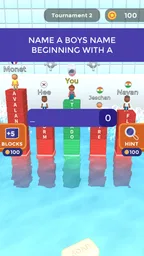
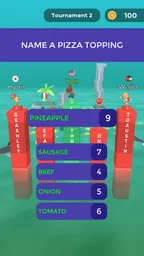
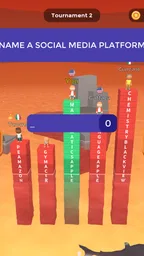
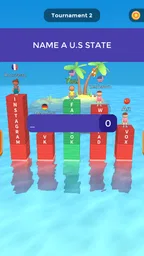
Text or Die review
 Analysis by Appsdrops
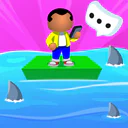
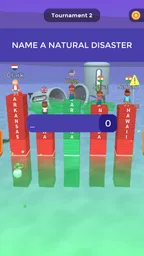
I like trivia games that make me think quickly without demanding a long session, and Text or Die has a simple hook: answer a prompt with a word, then try to make that word longer than your opponents’ choices. Its unusual twist is that word length matters more than finding the most obscure fact. That makes each round feel part quiz, part word game, and part nerve test. It is easy to understand, though how comfortable it feels can depend on your reading speed, typing habits, and tolerance for a little pressure.
How the prompts and screen feel to use
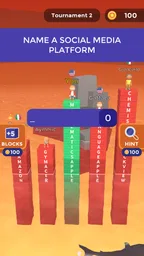
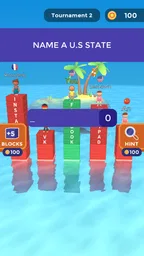
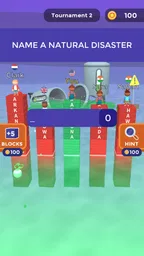
Rollic Games has built a trivia game around a clear decision: interpret the question, think of a fitting answer, and enter it before the round moves on. In practice, the appeal is not just knowing things. You also have to consider whether a longer answer is accurate and likely to be accepted. That extra step gives familiar topics a playful, tactical edge.
The basic loop is straightforward enough for a casual player to pick up without studying instructions. I can imagine opening it while waiting for a friend or taking a short break: a prompt gives me something specific to focus on, and I can try to improve my answer next time. It asks for active attention, but it does not require the sort of extended planning found in a strategy game.
Text is central to the experience, so the clarity of each prompt matters more than flashy presentation. Players who are comfortable reading short questions and entering words should find the premise approachable. Still, a question that seems simple to one person may be unfamiliar or ambiguous to another, especially when it depends on cultural knowledge or a particular interpretation. I would treat a missed answer as part of the game’s challenge, not necessarily proof that I lack the relevant knowledge.
Navigation also has a low learning curve in concept: the main activity is answering, rather than managing a complicated collection of menus or controls. That is helpful for people who want a quick game they can understand at a glance. But a text-first design is not automatically accessible to everyone. Someone who finds small text difficult, needs more time to read, or prefers spoken instructions may have a harder time, and I would not assume the game provides tools to address those needs.
Why word length changes the trivia strategy
A useful habit is to think of several valid answers before settling on one. If a prompt asks for a category with many possible examples, the first word that comes to mind may be correct but short. Pausing briefly to search for a longer, familiar option can be more effective than reaching for an obscure term that might not fit. This is a distinctive trade-off: vocabulary helps, but accuracy still has to come first.
I would also keep answers easy to spell when playing under time pressure. A long word can look like the clever choice, yet a typo or uncertainty about its spelling can cost the advantage you were aiming for. Building a small mental routine—identify the category, recall two or three examples, then choose the longest one you can confidently type—makes the game feel less like a guess and more like a repeatable skill.
Typing, pace, and sensory comfort
Because answering involves entering words, the game naturally favors players who can type comfortably on their device. That can be a pleasant fit for people who enjoy word puzzles and quick written responses. It may be less comfortable for someone with limited hand mobility, tremors, fatigue, or difficulty using a touchscreen keyboard. I would not recommend it as an accessible substitute for a game with deliberately simplified input unless you have tried it and found the typing manageable.
The pressure to respond quickly can also affect players differently. Some people enjoy that urgency because it turns recall into a lively challenge. Others may find a countdown or competitive pace stressful, particularly if they need extra processing time. A practical way to judge the fit is to try a short session when you are relaxed rather than deciding after one hurried round. If the tempo consistently makes the questions hard to enjoy, a slower crossword or untimed quiz is likely a better match.
There is a sensory consideration here too: the game’s core pleasure comes from concentrating on prompts and responses, not from quietly reading at your own pace. If interruptions make it difficult to keep track of a round, playing during a noisy commute may be frustrating. I would save it for a moment when I can give the screen a little attention, even if that moment is only a few minutes.
Where it fits into an ordinary day
For me, the most realistic use is a brief break between tasks. I might play while waiting for food to arrive or while a friend is getting ready, then put the phone away without needing to remember a complex story or unfinished plan. It is also an easy game to suggest to someone who likes wordplay but does not want to learn a large set of rules before starting.
It can work as a casual shared activity, but I would be thoughtful about who is playing. A group with different ages, language backgrounds, or levels of trivia knowledge may not experience the same prompts equally. The word-length twist can soften the importance of knowing a rare fact, since ordinary vocabulary can still produce a strong answer; it does not remove the advantage of familiarity with the subject matter. For a mixed group, I would focus on the funny or surprising answers rather than treating each round as a serious test of knowledge.
Compared with a conventional quiz game, this one puts more weight on phrasing and spelling than on simply selecting the right option. Compared with a crossword, it is less about working patiently through intersecting clues and more about producing an answer in the moment. If I want calm solo wordplay, a crossword is a better choice. If I want short trivia prompts with a tactical reason to search for a longer response, this format is more distinctive.
One limitation of short-session games is that they can become repetitive if the central mechanic stops feeling fresh. Here, the same basic question—what long answer can I produce?—is also the reason the game is easy to return to. Whether that balance works for you will depend on how much you enjoy testing the same skill across different prompts. I would not choose it for deep subject lessons or a detailed explanation of why an answer is correct; its value is quick play, not a structured course.
Practical expectations before installing
Text or Die is a free trivia game, with optional in-app purchases priced from $0.99 to $24.99 per item. I would approach it as a free game first and decide for myself whether anything beyond that is worth buying. Those purchases are worth keeping in mind if you prefer games with no optional spending at all, especially when sharing a device with a child.
It is rated Everyone 10+, a useful cue for families considering whether the tone and play style suit a younger player. I would still consider the individual child’s comfort with quick prompts and competitive pressure rather than relying on an age label alone. The game is by Rollic Games, has a 4.1 average from around 285,000 ratings, and has passed 10 million installs. Those figures suggest broad interest, but they cannot tell me whether its pace or text-based interaction will suit a particular person.
The current version is 30.2.2, and it requires Android 7.0 or later. It was released on August 14, 2021. If your device meets that requirement, the remaining question is less about complexity and more about whether you enjoy reading a prompt, typing an answer, and thinking tactically about word length. I would not assume that the same experience will suit someone who needs spoken content, slower timing, or reduced typing demands.
What may get in the way
The main barrier is not a complicated rulebook; it is the combination of reading, recall, spelling, and speed. A player may be perfectly capable of answering a question but still feel rushed while entering the word. Another may know a topic well but find that the longest answer does not come to mind quickly. These are not small details: they shape whether the central mechanic feels exciting or unfair.
Language is another practical factor. Since success depends on producing words that fit a prompt, comfort with the language used in play matters. Players learning a language may enjoy it as informal practice, but the competitive emphasis on length and quick recall could make it a poor first choice for someone who needs vocabulary support. A slower learning app or an untimed word puzzle would give more room to look things up and reflect.
I also would not recommend it to someone seeking a highly accessible experience based on specific controls, adjustable text, or alternative input unless they have confirmed those options directly on their device. The game’s straightforward premise is welcoming in one sense, but simplicity of rules should not be confused with flexibility for every need. Trying a short session is the most sensible way to judge whether the text and pace work for you.
A considered recommendation
My verdict is that this is a good fit for people who like trivia but want more than tapping a multiple-choice answer. Its best idea is the tension between a safe, obvious response and a longer answer that might earn an advantage. I especially like the small strategic pause it encourages: think of alternatives, check that they genuinely match the prompt, and choose the longest one you can enter confidently.
I would recommend it to casual players who enjoy word games, can comfortably read and type on a phone, and want a quick activity for spare moments. I would steer players who need a calm pace, have difficulty with touchscreen typing, or want detailed explanations and learning progression toward a different kind of quiz. The game’s 4.1 average and 22,000 reviews give a useful sense of its reach, but personal comfort matters more than popularity here.
The strongest reason to try it is the way a familiar trivia prompt becomes a small vocabulary strategy challenge. The clearest reason to skip it is that the same fast, text-based format may leave some players feeling rushed or excluded. If that trade-off sounds appealing, I think it is worth trying as a casual free game; if accessibility depends on particular reading, timing, or input options, check the experience on your own device before committing to longer sessions.
What we like
- Simple controls make each round easy to understand.
- Quick matches suit short play sessions.
- Typing familiar answers can feel satisfying.
- Different categories offer variety between rounds.
- The basic gameplay is easy to pick up.
What could be better
- Answers must match the game’s expected spelling.
- Unusual prompts can make finding answers difficult.
- The experience may feel repetitive over time.
- A slow typing pace can put players at a disadvantage.
- Some rounds may depend on knowing niche topics.







