

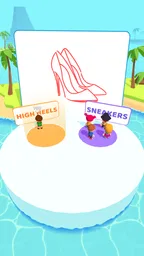
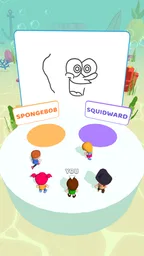
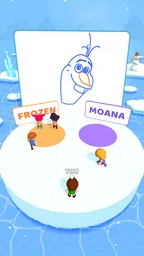
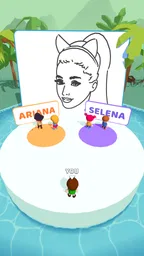
Guess The Drawing review
 Analysis by Appsdrops
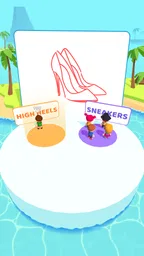
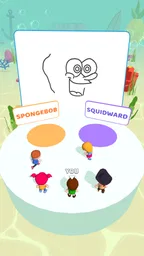
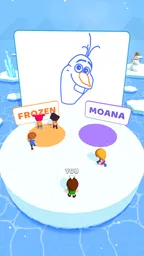
I can see Guess The Drawing working best as a shared-screen game: one person sketches, everyone else tries to work out what the picture is, and the fun comes from the guesses as much as the drawing. Supersonic Studios LTD makes this free trivia game for people who want a quick, social challenge rather than a quiet quiz of facts. Its central idea is easy to explain, so it can suit a family waiting for food, a couple passing time, or friends looking for something playful between other plans.
Why drawing together changes the usual trivia routine
Most trivia games ask players to recall information and select an answer. Here, the challenge starts with interpreting a drawing. That shift gives the game a different social rhythm: a clue that looks obvious to its creator can be baffling to everyone else, and a clumsy sketch may trigger more laughter than a perfect one. I like that it makes participation less dependent on being the person who knows the most facts.
The short store description, “Guess The Drawing,” captures the basic task, while the promise that the last player standing wins points to a competitive edge. That makes it feel more like a lively group contest than a conventional question-and-answer quiz. The drawing gives players something to react to together, and the contest can keep attention on the round even when nobody is sure what the image is meant to be.
For a household, that can be useful when people have different tastes in games. Someone who enjoys making pictures can take pleasure in setting a tricky clue; a less confident artist can still join in because the point is not to produce polished work. The game’s appeal depends on the group being willing to guess and laugh, not on everyone having the same skill or knowledge.
A natural fit for passing time together
A realistic moment for it is a family sitting around after dinner, with a few minutes to fill before everyone moves on to something else. A drawing-based challenge gives the group a shared focus without requiring a long explanation or a serious mood. I would also consider it for a casual get-together where people want an activity that can break the silence without turning the evening into a formal tournament.
It is less suited to a household where people want to play entirely at their own pace. The appeal is in reacting to the same visual clue and competing in the moment, so the experience is naturally more social than a solo word puzzle. If one person is busy or reluctant to join, the game may lose some of its energy; another trivia app with individual questions could be the better choice for that situation.
One useful way to make a shared session feel fair is to rotate who gets to draw or lead the guessing, rather than letting the most confident player dominate. That is not a special game feature; it is simply a practical group habit. It gives quieter players a clear opening to contribute and keeps the session from becoming a test of who can shout an answer first.
Keep the device and expectations clear
On a shared phone or tablet, I would agree on whose turn it is before starting and make sure everyone understands that they are joining a social game, not browsing a private account or personal app space. That small boundary matters in a family setting: a shared device can blur who is playing and who is simply using the device for something else. The game itself should be treated as one activity on the device, not as a reason to hand over access to unrelated personal content.
Because this is a competitive format, it helps to set expectations about how the group will handle a close round. Younger players may care more about winning than adults expect, while older players may be tempted to turn every guess into a debate. I find that a relaxed agreement to keep things light makes the drawing and guessing more enjoyable than arguing about whether an answer was close enough.
I would also avoid assuming that a single shared device automatically means everyone has separate progress or personal settings. Households should make their own arrangements around who uses the device and what account is active, rather than relying on an unconfirmed separation between players. If individual profiles or carefully separated records are essential to your family, choose a game that clearly supports that kind of setup.
Coordination matters more than drawing skill
The most interesting trade-off is that the game’s core activity works only when the group can coordinate around it. People need to see the drawing, understand when to guess, and leave room for others to participate. In practice, that can make it a better fit for a small, attentive group than for a busy room where several conversations are happening at once. If the group is distracted, the shared clue may stop feeling like a challenge and start feeling like something everyone missed.
For smoother play, I would keep the device positioned where everyone can see it and agree on a simple turn-taking rhythm before the first round. This is especially useful when children and adults are playing together: one person can otherwise take over the drawing or answer before others have had a chance. A little coordination makes the contest feel more welcoming without changing what the game is.
There is also a useful distinction between a game that rewards artistic ability and one that uses drawing as a way to communicate. I would not recommend this to someone who wants a serious sketching tool or a structured art lesson. Its purpose is the guessing challenge, and the imperfect, quickly understood image is part of the social fun. If a player is anxious about being judged for their art, the group should make clear that the drawing is a clue, not a performance.
Compared with ordinary trivia games, this one trades factual depth for visual interpretation and group reactions. A standard quiz is often better when players want to test what they know, compete through a list of questions, or play quietly on their own. Guess The Drawing is the more appealing option when the group wants to create the clues together and enjoy the misunderstandings along the way. That difference is more important than choosing whichever game has the broadest collection of topics.
Age context and a sensible level of trust
The game carries an Everyone age rating, which makes it broadly suitable for mixed-age households in terms of its stated content classification. I would still consider the personalities of the people playing. A competitive child may need help handling a loss, and a shy player may need encouragement to draw without feeling that the group expects a masterpiece. Age suitability does not guarantee that every family member will enjoy a fast, social contest.
Its reach suggests that many people have given it a try: it has more than ten million installs, with a 4.5 average from around twenty thousand ratings. Those figures can offer reassurance that it is not an obscure experiment, but they cannot tell me whether a particular household will like the drawing-and-guessing format. I would use them as context, not as a substitute for asking whether your group enjoys playing together on one device.
Parents who are choosing a game for a child should also keep ordinary app-store habits in mind. The game is free to download and includes in-app purchases priced at $2.99 per item. That does not mean a purchase is necessary to enjoy the basic idea, but it is sensible to review purchase settings on a device used by children and to explain that an in-game offer is not the same as part of a turn. This is a practical boundary for any shared device, not a reason to assume a child will encounter a particular prompt.
The game first appeared on January 7, 2022, and its current version is 2.4. It requires Android 7.0 or later, so owners of older Android devices should check compatibility before planning a group session. I would install and open it ahead of a gathering rather than making everyone wait while a device is updated or prepared. The developer is Supersonic Studios LTD, and the app’s free entry point makes it easy to consider without paying upfront.
Who should choose it, and who should pass
I would recommend it to households that already enjoy wordplay, silly sketches, and friendly competition. It can be a good choice when adults and children want one simple activity to share, provided the group is comfortable taking turns and keeping the mood playful. It also makes sense for friends who want a more interactive break than a conventional trivia round, especially when the pleasure is in seeing how differently people interpret the same image.
I would skip it if you are looking for solo progression, a deep knowledge test, an art app, or a game that lets everyone participate independently whenever they like. It is also not my first pick for a group that dislikes drawing or becomes tense over small wins and losses. In those cases, a solo quiz or a cooperative puzzle may create less friction and suit the group better.
My household verdict is that the shared experience is the real reason to try it. The idea is straightforward, but it gives a family or group of friends an easy way to turn a few spare minutes into a playful contest. Treat the shared device thoughtfully, make room for every player, and keep expectations about winning modest. If your group likes guessing from imperfect sketches, Guess The Drawing is a worthwhile free option; if you want private, individual play or a more traditional quiz, another kind of trivia game will likely fit better.
What we like
- Quick rounds make it easy to play in short sessions.
- Simple controls are approachable for younger players.
- Guessing correctly can feel satisfying and rewarding.
- The drawing theme encourages creative interpretation.
- It offers a casual alternative to more complex puzzle games.
What could be better
- Some drawings may be difficult to recognize.
- Repeated prompts can make sessions feel predictable.
- The game may rely heavily on ads for monetization.
- Progress can feel slow without frequent correct guesses.
- It may offer limited appeal to players seeking deep gameplay.







