Brain Test 4: Tricky Friends review
 Analysis by Appsdrops
I like trivia games most when they give me a reason to pause before tapping, and Brain Test 4: Tricky Friends is built around that little moment of doubt. It is a puzzle game from Unico Studio where the answer may depend less on what a question seems to ask and more on noticing an unexpected detail. That makes it a good fit for a short break, though it can also make a simple puzzle feel stubborn when I miss the intended trick.
When a puzzle makes you stop and rethink
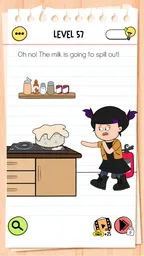
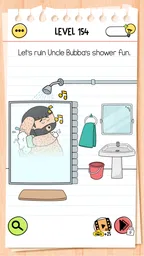
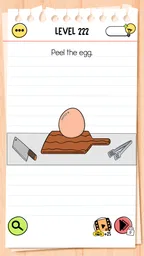
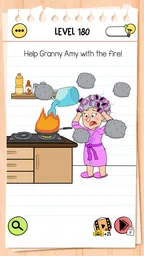
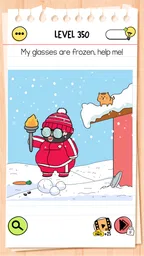
The game sits in the casual brain-teaser side of trivia rather than the familiar format of choosing an answer from a list of facts. A prompt and its illustration work together, and I found that the useful question is often not simply “What is the answer?” but “What part of this scene am I overlooking?” That shift is the central pleasure—and the main source of friction.
Brain Test 4: Tricky Friends is especially suited to people who enjoy lateral thinking, playful misdirection, and solving something by trying a different interpretation. It is less satisfying if you want conventional general-knowledge questions, a serious IQ assessment, or a competitive quiz against other players. Its store description frames it as a way to test your IQ, but I would treat the puzzles as entertainment, not as a meaningful measurement of intelligence.
The game has a 4.7 average from around 208,000 ratings, and it has passed 10 million installs. Those figures suggest that its particular style has found a large audience, but the more useful question for a new player is whether you enjoy being gently tricked. If you prefer clear rules and one plainly stated solution, some puzzles may feel more like guessing the creator’s intention than demonstrating knowledge.
Why players get stuck—and how I work through it
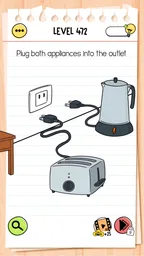
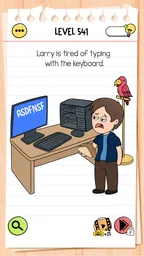
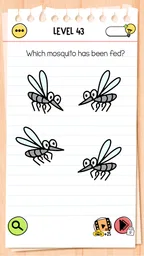
When I hit a wall, I first reread the exact wording instead of tapping the most obvious object. A small word can change what the puzzle is asking, while the picture may contain a clue that looks decorative at first. I then inspect the whole scene, not just the character or object mentioned in the prompt. This deliberate scan is more useful than tapping randomly, which can make the experience feel like trial and error.
My next step is to test one interpretation at a time. If the wording seems to ask for an action, I consider whether the intended answer involves moving or combining something rather than selecting it. If that does not work, I reset my assumptions and look for a visual detail I dismissed. This is a practical way to keep the game’s surprises enjoyable: make a small, reasoned attempt, then change approach instead of repeating the same tap.
The design’s strongest moments come when the solution feels obvious in hindsight. Its weakest moments are the ones where I understand the trick only after discovering what the puzzle expects. That distinction matters: a surprising answer can be funny and memorable, but an answer that feels arbitrary can interrupt the flow. If you find yourself annoyed rather than curious, taking a short break is often a better response than pressing through while frustrated.
Simple setup checks before blaming the puzzle
Brain Test 4 is free to download, with optional in-app purchases priced from $0.99 to $24.99 per item. I would check the purchase details in the app store before buying anything, especially if a child will be playing. The game’s content rating is Everyone, but that does not mean every purchase decision should be left to a young player. The price range also makes it sensible to decide in advance whether you want to spend money at all.
If the game seems to behave oddly, start with ordinary checks rather than assuming the puzzle itself has changed: confirm that the app has finished installing, close and reopen it, and check that your device’s operating system meets the listed minimum of version 7.0. If an update is available, using the current version—listed as 1.47.0—can be a reasonable first step. These checks do not solve a tricky riddle, but they help separate a momentary app problem from a puzzle that simply needs another look.
For a smoother session, I recommend playing when you can give a puzzle a little attention. It is easy to pick up for a spare moment, but trying to solve while rushing through another task makes the visual misdirection harder to enjoy. If you are sharing the screen with a friend or family member, agree to explain your reasoning before revealing a solution. That turns a stuck moment into a quick conversation rather than a race to tap everything.
Recovering your flow without turning it into guesswork
When a puzzle stalls a session, I use a simple recovery routine: reread the prompt, scan the entire image, try one deliberate action, and then take a pause if the result still does not make sense. The important trade-off is that experimentation is part of this game, but unrestricted tapping can make a clever puzzle feel less rewarding. Keeping a mental note of what you already tried also prevents you from circling back to the same failed idea.
It can help to say the puzzle aloud. Describing what you see often exposes an assumption hidden in your first reading—perhaps you have focused on the named character while ignoring the rest of the scene. I also avoid treating a failed attempt as proof that the game is broken. A result that seems unresponsive may simply mean the intended interaction is different from the one I guessed, though a genuine display or app issue is still possible.
If restarting the app does not help, check that the device itself is responding normally and that the game is up to date before trying again. I would avoid repeatedly reinstalling as a first move, particularly if I care about keeping progress, because the safest recovery choice depends on how the game stores that progress. When a puzzle alone is the issue, stepping away and returning with fresh eyes is less disruptive than resetting anything.
When another factor may be involved
Not every frustrating session comes down to puzzle design. A small screen, glare, or a device that is not registering a touch well can make it harder to notice details or carry out an action. I would clean the screen, make sure the picture is easy to see, and try a careful tap before concluding that the answer is unfair. If the same general touch problem appears elsewhere on the device, the game may not be the cause.
Likewise, a puzzle that feels too difficult may be a mismatch with your preferred kind of trivia rather than a technical fault. Traditional quiz apps are a better choice if you want factual questions, fixed answer options, or a clear score based on knowledge. Brain Test 4 is the better pick when you want visual riddles and playful twists. It is also not my choice for a quiet, uninterrupted study tool: the emphasis is on amusement and lateral thinking, not structured learning.
The game is made by Unico Studio and was released on February 9, 2023. It is available at no upfront price, which makes it easy to try if the style sounds appealing. Still, free access does not remove the need to consider optional purchases, and players who dislike hints, experimentation, or puzzles with unexpected interpretations may prefer a more straightforward quiz.
Who will enjoy it, and my practical verdict
I would recommend it to someone who wants a lightweight puzzle for a commute, a waiting room, or a quiet few minutes between tasks. A realistic way to play is to solve one or two challenges while waiting for a friend, then stop when attention is needed elsewhere. The short-session appeal comes from engaging with a single puzzle at a time, not from treating it as a long, focused brain-training routine.
It can also work well as a shared game. I would hand the device to a friend and ask what they think the prompt means before either of us tries an answer; different interpretations are often more entertaining than racing to solve it. For family play, the Everyone rating makes it broadly accessible, while adult supervision around optional purchases remains a sensible precaution. The game is not automatically a good match for every child, since patience with misdirection is part of its appeal.
My honest recommendation is to try it if you like being surprised by a puzzle, but not if you want every question to have an obvious, conventional answer. Its best quality is the way it invites me to challenge my first assumption; its main limitation is that a missed trick can sometimes feel like arbitrary trial and error. The current version, 1.47.0, is the one to look for when checking that the app is up to date, and the minimum operating-system requirement is version 7.0.
Overall, Brain Test 4: Tricky Friends earns its place as a casual trivia-style game for curious players who enjoy visual riddles more than fact quizzes. I would keep it in mind for brief breaks and friendly “what would you try?” moments, while choosing a standard quiz app for general knowledge or a more structured challenge. If you approach its puzzles with patience, inspect the whole scene, and pause when frustration takes over, the game’s odd turns are much more likely to feel clever than irritating.
What we like
- Fresh puzzles introduce new twists on familiar brain-teaser formats.
- Recurring characters give the game a light story and playful personality.
- Hints can help when a puzzle has an unexpected solution.
- Short levels make it easy to play in brief sessions.
- The colorful artwork is clear and appealing on mobile screens.
What could be better
- Some solutions depend on tapping or dragging objects in unexpected ways.
- Repeated hint use may require watching ads or spending in-game resources.
- A few puzzles can feel more like trial and error than logic.
- Progress may be interrupted by advertising between levels.
- Later puzzles can become frustrating without hints.







