




Popular Words: Family Game review
 Analysis by Appsdrops
I like trivia games best when they get a group talking instead of leaving everyone silently tapping at a screen. Popular Words: Family Game is built around that social kind of guessing: you try to name answers other people are likely to give, rather than simply recall a fact with one correct response. That small change makes it a better fit for a casual break or a shared sofa session than for anyone looking for a serious test of knowledge.
How the guessing feels in practice
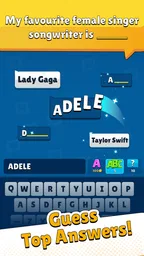
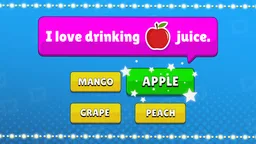
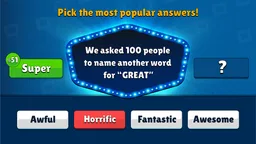
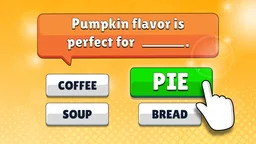
The central idea is easy to understand: a prompt has several popular answers hidden, and you fill in the blanks by guessing them. The challenge is less about knowing obscure facts and more about predicting common choices. I find that distinction gives the game a conversational feel. When someone suggests an answer that seems obvious but does not fit, the natural reaction is to debate what other people would say.
That makes Popular Words particularly approachable for mixed groups. A player who does not follow sports, history, or specialist trivia can still make a sensible guess based on everyday experience. It also means success can depend on shared assumptions: an answer that feels obvious to one person may not be the one the puzzle expects. If you enjoy explaining why your guess should count, that can be part of the fun; if you want strictly factual questions, it may feel less satisfying.
Unico Studio developed this free trivia game, and its simple premise is its strongest practical feature. You do not need a long explanation before passing the phone around or inviting someone to try a round. I would use it as a low-pressure icebreaker, during a short wait, or when a family wants a game that does not require setting up a board or remembering complicated rules.
Quick rounds suit short breaks
The format lends itself to short sessions, although I would not treat that as a promise that every round takes the same amount of time. A useful way to play is to set a casual stopping point before opening it: try a few prompts while waiting for food, then put the phone away when the conversation moves on. That keeps the game in the role of a quick shared activity rather than letting a chain of puzzles take over the evening.
In a group, the most enjoyable moment is often the discussion around a blank, not the act of entering an answer. I would let players say their guesses aloud before one person taps them in. That gives quieter people a chance to contribute and makes disagreements part of the round. It also helps prevent the person holding the phone from turning the game into a solo speed run while everyone else watches.
For a solo player, the appeal is different: you can test whether your first instinct matches common answers and keep moving through prompts at your own pace. But if you want deep explanations, detailed learning, or a structured head-to-head tournament, this is not the same kind of experience as a quiz app built around lessons or a party game designed around formal teams.
Where a busy session can lose momentum
The lightweight premise is convenient, but it does not remove every point of friction. Some prompts may invite several reasonable answers, and guessing what counts as popular can feel subjective. If a group gets stuck arguing over a missing response, I would suggest agreeing on a quick rule: accept the game’s result and move on, or treat the disagreement as the joke of the round. The first choice keeps play brisk; the second makes the game more social but can slow it down.
There is also a trade-off between speed and deliberation. Rapid guesses keep energy up, but a group that wants to debate every possible answer can make even a straightforward prompt drag. For a family gathering, I would use a loose turn-taking rhythm rather than let everyone shout over one another. For a quick solo session, trust the first plausible answer instead of searching for a perfect one. Neither approach changes the game; both help it fit the time and mood you have.
I would not assume that a lively group session tells you much about how the game behaves under every condition. What matters for this kind of title is whether the basic loop stays easy to follow and whether a brief interruption ruins the moment. I would avoid starting a round when I know I need to switch tasks immediately, simply because stopping midway can be less satisfying than finishing a prompt first. That is a practical habit for any short-session game, not a claim about a particular save or recovery feature.
Reliability and the kind of play it supports
Popular Words has a clear enough core idea that players can return after a break without relearning a complicated system. That is useful in a shared setting: someone can join late, hear the current prompt, and understand what the group is doing. I value that more here than elaborate mechanics, because a trivia game that needs constant explanation can interrupt the conversation it is meant to spark.
Still, a simple guessing loop will not suit every kind of repeat play. If you want each session to build a skill in a clearly measurable way, or expect extensive factual explanations after every answer, you may prefer a conventional knowledge quiz. This game is better when you enjoy comparing instincts and seeing which answers seem most common. Its strength is social readability, not a promise of academic depth.
The game is rated for Everyone, which makes it easier to consider for a family setting, but I would still choose prompts and play style with the people in the room in mind. Younger players can participate by offering everyday associations, while adults may enjoy trying to predict the majority answer. The format can bridge an age gap, though it cannot guarantee that every prompt will interest every player.
Device expectations and value
The game is free to download, with optional in-app purchases priced from $0.99 to $64.99 per item. I would start with the free experience and decide whether it earns a place in your routine before spending anything. The range of purchase prices is worth noticing if you are downloading it for a child or sharing a device: check purchase controls before handing over the phone, rather than assuming every part of the experience is cost-free.
Its current version is 1.4.4, and the minimum operating system listed for it is 7.1. That gives a practical starting point when deciding whether an older device can run it, but compatibility is only one part of the experience. If your phone is already short on storage or struggling with other apps, I would not install a game on the assumption that any title with a simple premise must be effortless on every device. Close what you do not need and try a short session first; that is a sensible way to judge responsiveness on your own phone without expecting a particular speed or resource footprint.
The game has an average rating of 4.8 from around 99,000 ratings, and it has been installed over 10 million times. Those figures suggest that the straightforward guessing concept has found a broad audience, but they do not settle whether its style matches yours. I would weigh the actual format more heavily: popular-answer puzzles are appealing if you like social prediction, and less so if you want exact-answer trivia with clear educational explanations.
Who I would recommend it to
I would recommend Popular Words to someone who wants a casual game to pass around, especially a family or friend group that enjoys arguing over everyday answers. It is also a reasonable choice for a brief solo distraction when you want a puzzle that does not demand specialist knowledge. A practical scenario is a delayed meal at a restaurant: one person reads the prompt, everyone offers a guess, and the group gets a small shared activity without needing to organize anything beyond the phone.
I would skip it if your main goal is a demanding trivia challenge, a detailed learning tool, or a fully structured multiplayer competition. A traditional quiz is a better fit when you want fact recall and explanations; a dedicated party game may work better if your group wants formal teams, rounds, and a clear winner. Popular Words sits between those options, using common-answer guessing to create conversation rather than delivering a comprehensive quiz experience.
Overall, I see it as a handy, accessible way to turn ordinary opinions into a light guessing game. Its best moments come when players compare what they thought people would say, and its main limitation is that this same subjectivity can frustrate anyone who wants every answer to feel unambiguously correct. If you go in expecting a relaxed social puzzle rather than a serious test of knowledge, it is easy to recommend as a free game worth trying.
What we like
- Quick rounds make it easy to play during short breaks.
- Family-friendly word clues suit a wide range of ages.
- Simple controls are easy for new players to learn.
- Guessing together can encourage lively group conversations.
- Replay value comes from trying different words and teams.
What could be better
- Some clues may be too easy for experienced word-game players.
- Players who dislike word guessing may lose interest quickly.
- A large group can make turns feel slow.
- Different vocabulary levels can create an uneven challenge.
- The game is less engaging when played alone.







