
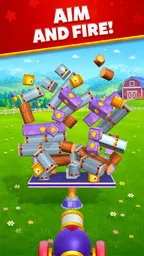
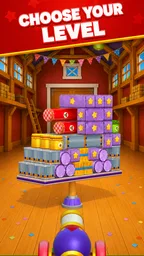
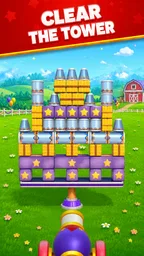
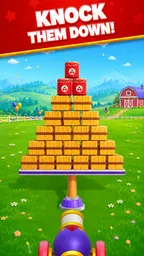
Stack Smash - Block 3D Puzzle review
 Analysis by Appsdrops
I judge a puzzle game by what happens after the first minute: whether its rules feel fair, whether I can settle into a satisfying rhythm, and whether a mistake teaches me something. Stack Smash - Block 3D Puzzle is built around a simple premise—placing and breaking a stack through physics-based puzzles—but that simplicity puts a lot of weight on timing and judgment. It’s an easy game to understand at a glance, though getting consistently comfortable with it can take more patience than the cute presentation suggests.
Getting past the first frustrating attempts
The main point of friction is the gap between knowing what you want to do and making a move that produces the result you expect. A stack can look stable, then shift in a way that changes your next decision. I found it more useful to treat each attempt as a small experiment than to rush through moves hoping the structure would sort itself out.
That makes the game a better fit for people who enjoy spatial puzzles and can tolerate a little trial and error. If you want a puzzle with a single obvious answer, or one where every action is fully predictable, this may feel less relaxing than its cozy look implies. Physics puzzles invite surprises; here, that unpredictability is part of the appeal, but it can also be the reason a run feels awkward.
My practical advice is to pause briefly before acting. Look at the shape of the stack, identify the part that seems most likely to move, and decide what you want the next move to accomplish. That simple habit helps turn a string of reactions into deliberate problem-solving. It also makes a failed attempt easier to interpret: instead of thinking “that was random,” you can ask which assumption about balance or movement was wrong.
Small habits that make the puzzles easier to read
Try changing one decision at a time when you retry a puzzle. If you alter several choices at once, it’s hard to tell which change helped. Keeping most of your approach the same while adjusting one move gives you a clearer sense of how the stack responds. This is especially useful when a solution seems close but repeatedly ends with an unstable arrangement.
It also helps to separate “progress” from “speed.” A quick move is not automatically a good one when the challenge depends on how pieces interact. I’d rather take a moment to inspect the likely consequences than tap through a puzzle impatiently and have to reconstruct what went wrong. That’s a small workflow choice, but it makes the game feel more like a puzzle and less like a test of reflexes.
For an everyday example, I’d use it during a short break when I have enough attention to focus on a few decisions but don’t want to commit to a long session. If I’m distracted or switching between other tasks, I’m more likely to make a careless move and then blame the physics. The game’s uncomplicated premise is convenient, but the best experience still comes when I give each attempt a little attention.
Checking the basics before blaming a puzzle
If an action doesn’t seem to register, I’d first check the ordinary setup issues rather than assume the level is broken. Make sure the game has finished loading, that the screen is responding normally, and that a tap or gesture is landing where intended. Closing and reopening the game is a reasonable general reset if the interface stops behaving as expected. These are basic troubleshooting steps, not special fixes for a known defect.
Before starting a focused session, it’s also worth checking that the device is running a compatible system. The listed minimum is Android 7.1, and the current version is 1.3.1. If you’re installing on an older device, checking the operating-system version first can save time. Keeping the game updated through the app store is sensible too, since it ensures you are using the available release rather than an older installation.
If the screen feels crowded or a move is hard to judge, try holding the device steadily and avoiding accidental touches around the play area. I wouldn’t assume that every unexpected outcome means the game misunderstood an input: in a physics puzzle, the intended action and the resulting motion can simply be different things. Repeating the move more carefully, while watching the starting position, is a useful way to distinguish an input problem from an outcome you didn’t anticipate.
Recovering a session without making the confusion worse
When a puzzle goes off course, the most helpful recovery is often to stop and reassess instead of continuing with hurried corrections. A follow-up move made only to compensate for the last surprise can create a second problem. I’d look at the current arrangement, choose one clear objective, and make the next decision around that objective. If the attempt is no longer useful, restarting the puzzle is often cleaner than trying to rescue a position I no longer understand.
That approach is valuable because physics-based play can make cause and effect feel less obvious than in a grid puzzle. In a traditional match or tile game, a move usually has a clearly bounded result. Here, movement can change the state you’re planning around. Taking a moment after an unexpected shift gives you a chance to update your plan rather than applying the strategy that made sense before the stack moved.
If the game itself appears frozen or unresponsive, I’d use general recovery steps: wait briefly, close and reopen it, and check whether the device is behaving normally in other apps. If other apps are also struggling, the issue may be broader than this game. If only one puzzle behaves oddly, retrying it after a fresh launch is a more useful test than repeatedly tapping the same spot. These checks help narrow down the source without presuming a particular bug or solution.
When the problem may be the device or the moment
Not every frustrating session is a design issue. A low battery, a busy device, or divided attention can make it harder to notice what happened after a move. I wouldn’t draw a firm conclusion about the game from one session played while distracted. A short pause, a fresh launch, and a calmer retry can tell you whether the problem was persistent or simply a bad moment.
There is also a difference between an outcome that feels surprising and one that feels unfair. Give yourself a couple of attempts to understand the relationship between the stack and your actions. If the results become more legible as you pay attention, the learning curve may be working as intended. If you still prefer puzzles where the board state is fixed and every move has a more transparent consequence, a conventional logic or tile puzzle will probably suit you better.
For installation concerns, the game is free to download and has an Everyone content rating. It includes optional in-app purchases priced from $1.99 to $99.99 per item, so I’d check the purchase details in the app store and on the device before handing it to a child or letting someone else use the device. The rating makes it broadly accessible, but purchase controls are still a sensible household check.
Who will enjoy it, and what to expect
As a puzzle game from Tripledot Studios Limited, Stack Smash sits in a different lane from a standard word puzzle, number grid, or match game. Those alternatives tend to reward pattern recognition within a stable board. This one asks you to think about a stack and accept that physical movement can complicate your plan. I’d pick it when I want a hands-on spatial challenge; I’d choose a calmer, more deterministic puzzle when I want to reason through a solution without surprises.
The game has an average rating of 4.9 from around 57,000 ratings, with around 2,000 written reviews, and has passed over one million installs. Those figures suggest that many players have found something to like, but they don’t tell me whether its style matches yours. The important question is whether you enjoy learning through attempts. If you do, the approachable premise gives you a low-pressure way into a more physical kind of puzzle. If repeated adjustment annoys you, popularity won’t make that friction disappear.
I’d recommend it to someone who likes compact challenges, visual reasoning, and the satisfaction of refining a plan after a near miss. It’s also a reasonable choice for a casual break when you want something more involved than passive scrolling but don’t want a story-heavy game. I would skip it if you need a highly predictable puzzle, dislike retrying after mistakes, or want every session to feel productive even when your attention is split.
My overall impression is that the game’s best quality and its main limitation come from the same place: the stack’s physical behavior gives each decision character, but it can make outcomes harder to read than in familiar puzzle formats. Approach it patiently, use retries to learn rather than merely repeat, and check the basics if an input or launch seems off. At version 1.3.1, it’s a free, accessible option with optional purchases, and I’d try it for its particular blend of cute presentation and spatial problem-solving—provided you’re in the mood to think before you tap.
What we like
- Simple controls make it easy to start playing.
- Short rounds suit quick breaks.
- Colorful 3D visuals give the game a lively look.
- Breaking stacks provides satisfying feedback.
- The core gameplay is easy to understand.
What could be better
- Repeated levels can make the gameplay feel monotonous.
- Timing mistakes can end a run quickly.
- Ads may interrupt the flow of play.
- Progress can depend heavily on repeated attempts.
- The simple mechanics may not satisfy players seeking deep strategy.







